Processes starting with "md" are how Spotlight indexes your files for future searches. After a restart it going to look for changes.
The best way to improve on this is to reduce the number of items you think you will require a Spotlight search. Be brutal. By default, Spotlight indexes many places including some, for your needs, are unlikely to need searching.
You can use System Preferences > Spotlight to limit where Spotlight indexes and searches:
Change Spotlight preferences on Mac - Apple Support
See how few options I have Spotlight index:
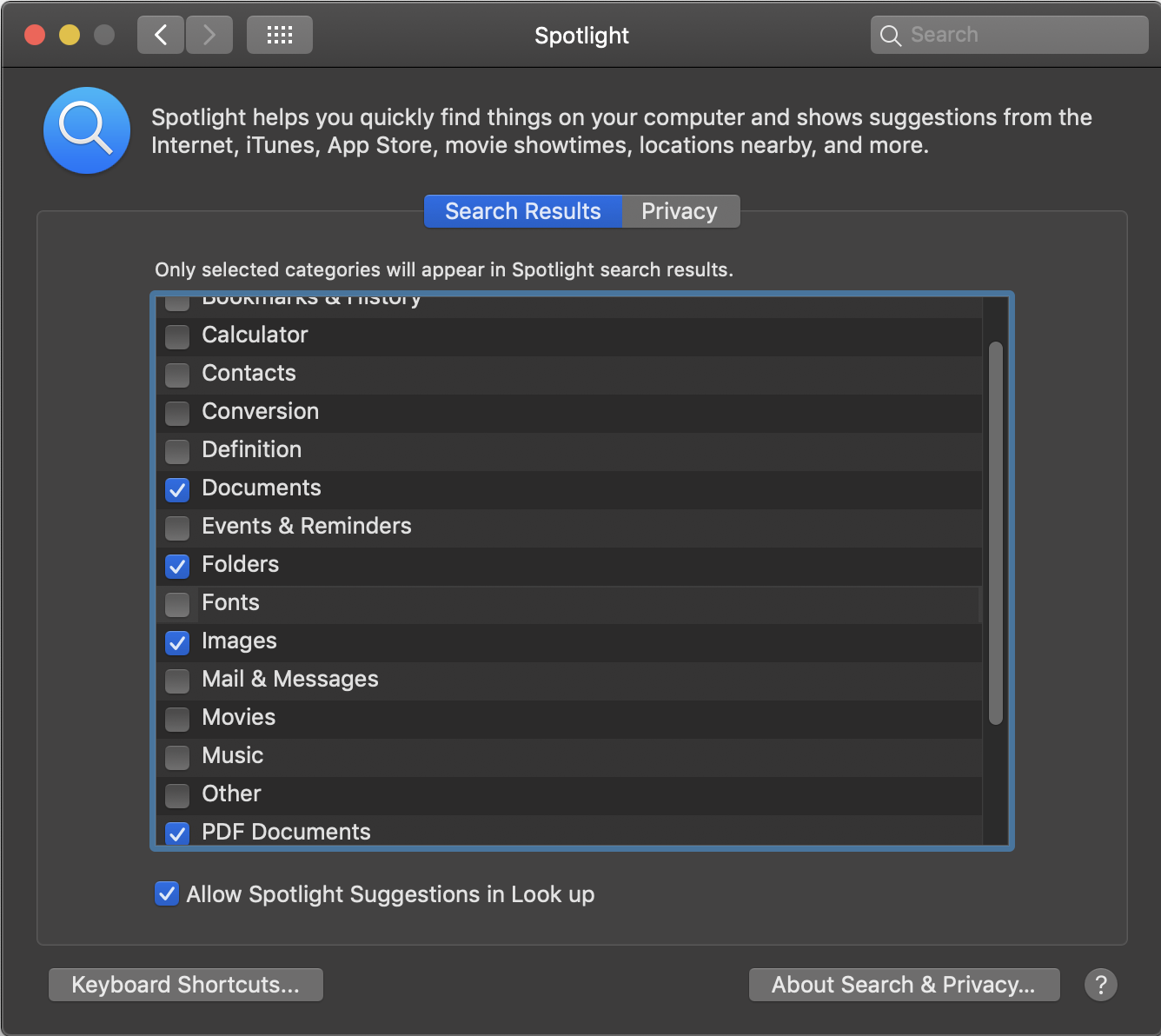
I recommend never having Spotlight index emails. They seem slower to index than other items. Every email client I've ever used has its own built-in search function that works faster.
You can also use the "Privacy" tab to exclude whole volumes. Example: I do not have Spotlight indexing my external Time Machine USB3 drive because the backup files very large and the drive is far slower to access than the super-fast SSD in my iMac.