Performance issues while connected to an external display with the lid open

Hi guys, I hope you're all doing well.


So I'm a developer, and I am daily driving a 13" M1 MacBook Pro which works great.


When I'm home I usually work on a 34" external display with the laptop in clamshell mode. I've never had issues with that setup, but whenever I use the laptop while it is connected to the display, it gets really hot and eventually really slow. The battery also drains considerably.


I have had this exact issue with another display at work. I don't have the exact model but it was a regular Dell office monitor, nothing special.


I've looked everywhere but have found no solutions. Any ideas to what might be causing this?


Thanks in advance everyone.

MacBook Pro 13″, macOS 12.3

Posted on May 12, 2022 6:37 AM

Reply

Similar questions

1 reply

May 13, 2022 7:55 AM in response to lemomar

Welcome Lemomar,


According to your post, you're running macOS 12.3. We'd make sure to back up anything important and make sure the Mac is up to date: Update macOS on Mac - Apple Support


Update macOS on Mac

Use Software Update to update or upgrade macOS, including built-in apps like Safari.

Before you get started, it's a good idea to back up your Mac. Then follow these steps to find and install any available software updates or upgrades.

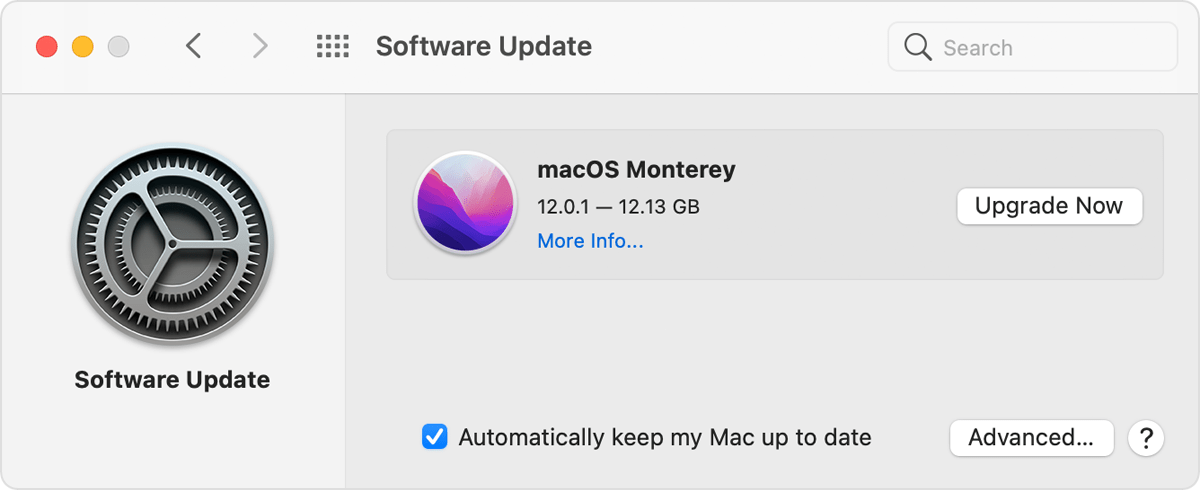
1. From the Apple menu  in the corner of your screen, choose System Preferences.
2. In the System Preferences window, click Software Update.
If your System Preferences doesn't include Software Update, learn how to upgrade to macOS Monterey or upgrade to an older macOS, and use the Updates tab of the App Store app to get app updates.
3. Click Update Now or Upgrade Now:
- Update Now installs the latest updates for the currently installed version, such as an update from macOS Big Sur 11.5 to macOS Big Sur 11.6. 
- Upgrade Now installs a major new version with a new name, such as macOS Monterey. Software Update shows only upgrades that are compatible with your Mac.

Software Update preferences


We'd also check for any firmware or driver downloads for the monitor: https://www.lg.com/us/support/software-firmware-drivers?customerModelCode=34WP500-B&csSalesCode=34WP500-B.AUS&category=CT10000030&subcategory=OTHERS


Should the issue persist, which apps are you using when this occurs? Any app updates available? Any recent changes to the Mac?


Hoping to hear back, take care.


This thread has been closed by the system or the community team. You may vote for any posts you find helpful, or search the Community for additional answers.

Performance issues while connected to an external display with the lid open

Welcome to Apple Support Community
A forum where Apple customers help each other with their products. Get started with your Apple Account.