Hello ISABELARANGUREN,
iCloud typically acts as a use backup meths to securely backup everything that you have on your device to iCloud. So you should still have the origional files on your device. If you updaloaded files to iCloud only and did not keep originals on your device and your payment for iCloud lapsed, and your subscription canceled, then that data would be gone. Another option would be if you made a backup to your computer, you could restore the data from that backup. If you made a backup, this is how to restore it:
1. On a Mac with macOS Catalina or later, open the Finder. On a Mac with macOS Mojave or earlier, or on a PC, open iTunes.
2. Connect your device to your computer with a USB cable. If a message asks for your device passcode or to Trust This Computer, follow the onscreen steps. Get help if you forgot your passcode.
3. Select your iPhone, iPad, or iPod touch when it appears in the Finder window or iTunes. Learn what to do if your device doesn't appear.
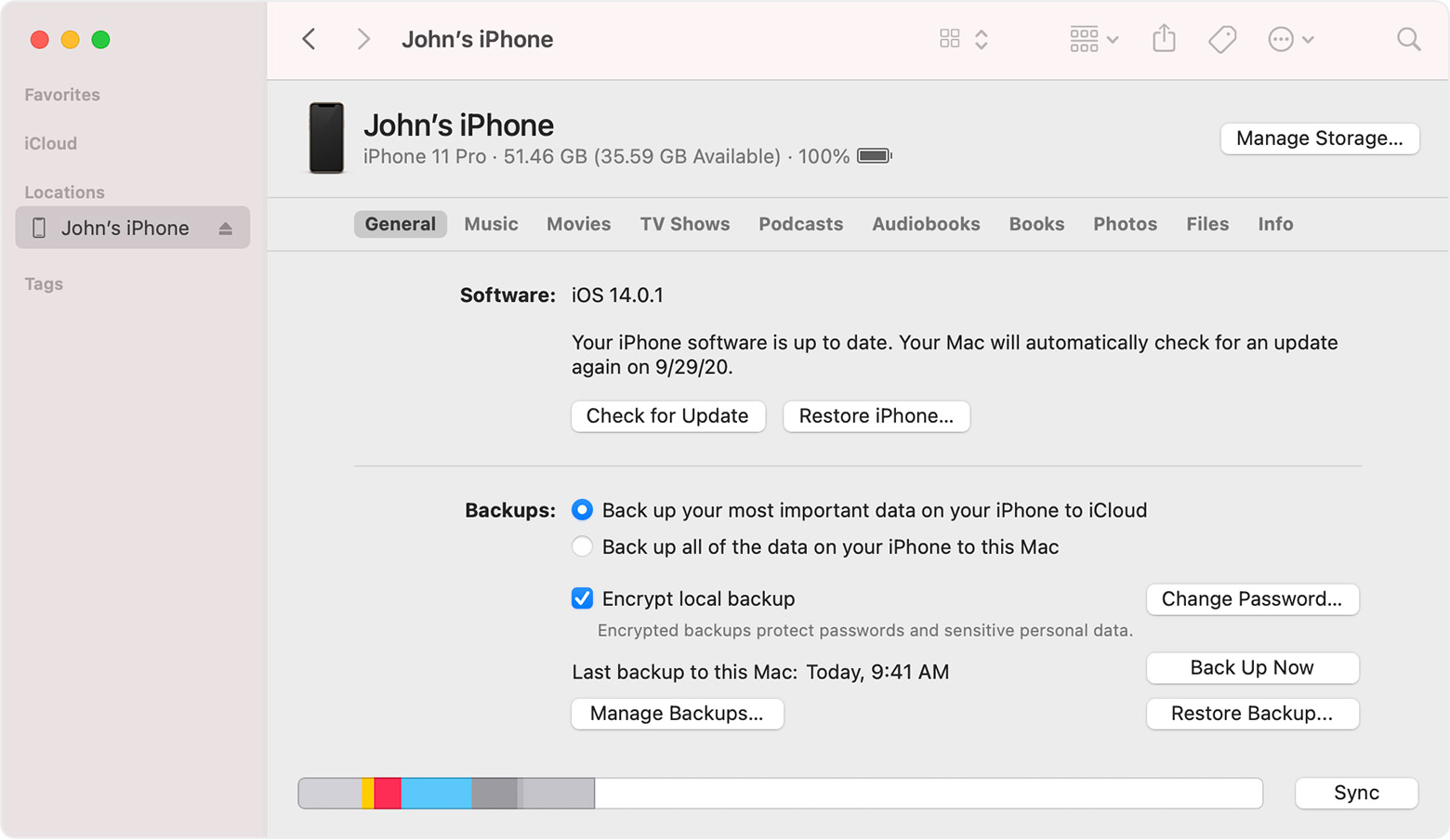
4. Select Restore Backup. Learn what to do if a message says that your device's software is too old.
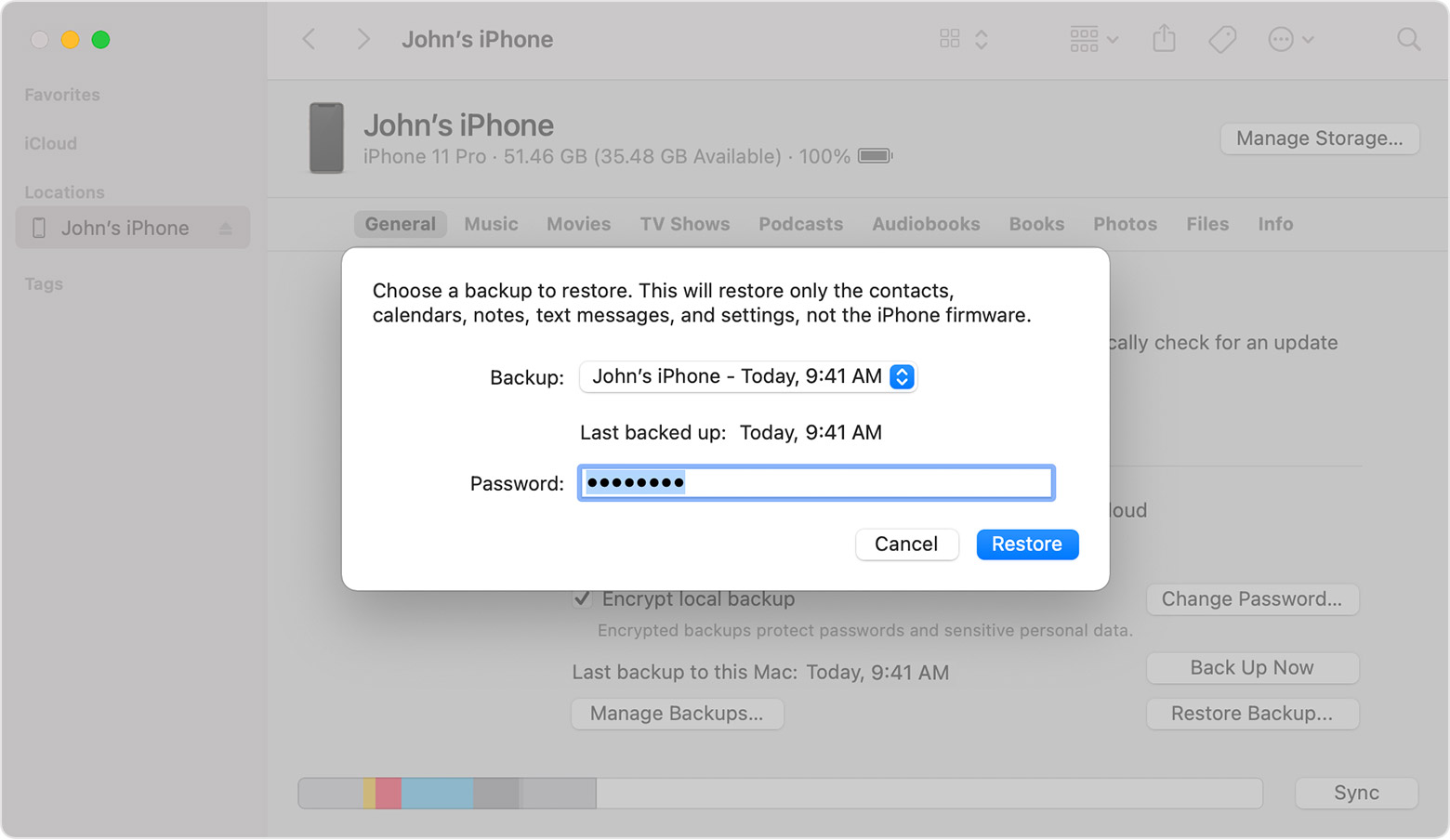
5. Look at the date of each backup and pick the most relevant.
6. Click Restore and wait for the restore to finish. If asked, enter the password for your encrypted backup.
7. Keep your device connected after it restarts and wait for it to sync with your computer. You can disconnect after the sync finishes.
You can see these steps in this article:Restore your iPhone, iPad, or iPod touch from a backup - Apple Support
Best Regards.


