Hey texasfatboy71,
We'd be happy to help out. While we see you mentioned that you felt the setup is right, we'd suggest double-checking things using the steps in the resource below:
Universal Control: Use a single keyboard and mouse between Mac and iPad - Apple Support
"Turn on Universal Control
Before continuing, make sure that each device meets the Universal Control system requirements, including that each is signed in with the same Apple ID, and Universal Control is turned on.
On your Mac
- Choose Apple menu > System Preferences, then click Displays.
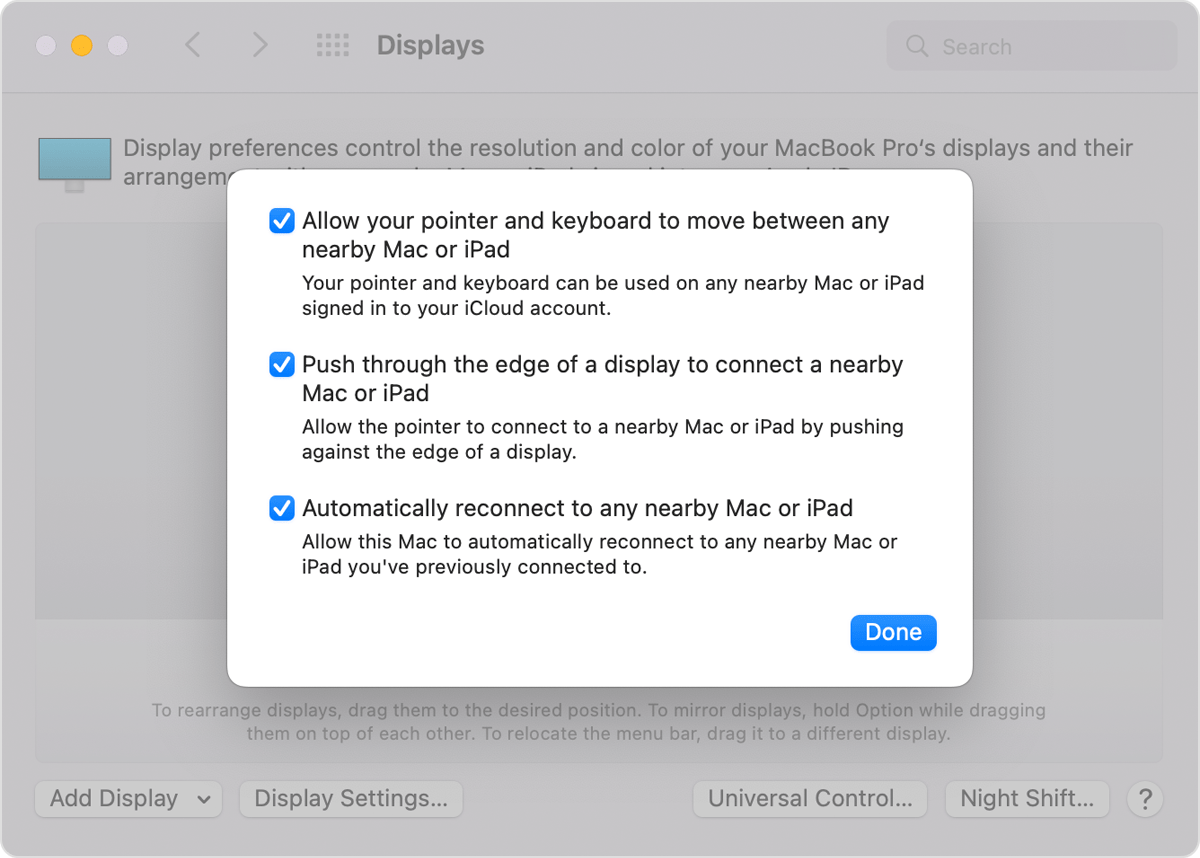
- Click the Universal Control button at the bottom of the preferences window.
- Select “Allow your pointer and keyboard to move between any nearby Mac or iPad.” Leave the other two settings selected for now.
On your iPad
- Open the Settings app.
- Tap General, then tap AirPlay & Handoff.
- Turn on Cursor and Keyboard."
We hope this information helps out.
Take care!


