Date conditional formatting

Hi all,


I want a cell to highlight red if both conditions are met:


  1. It is 3 days after a set date in another column
  2. It is blank


Does anybody have an idea on how to do this?!


An an example, the date is in C6, and F6 is where I want the cell to be highlighted after the 3 days and if it is blank. Thanks!

Posted on Jun 3, 2022 11:57 AM

Reply

Similar questions

4 replies

Jun 3, 2022 2:27 PM in response to myf0712

If I understand you correctly it should look like this.
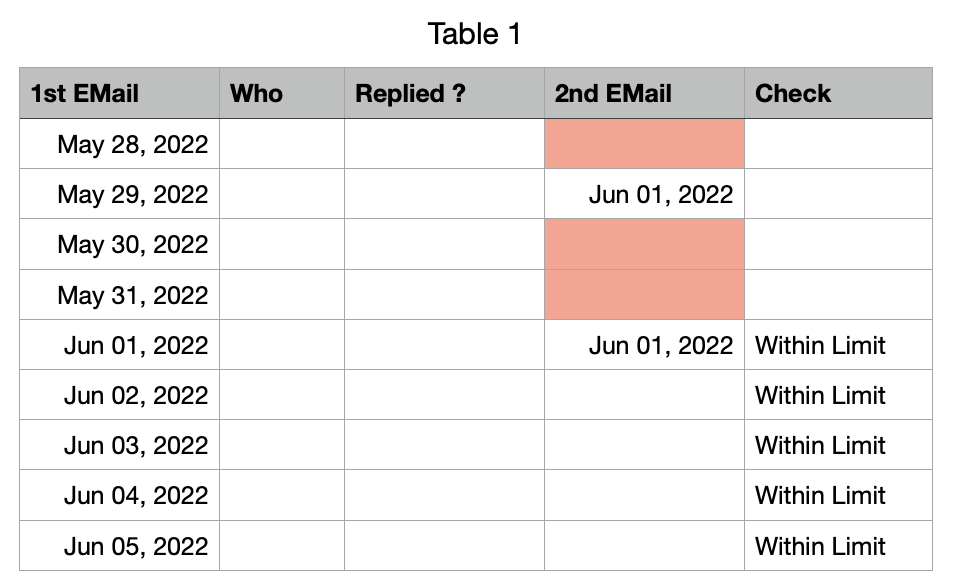

You would need an additional column

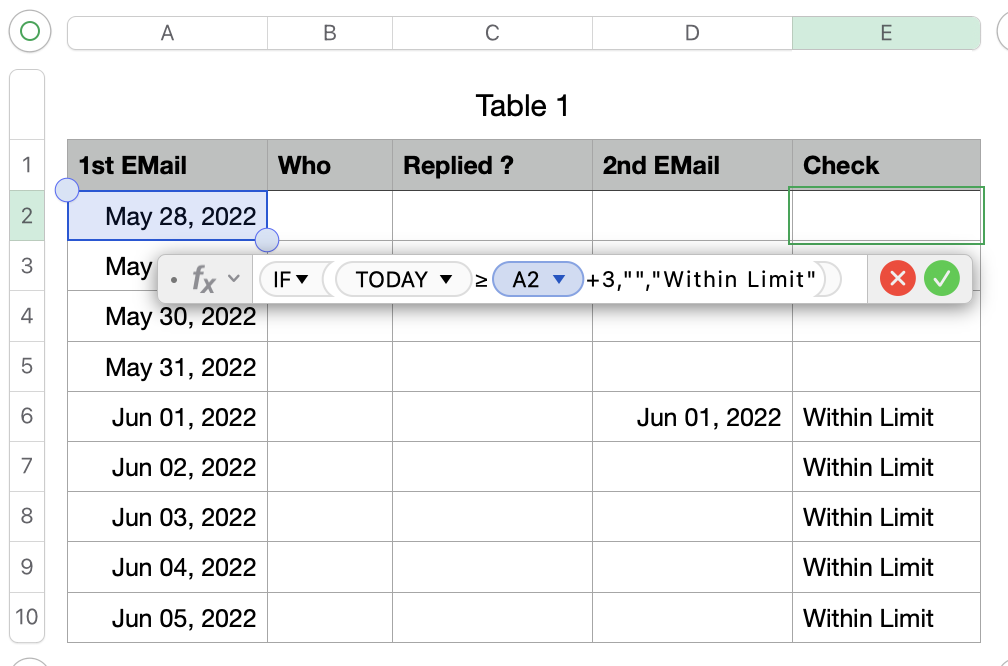
Column E contains this formula: IF(TODAY()≥A2+3,"","Within Limit")

It will check if todays date is larger / equal than the date of the first email + 3 days

If this is true it will write an empty text "" in cell E2, if the 3 days are not over it will write "Within Limit" in this cell.

After you have tested everything you can hide this column.

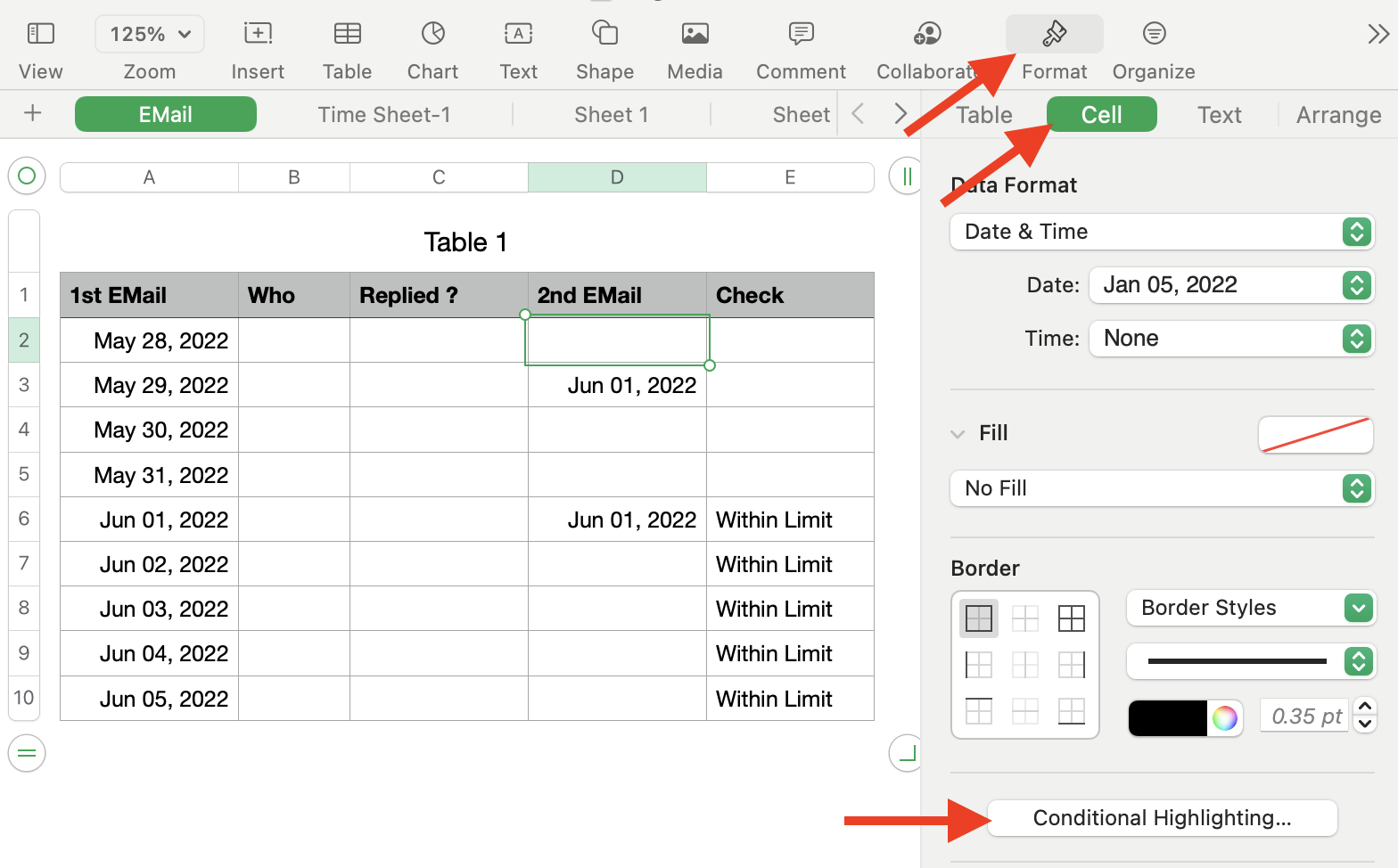
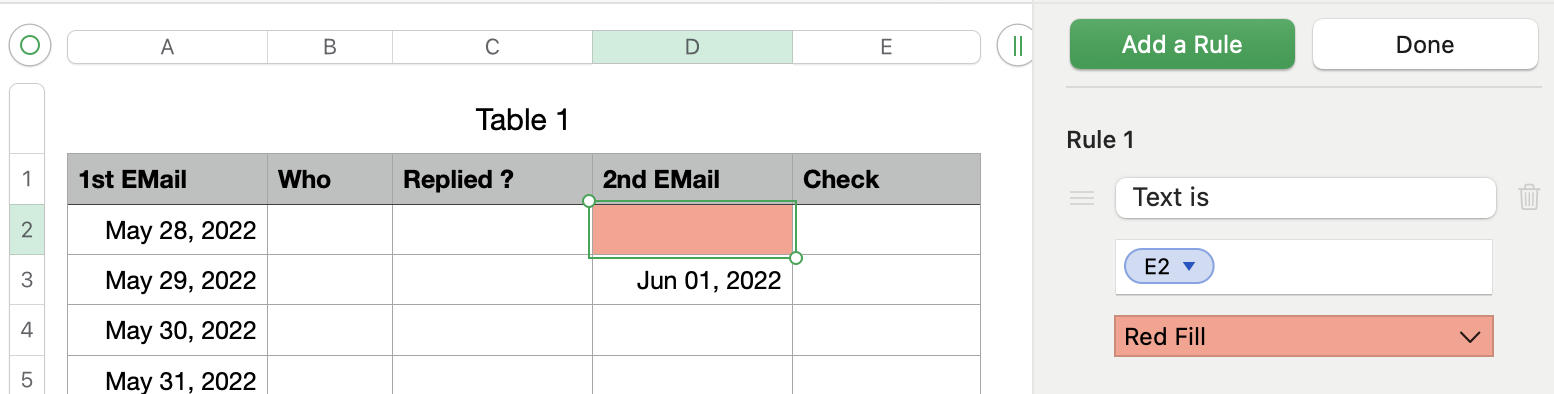
Now you select cell D2 and create a Conditional Highlighting.

It is important that you only select cell D2 !!


Add a text rule with "Text is" and select this button.

Select "Red Fill"
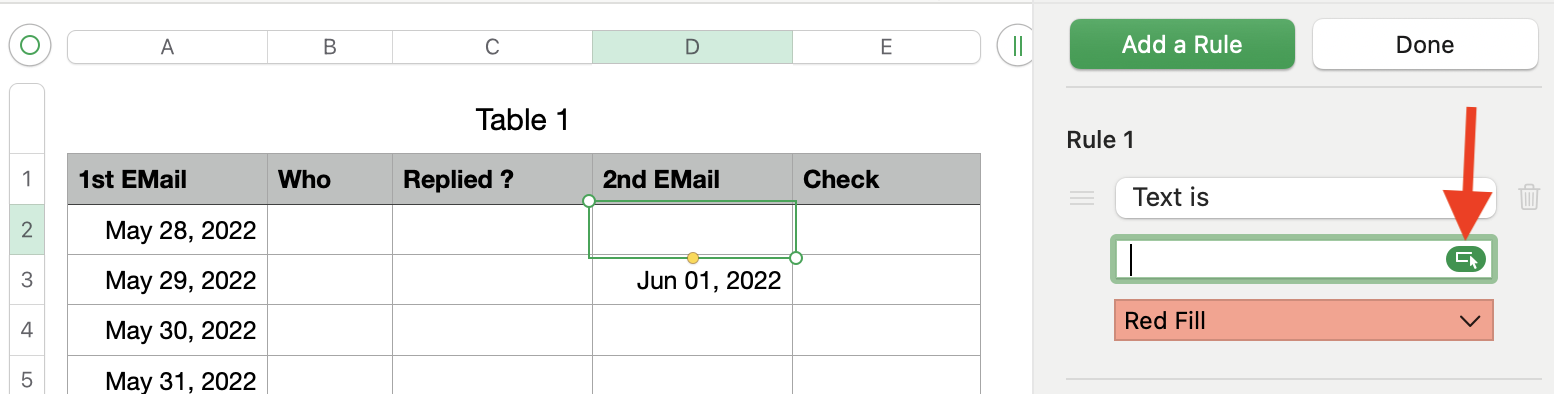

Then select cell E2 and finish the selection.

Now select the button "Done"

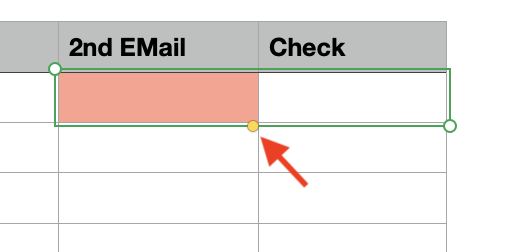
Select cell D2 and E2 and drag both down to the end of your table.

Select the small yellow dot to drag both cells down.

Your table should now look like this
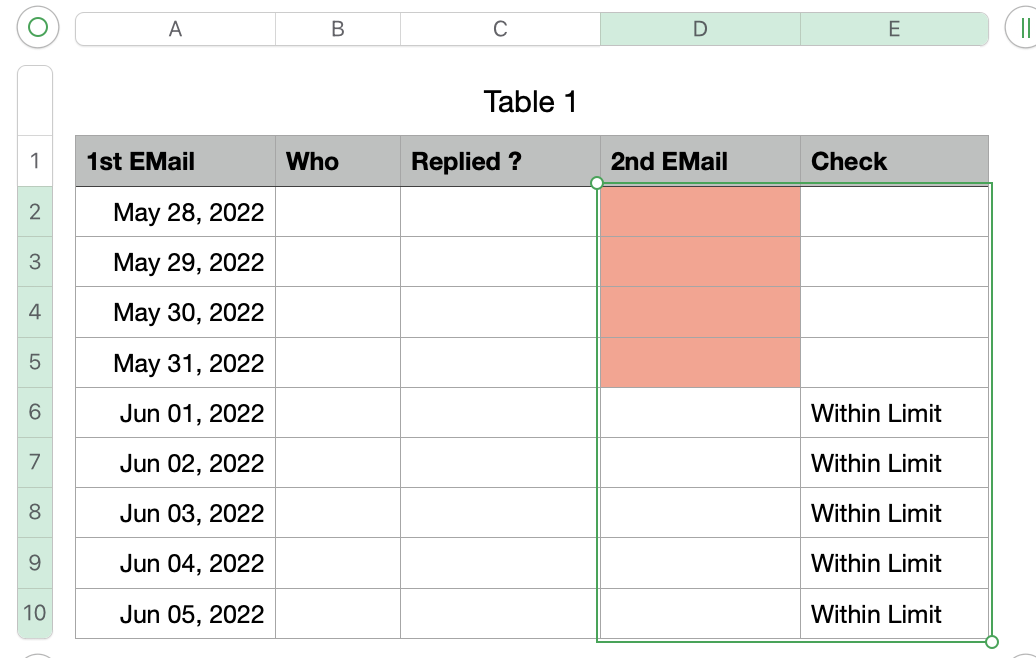

As soon as you enter a date for the second email the red marking will be switched off.


Based on your region the , or the ; will be used to separate the different sections of a formula.

Hope this will solve your question, please let me know if something in unclear.


Ralf

Jun 3, 2022 6:25 PM in response to myf0712

myfo712 writes: "One question - is there any way to get rid of the red warning signs for the cells that I haven't yet filled in?"


The error triangle occurs when the formula below attempts to compare the Date and Time value "TODAY()" with the value in an empty cell in column A.


IF(TODAY()≥A2+3,"","Within Limit")


Try this revision: IFERROR(IF(TODAY()≥A2+3,"","Within Limit"),"..")


The formula, shown below the table, is entered in G2 and filled down to the rest of the cells in that column.


the two periods can be replaced with a pair of spaces if you want to show an 'empty' cell when "within Limit" is not displayed.


Regards,

Barry


This thread has been closed by the system or the community team. You may vote for any posts you find helpful, or search the Community for additional answers.

Date conditional formatting

Welcome to Apple Support Community
A forum where Apple customers help each other with their products. Get started with your Apple Account.