If I understand you correctly it should look like this.
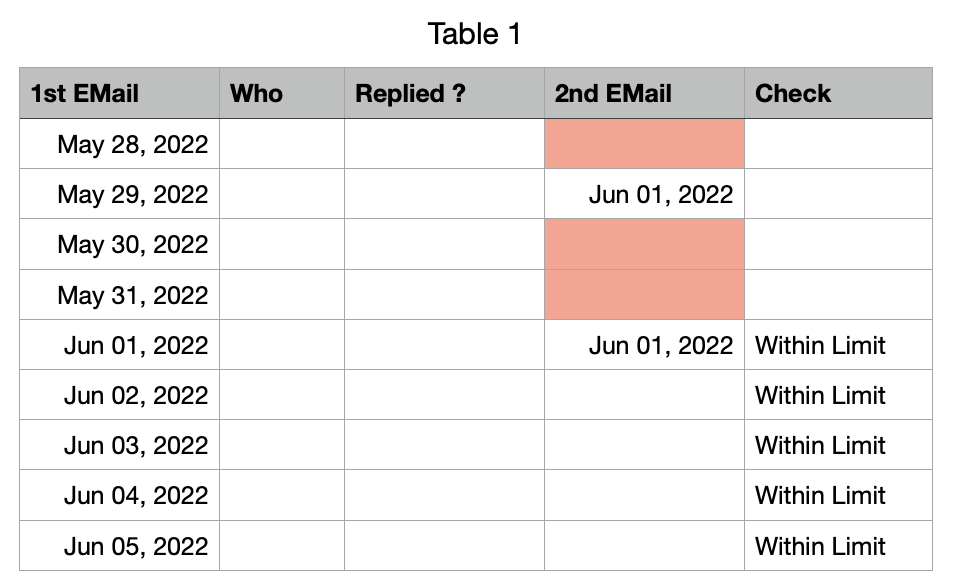
You would need an additional column
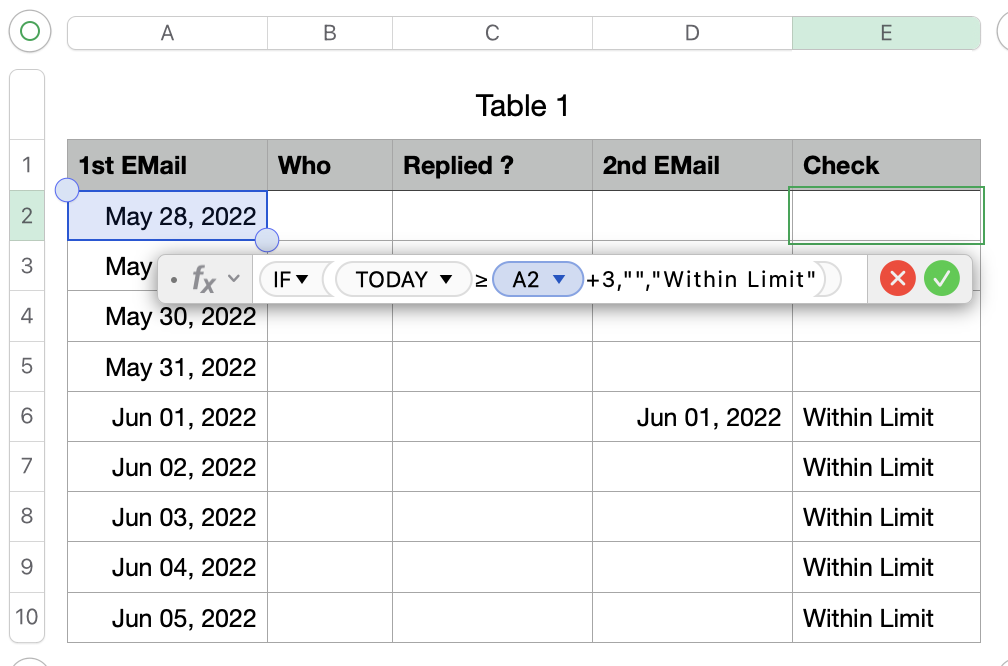
Column E contains this formula: IF(TODAY()≥A2+3,"","Within Limit")
It will check if todays date is larger / equal than the date of the first email + 3 days
If this is true it will write an empty text "" in cell E2, if the 3 days are not over it will write "Within Limit" in this cell.
After you have tested everything you can hide this column.
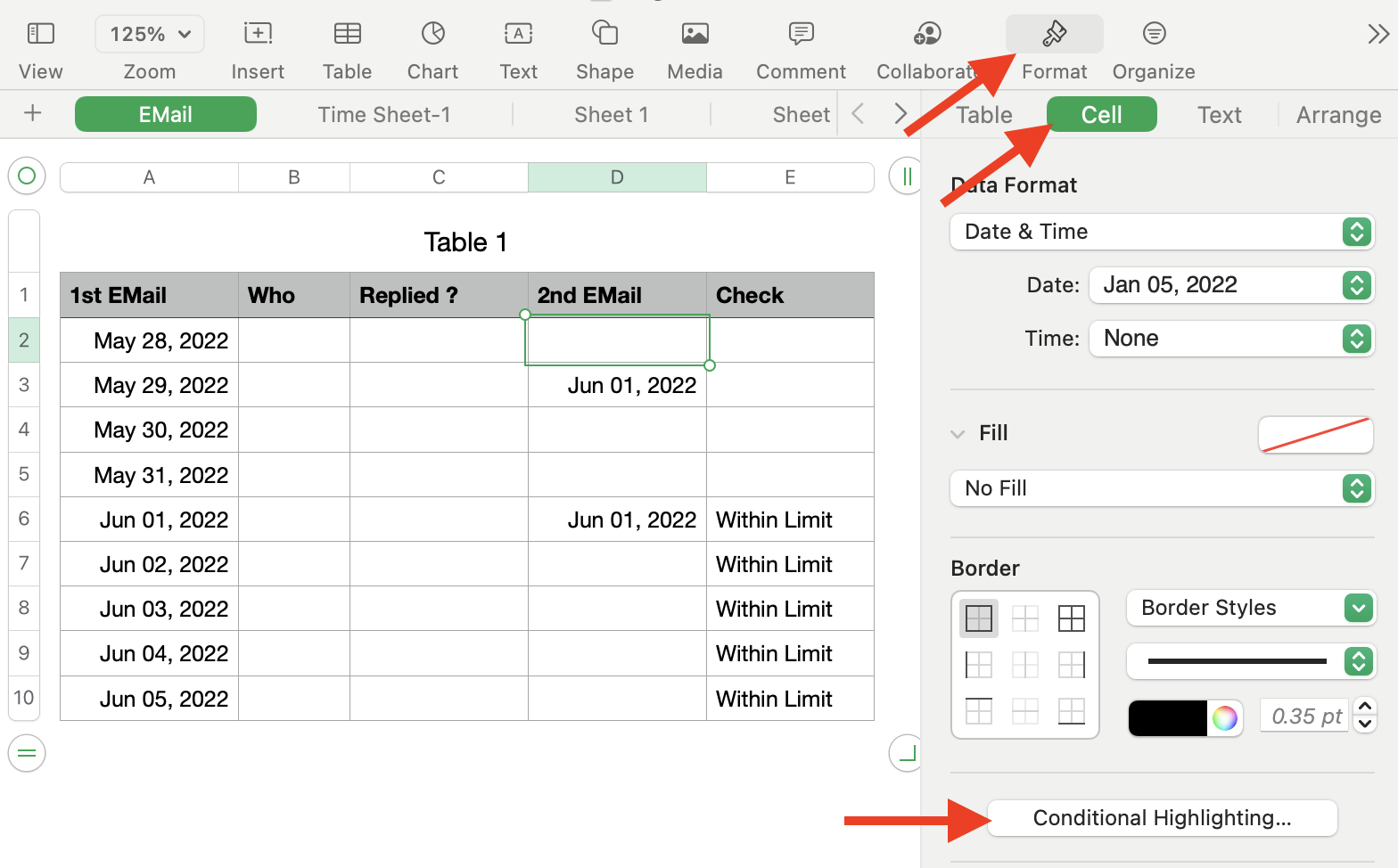
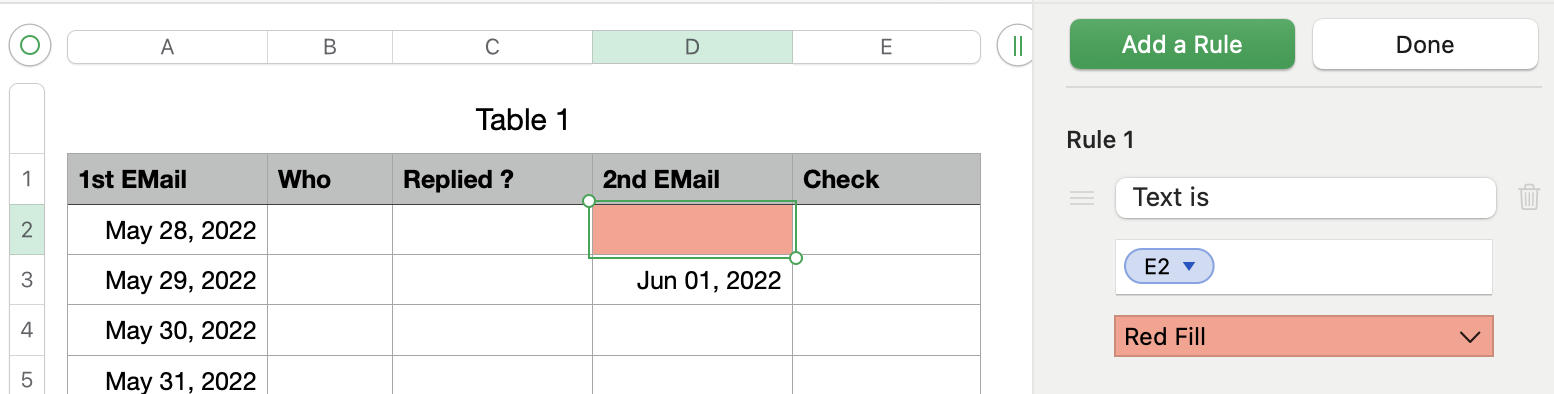
Now you select cell D2 and create a Conditional Highlighting.
It is important that you only select cell D2 !!
Add a text rule with "Text is" and select this button.
Select "Red Fill"
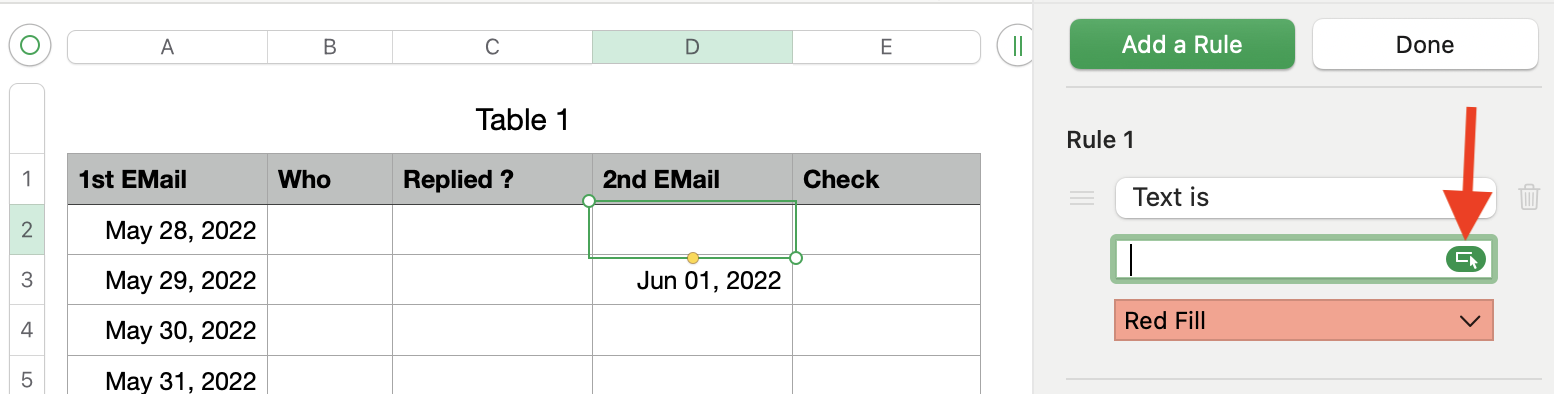
Then select cell E2 and finish the selection.
Now select the button "Done"
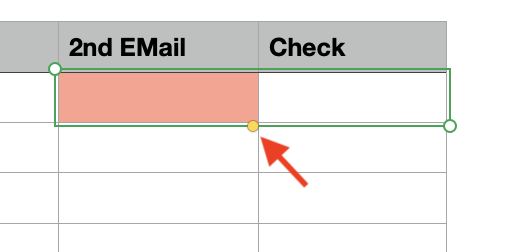
Select cell D2 and E2 and drag both down to the end of your table.
Select the small yellow dot to drag both cells down.
Your table should now look like this
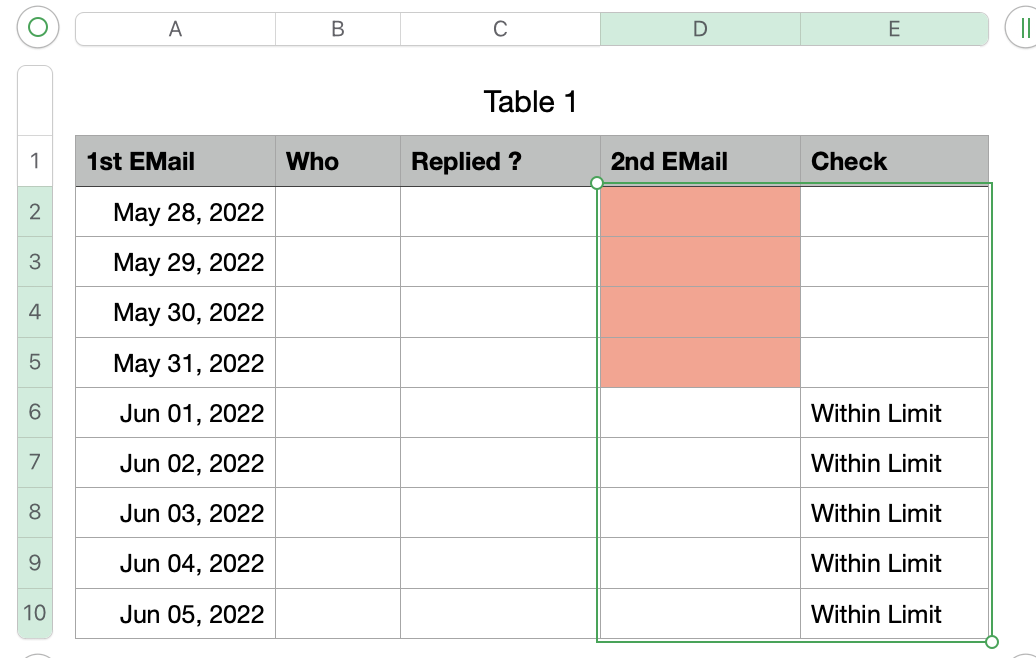
As soon as you enter a date for the second email the red marking will be switched off.
Based on your region the , or the ; will be used to separate the different sections of a formula.
Hope this will solve your question, please let me know if something in unclear.
Ralf

