My iphone 7 is frozen on game screen and can't hard restart it
My iphone 7 is frozen on game screen and can't hard restart it?
iPhone 8, iOS 15
My iphone 7 is frozen on game screen and can't hard restart it?
iPhone 8, iOS 15
Hello Gemfox123,
If your iPhone is frozen, the article you came from has the steps to follow. Here they are again:
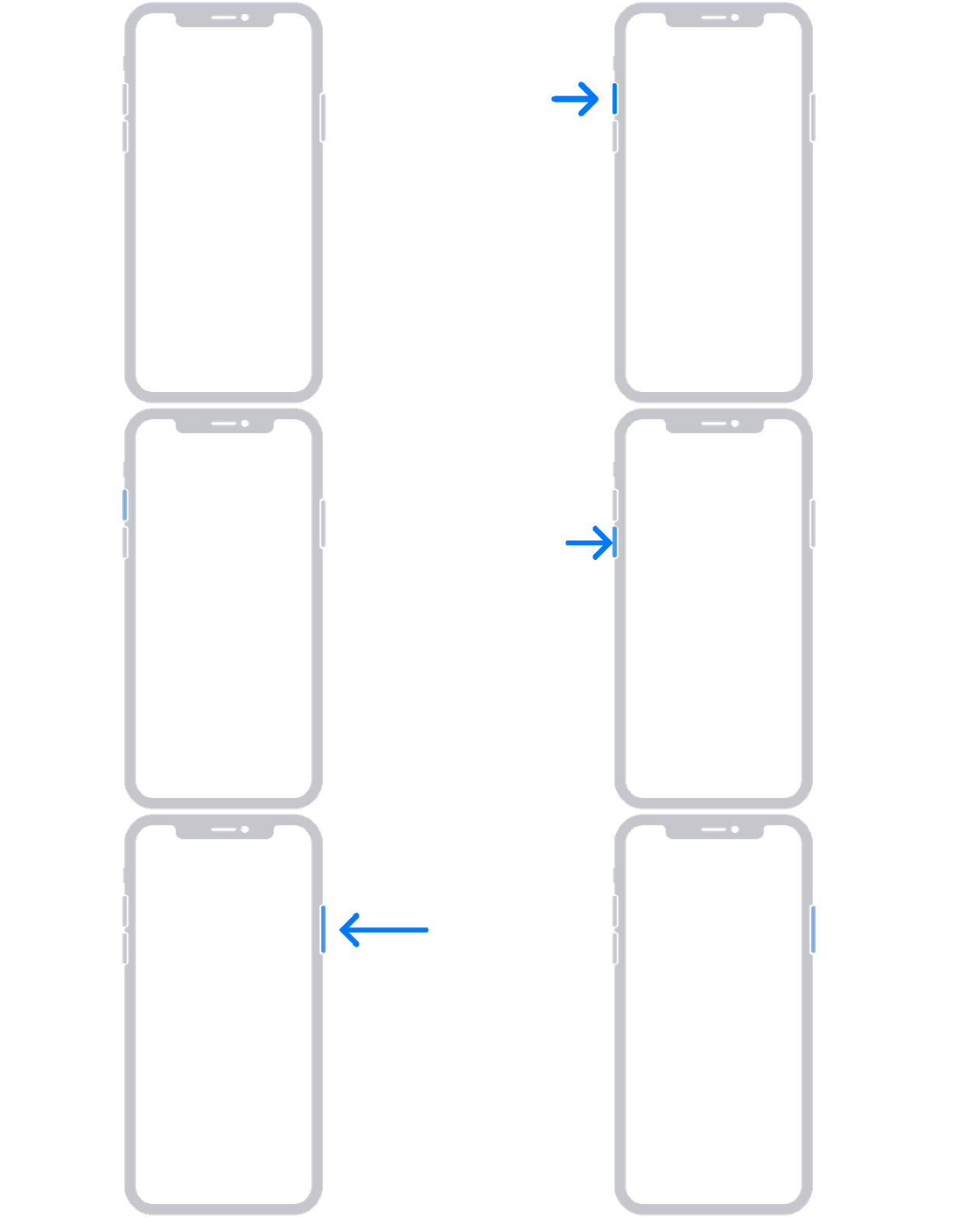
On your iPhone 8 or later, including iPhone SE (2nd and 3rd generation)
1. Press and quickly release the volume up button.
2. Press and quickly release the volume down button.
3. Press and hold the side button until you see the Apple logo.
4. If your phone doesn't turn on, follow these steps to check your hardware and charge your phone. You might need to charge for up to an hour.
5. If your phone still doesn't turn on, contact Apple Support.
If your iPhone won't turn on or is frozen - Apple Support
Be sure to hold the side button as long as it takes until you see the Apple logo.
Have a good day.
My iphone 7 is frozen on game screen and can't hard restart it