Backup of iphone on older OS. Does it work for a restore or is it a waste of space?

When I make a backup of my iPhone (iOS 15.4.1) on my (company) MacBook (OS 10.15.7 Catralina) I get a message telling me to update the OS. However, my employer's IT does not allow the upgrade (yet).

Does that mean the backup I make of my phone is useless?

There is no way to be sure I have a working backup.

MacBook Pro 13″, macOS 10.14

Posted on Jun 9, 2022 7:23 AM

Reply

Similar questions

1 reply

Jun 10, 2022 11:23 AM in response to ouwerkerkr

Hi ouwerkerkr,


We understand that you'd like to verify that your iPhone backup was completed since you saw the alert to update your OS.


This article explains how to locate backups on your Mac to ensure that you have a recent backup of your iPhone: Locate backups of your iPhone, iPad, and iPod touch - Apple Support


Search for the backup folder on your Mac
To find a list of your backups:
1. Click the magnifier  in the menu bar.
2. Type or copy and paste this: ~/Library/Application Support/MobileSync/Backup/
3. Press Return.
4. Select the Backup folder under Folders.
Find a specific backup
On a Mac with macOS Catalina or later:
1. Open the Finder. Click your device.
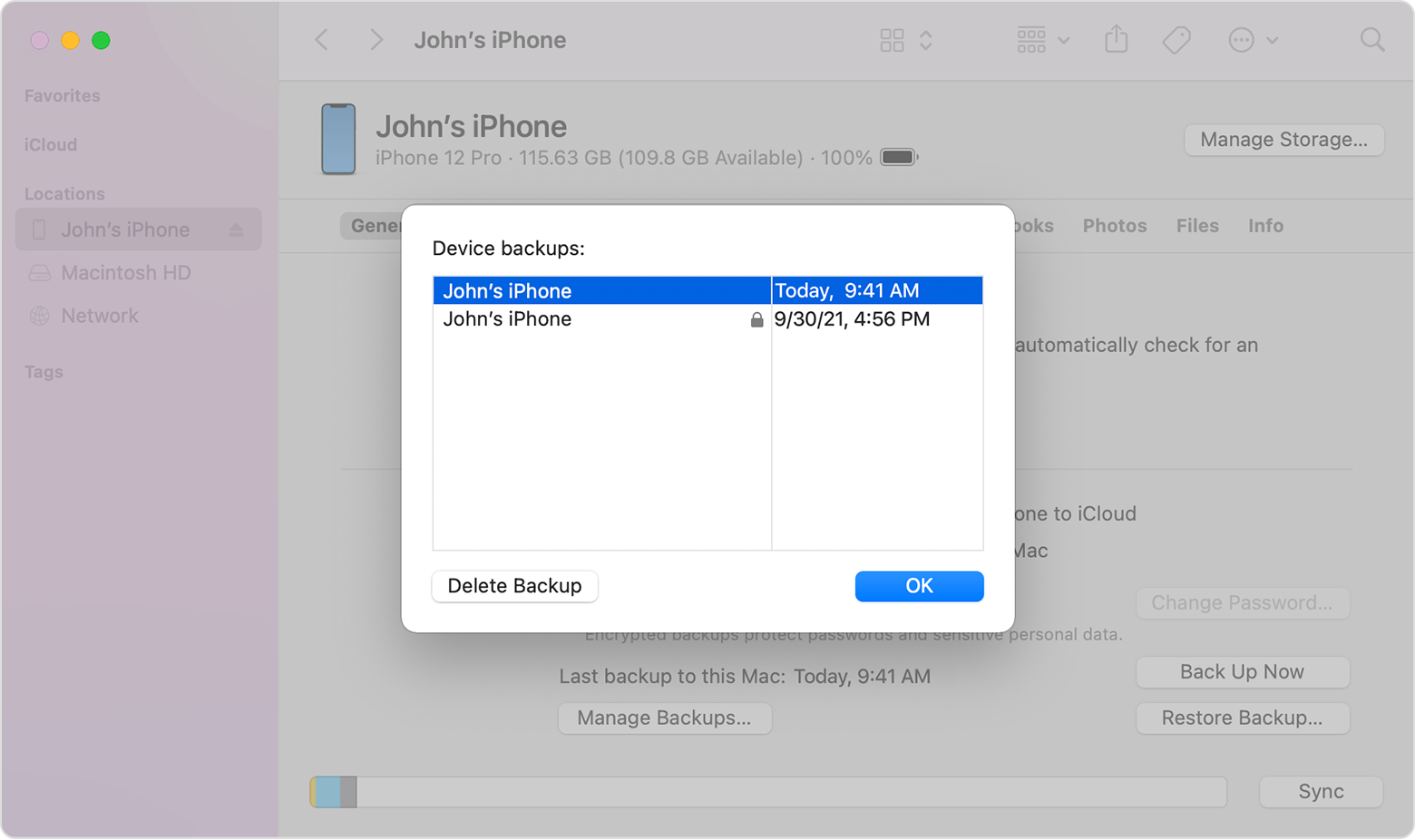
2. Under the General tab, click Manage Backups to see a list of your backups. From here, right-click on the backup that you want, then choose Show in Finder, or select Delete or Archive.

3. Click OK when you're finished.
On a Mac with macOS Mojave or earlier, or on a PC:
1. Open iTunes. Click your device.
2. Choose Preferences, then click Devices. From here, right-click on the backup that you want, then choose Show in Finder, or select Delete or Archive.
3. Click OK when you're finished.


We hope this helps.


Take care!

This thread has been closed by the system or the community team. You may vote for any posts you find helpful, or search the Community for additional answers.

Backup of iphone on older OS. Does it work for a restore or is it a waste of space?

Welcome to Apple Support Community
A forum where Apple customers help each other with their products. Get started with your Apple Account.