Stuck on data recovery cannot be completed

Why is my phone stuck on data recovery cannot be completed like everytime I put my passcode in it won't work it goes back to data recovery cannot be completed.

iPhone 11, iOS 15

Posted on Jun 12, 2022 5:33 PM

Reply
Question marked as Top-ranking reply

Posted on Jun 13, 2022 2:37 PM

Hi Queenofjersey,


As you're unable to access to Home screen for your iPhone, test a restore of your device with the steps here: If you can't update or restore your iPhone or iPod touch


"Restore your iPhone
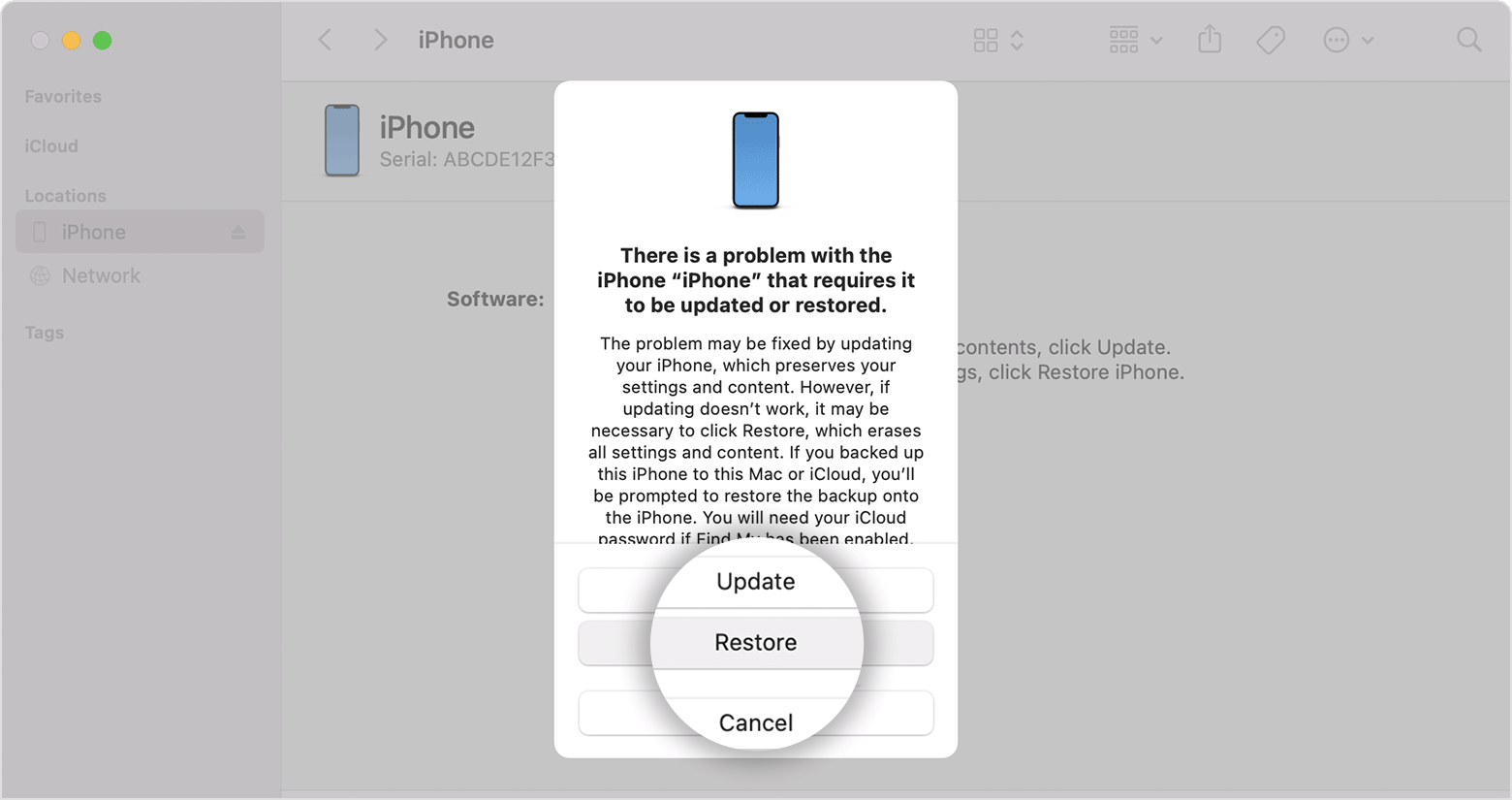
  1. Locate your iPhone in the Finder or in iTunes on the computer that it’s connected to. (Learn how to find your connected iPhone.)
  2. Choose Restore when you see the option to Restore or Update. Your computer downloads software for your iPhone and begins the restore process. If the download takes more than 15 minutes and your device exits the recovery mode screen, let the download finish, then turn off your iPhone and start again.
  3. Wait for the process to finish. 
  4. Disconnect your iPhone from the computer, then set up and use your iPhone. "


Once restored, you can apply and previous iCloud or backup saved to the computer. If you continue to have issues, it may be hardware related.

In that event, reach out to Apple Support to further assist.


Contact - Official Apple Support


Contact Apple for support and service - Apple Support


Cheers.


1 reply
Question marked as Top-ranking reply

Jun 13, 2022 2:37 PM in response to Queenofjersey

Hi Queenofjersey,


As you're unable to access to Home screen for your iPhone, test a restore of your device with the steps here: If you can't update or restore your iPhone or iPod touch


"Restore your iPhone

  1. Locate your iPhone in the Finder or in iTunes on the computer that it’s connected to. (Learn how to find your connected iPhone.)
  2. Choose Restore when you see the option to Restore or Update. Your computer downloads software for your iPhone and begins the restore process. If the download takes more than 15 minutes and your device exits the recovery mode screen, let the download finish, then turn off your iPhone and start again.
  3. Wait for the process to finish. 
  4. Disconnect your iPhone from the computer, then set up and use your iPhone. "


Once restored, you can apply and previous iCloud or backup saved to the computer. If you continue to have issues, it may be hardware related.

In that event, reach out to Apple Support to further assist.


Contact - Official Apple Support


Contact Apple for support and service - Apple Support


Cheers.


This thread has been closed by the system or the community team. You may vote for any posts you find helpful, or search the Community for additional answers.

Stuck on data recovery cannot be completed

Welcome to Apple Support Community
A forum where Apple customers help each other with their products. Get started with your Apple Account.