
Can I change my Apple ID . And keep all my stuff
Was wondering if I can keep my account information but change from gmail email to a apple iCloud address
Was wondering if I can keep my account information but change from gmail email to a apple iCloud address
Hello outlander23,
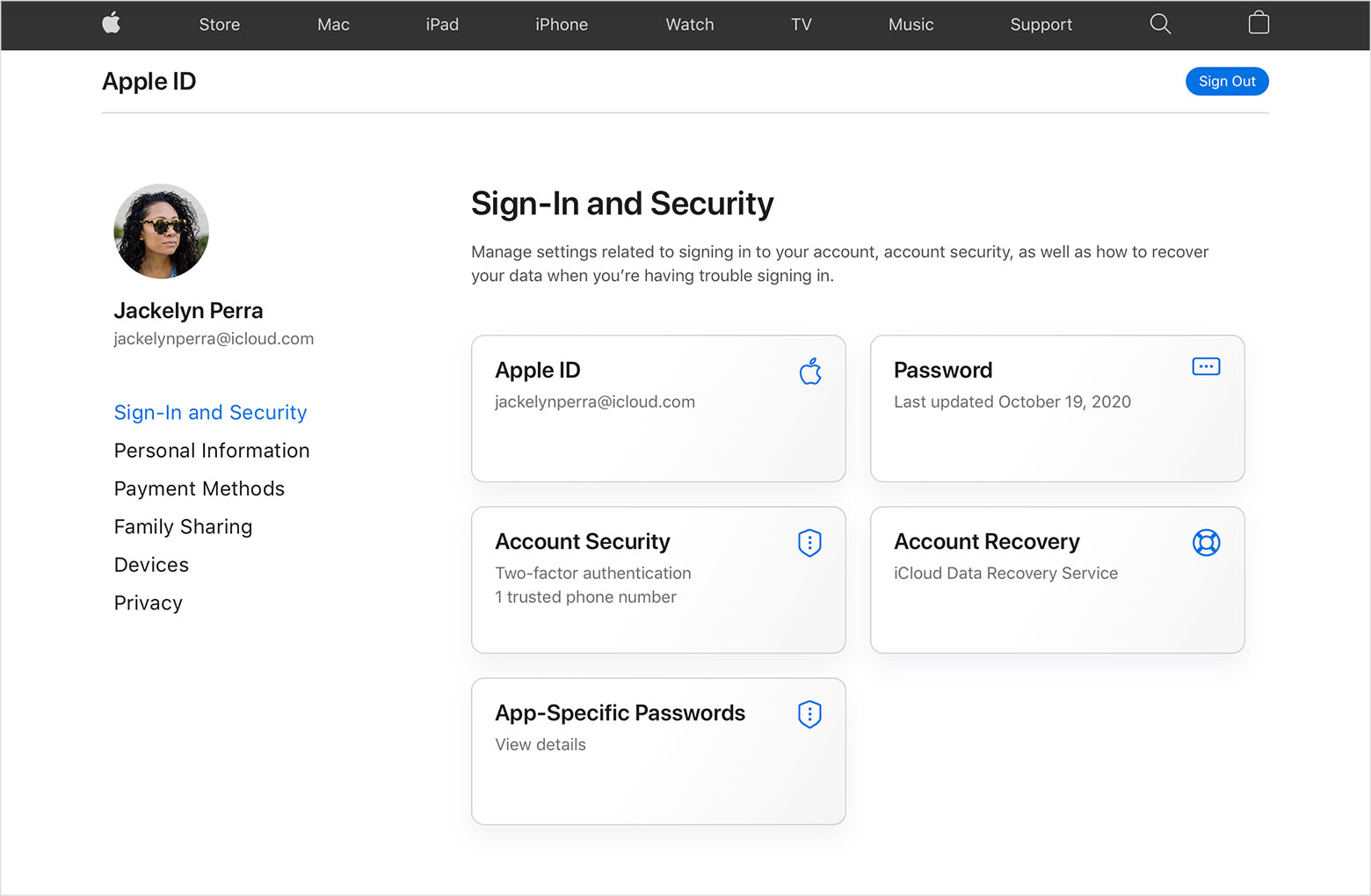
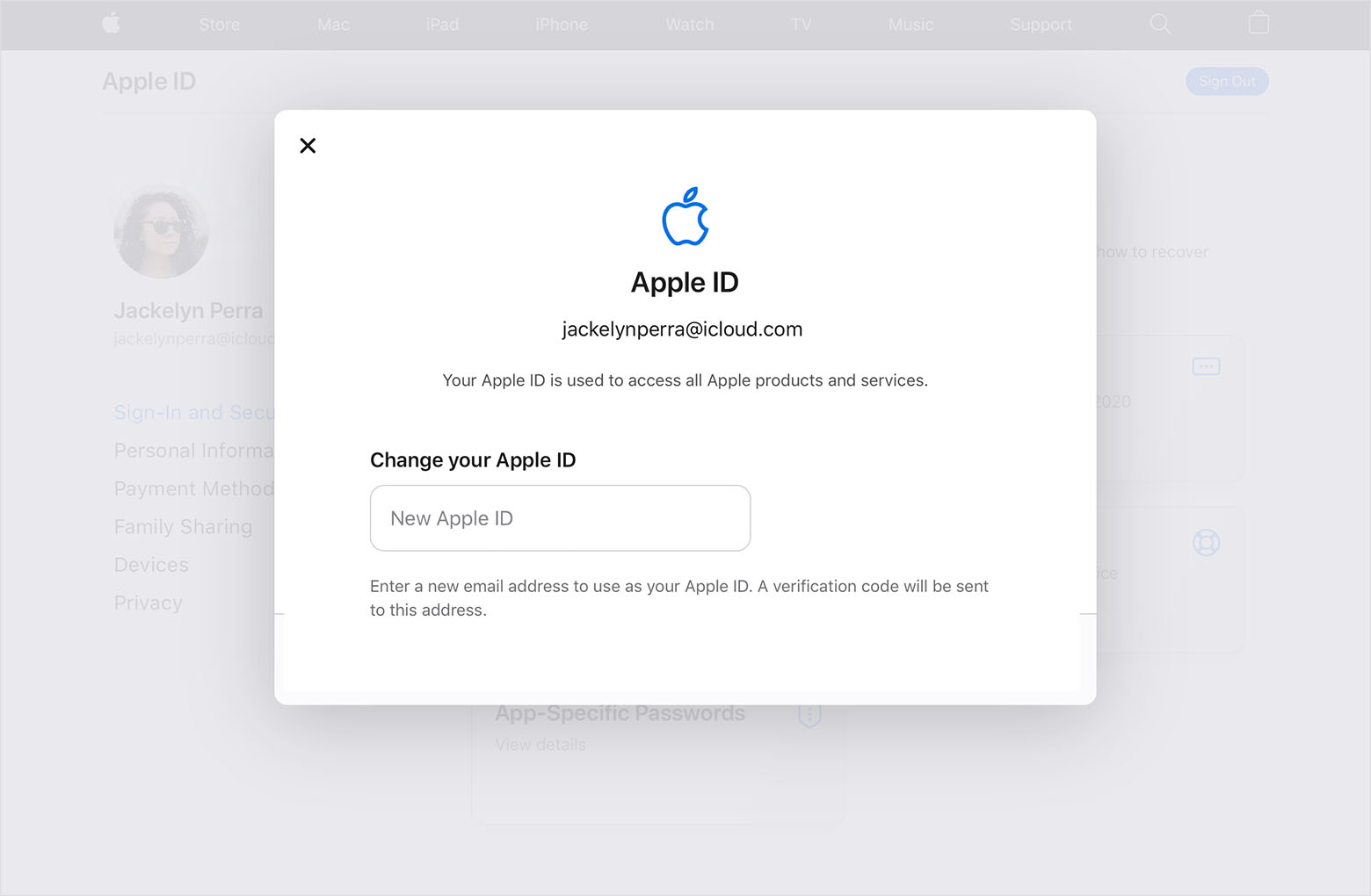
Thanks for choosing the Apple Support Communities. To change your Apple ID, try following these steps. That should get you taken care of, and it will not affect your data.
Change your Apple ID - Apple Support
"How to change your Apple ID to a different email address
If you can't change your Apple ID
If you try to change your Apple ID to an @icloud.com email address that was created within the last 30 days, you will be asked to try again later.
If you see a message that the email address you want to use isn't available or is already in use, check that you or a family member aren't already using that email address with a different Apple ID. If a family member is using that email address, remove it from their account then try to use it.
In some countries or regions, you can use your phone number as your Apple ID. But if your Apple ID is an email address, you can't change it to a phone number.
If your Apple ID is a phone number
You can change your Apple ID to a different mobile phone number.
Learn more
Cheers!
Hello outlander23,
Thanks for choosing the Apple Support Communities. To change your Apple ID, try following these steps. That should get you taken care of, and it will not affect your data.
Change your Apple ID - Apple Support
"How to change your Apple ID to a different email address
If you can't change your Apple ID
If you try to change your Apple ID to an @icloud.com email address that was created within the last 30 days, you will be asked to try again later.
If you see a message that the email address you want to use isn't available or is already in use, check that you or a family member aren't already using that email address with a different Apple ID. If a family member is using that email address, remove it from their account then try to use it.
In some countries or regions, you can use your phone number as your Apple ID. But if your Apple ID is an email address, you can't change it to a phone number.
If your Apple ID is a phone number
You can change your Apple ID to a different mobile phone number.
Learn more
Cheers!
outlander23 wrote:
Was wondering if I can keep my account information but change from gmail email to a apple iCloud address
If you are seeing to change the email address associated with an Apple ID, yes, all your content is preserved. See above reply.
I would strongly suggest setting up and/or verifying the trusted telephone numbers and/or trusted recovery contacts for your Apple ID for two-factor authentication and account recovery prior to making these email address changes, to make regaining access and/or account recovery easier, should something go wrong with the email address transition. (That does’t happen often, but it can happen.)
How to do that:
Help a friend or family member as their account recovery contact - Apple Support
Two-factor authentication for Apple ID - Apple Support
If you are not seeking to change the configuration of a particular Apple ID, but rather to switch from one Apple ID to another…
If you switch from one Apple ID to another, no purchases, no subscriptions, no purchased music, and no apps will be transferable.
You can offload and reload your own content (files, passwords, photos, that sort of thing), though that’s largely a manual process. That can involve a backup probably most easily, but there are some steps to minimize the losses of your stuff. But again, no Apple content will migrate.)
Here’s some related reading: How to transfer from another Apple ID? - Apple Community
Depending on requirements, setting up Family Sharing can help, as that allows up to six Apple IDs to share most Apple content.
Based on what I have read, I suggest you leave your Apple ID email address as a 3rd party email address because you have more flexibility if you need to change the email address. For example, if the Apple ID got compromised, you can change it to another address. I also have read of many people who were locked out of their accounts when they forgot their password. Since the recovery email address is the @iCloud email address, if you forget your password, you also can't access your email to get emails from Apple to recover your account. You can set a rescue email address, but for some people, this hasn't worked.
Can I change my Apple ID . And keep all my stuff


