Using up the phone’s storage first v Cloud

Somehow everything got moved to the cloud along with pictures and now my phone has so much memory unused


I don’t know how to safely transfer certain functions back to the phone itself


I may even have enough room for all the photos except for the shared albums

Because I’m on a XS MAX inherited etc…

🙄 (excess to the max for sure lol)


Please advise whether I need to go to a store or call🍎 at a specific number…..

iPhone XS Max, iOS 15

Posted on Jun 18, 2022 8:35 AM

Reply
1 reply

Jun 19, 2022 9:57 AM in response to KaudIndamire

Hello KaudIndamire,


If you would like to stop syncing your information to iCloud and transfer it back to your iPhone, you can turn the apps you would no longer like to sync with iCloud. After turning off the settings, you should get options for “Keep originals” or “Keep on My iPhone” depending on the iCloud setting you disable. Keep in mind, once you change these settings, those apps will no longer be stored in iCloud. So be sure to keep your iPhone backed up.

Change your iCloud settings - Apple Support


Choose which apps to use with iCloud
Learn how to find your iCloud settings on your iPhone, iPad, or iPod touch, Mac, or PC.
On your iPhone, iPad, or iPod touch
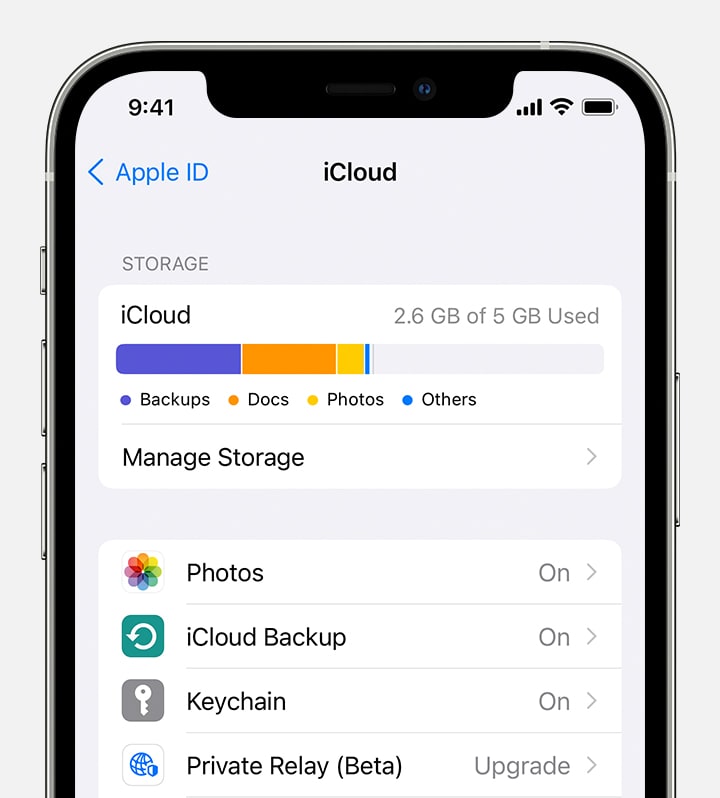
1. Go to Settings > your name. 
2. Tap iCloud.
3. Tap to choose which apps you want to use iCloud.
Choose apps for iCloud on your iPhone


Best Regards.


This thread has been closed by the system or the community team. You may vote for any posts you find helpful, or search the Community for additional answers.

Using up the phone’s storage first v Cloud

Welcome to Apple Support Community
A forum where Apple customers help each other with their products. Get started with your Apple Account.