Alex Shum wrote:
Modern Macs wake from sleep on their own all the time (Mac OS Monterey, all updated). I tried all solutions, disabled all related options in Preferences, changed pmset options, but still the ****** thing just won't sleep.
IS THERE A WAY to DISABLE ALL DARKWAKEs TOTALLY, completely and FOREVER?!
So that once I press the "sleep" button, or close the lid on my Macbook it sleeps and STAYS ASLEEP no matter what even flood and thunder, UNTIL I open the lid?
Is it really such a big deal I am asking? I don't want my Mac to wear down by constant nonsense wakes for all kinds of weird reasons that are documented NOWHERE!
see attached pmset log:
<LOG.log>
Do you say what exact Mac is this...?
What exact macOS ...?
old issue, new issue, what changed...?
If you customized pmset from Terminal, to trouble shoot I would restore defaults in an effort to get on the same page:
sudo pmset restoredefaults
All Options both Battery & power
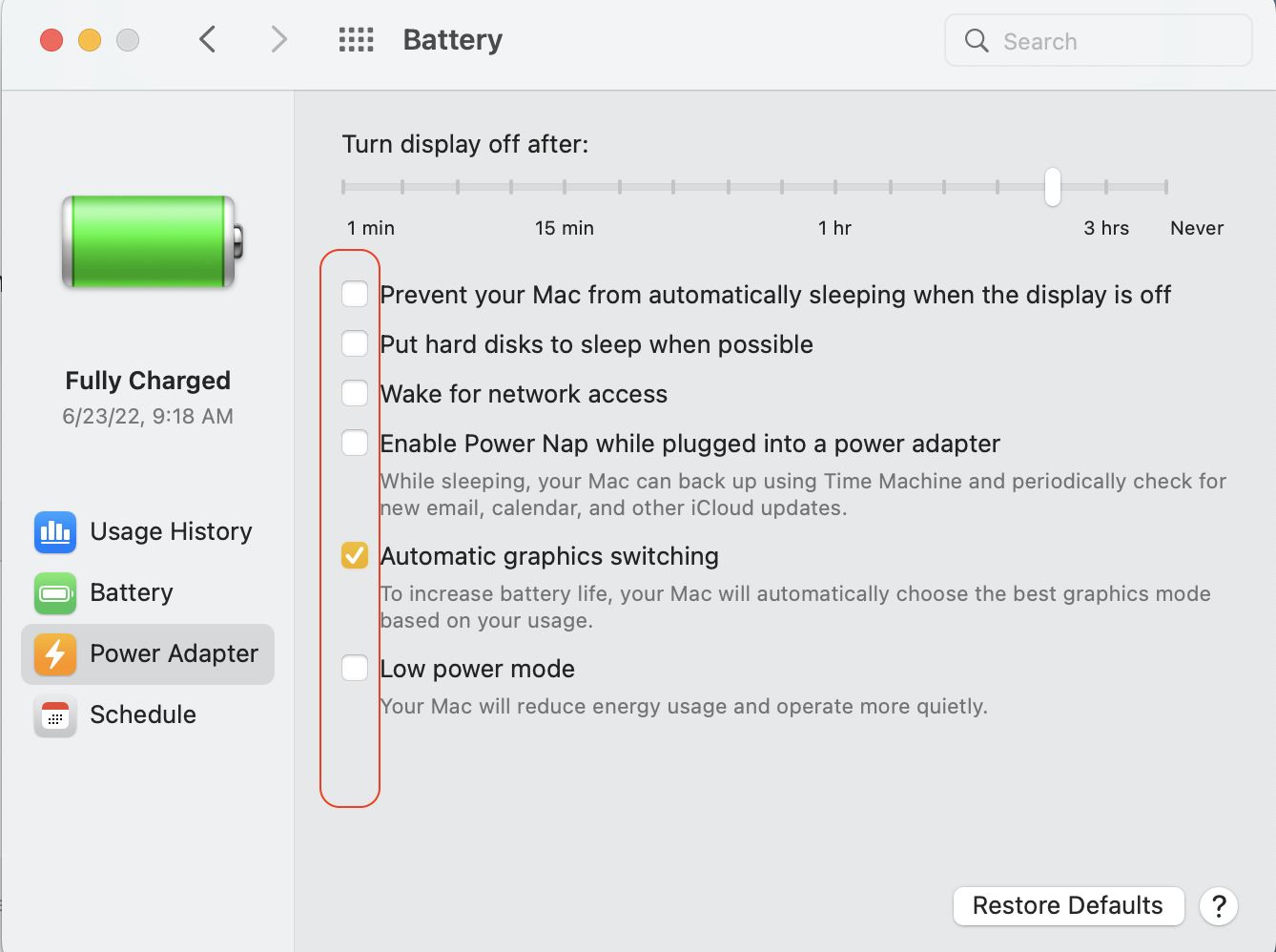
To trouble shoot further you can:
—Test issue in another user (or guest user) account Set up users, guests, and groups on Mac - Apple Support
This will tell you if it a universal issue or isolated to your user/admin account.
—SafeBoot How to use safe mode on your Mac - Apple Support
Takes a bit longer to get to the login screen, does a quick disk repair before it fully boots up, and certain system caches get cleared and rebuilt, including dynamic loader cache, font cache, etc.
Login and test. Reboot as normal and test. Caches get rebuilt automatically.
In Safe mode third party system modifications and system accelerations are disabled, it removes malware, etc hampering smooth operation, however a reboot will put it back to normal mode.
This test will tell you if third party interference; extensions etc are not loaded in safe boot mode.
Uninstall all third party apps that are Cleaners/Optimizers/VPN/Anti-Virus and compare your results
all known to cause issues on the macOS
.

