Hello AlexMallaney,
You can check the iPhone parts and service history with the help of the steps here: iPhone parts and service history, and quoted below.
"With iOS 15.2 and later, you can go to Settings > General > About to see the parts and service history of your iPhone.
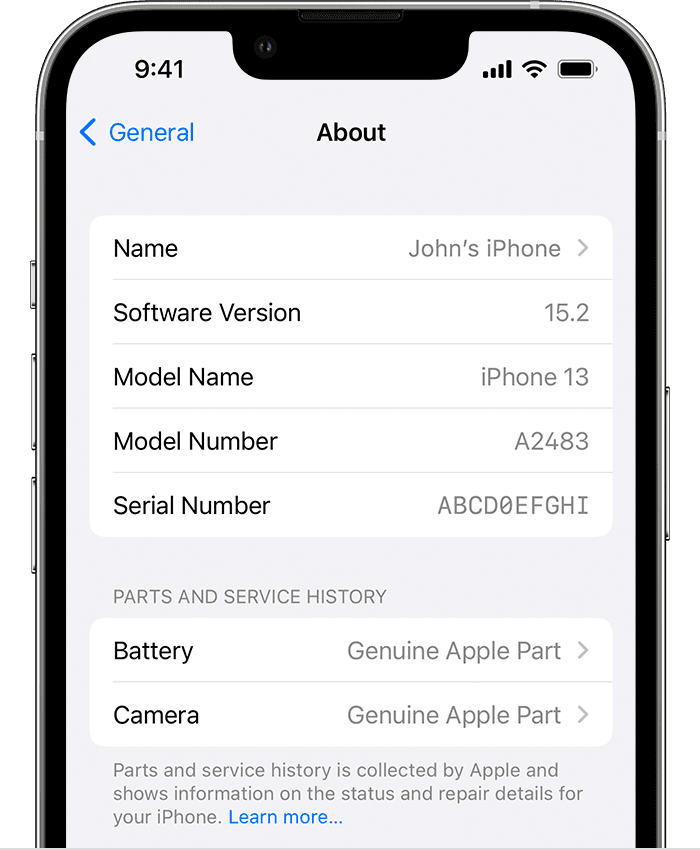
- For iPhone XR, XS, XS Max, and later, including iPhone SE (2nd generation), you can see if the battery has been replaced.
- For iPhone 11 models, you can see if the battery or display has been replaced.
- For iPhone 12 models and iPhone 13 models, you can see if the battery, display, or camera has been replaced."
If you don't see any discrepancies, or are referring to the display tint check your iPhone screen settings. Adjust the brightness and color temperature on your iPhone, iPad, or iPod touch
If you're referring to the exterior of your iPhone and still have concerns, you can have it inspected.
Reach out to Apple support directly for your service options. The links below can get you started.
iPhone Repair - Official Apple Support
Apple Repair and Repair Status Check - Official Apple Support
Contact - Official Apple Support
Contact Apple for support and service - Apple Support
Cheers.


