I have tried to uninstall and redownload an app but there is no possible way to completley uninstall an app.

I need to uninstall and app and try to redownload as it keeps crashing. For some reason I don't have that option. I think i should have that option after all its my phone.

Posted on Jul 25, 2022 9:59 AM

Reply
1 reply

Jul 26, 2022 12:07 PM in response to dlynne97

Hello dlynne97,


To delete apps, follow the steps from this article: Delete apps on your iPhone, iPad, and iPod touch


How to delete an app
1. Touch and hold the app.
2. Tap Remove App Remove App icon.
An iPhone screen showing the menu that appears when you touch and hold an app. Remove App is the third option in the menu.
3. Tap Delete App, then tap Delete to confirm.
Keep in mind that some built-in Apple apps can't be deleted from your device, so you might not see the option to delete an app. Here’s a list of built-in Apple apps you can delete from your device. If you can't delete an app that's not made by Apple, disable parental controls, then try deleting the app again.
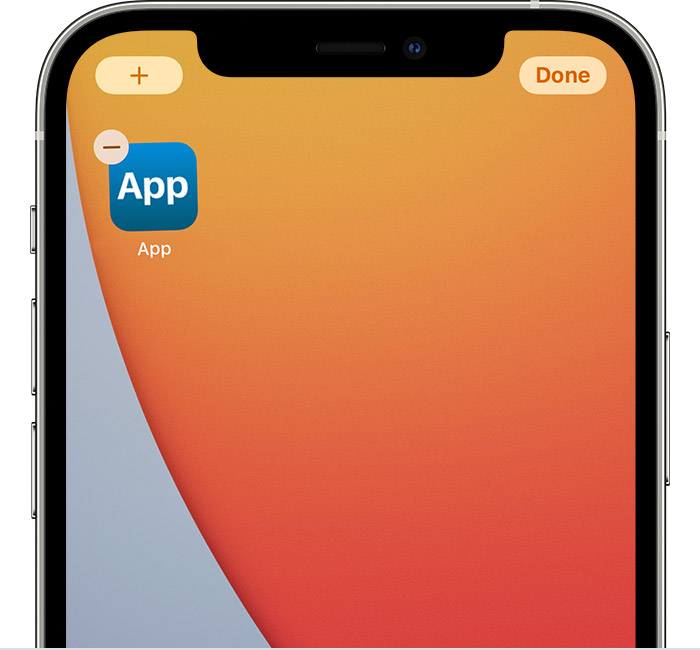
If you touch and hold an app from the Home Screen and the apps start to jiggle: 
1. Tap the Remove icon  in the upper-left corner of the app.
An iPhone screen showing an app with the Remove icon in the upper-left corner of the app. There's also an Add button in the top left corner of the screen and a Done button in the top right corner of the screen.
2. Tap Delete App, then tap Delete to confirm.
3. Tap Done.

Once you've deleted the app, you can follow the steps in this article to download your past purchases again: Redownload apps and games from Apple


Best Regards.


This thread has been closed by the system or the community team. You may vote for any posts you find helpful, or search the Community for additional answers.

I have tried to uninstall and redownload an app but there is no possible way to completley uninstall an app.

Welcome to Apple Support Community
A forum where Apple customers help each other with their products. Get started with your Apple Account.