SonyLIV Subscription not working
Hi Team,
I have subscribed to SonyLIV Premium through the App Store but I am not able to see the Premium TV shows. My subscription is still not active on the SonyLIV app. Please help!
iPhone X, iOS 15
Hi Team,
I have subscribed to SonyLIV Premium through the App Store but I am not able to see the Premium TV shows. My subscription is still not active on the SonyLIV app. Please help!
iPhone X, iOS 15
Hi there, kiranshar3108.
You could see if quitting the app and relaunching it might help it recognize the subscription: Close an app on your iPhone or iPod touch - Apple Support
If the issue continues, you could also try restarting your iPhone, as it refreshes the software which could help: Restart your iPhone - Apple Support
Let us know if that helps or if you've already tried those steps.
Take care.
Hi there, kiranshar3108.
You could see if quitting the app and relaunching it might help it recognize the subscription: Close an app on your iPhone or iPod touch - Apple Support
If the issue continues, you could also try restarting your iPhone, as it refreshes the software which could help: Restart your iPhone - Apple Support
Let us know if that helps or if you've already tried those steps.
Take care.
kiranshar3108,
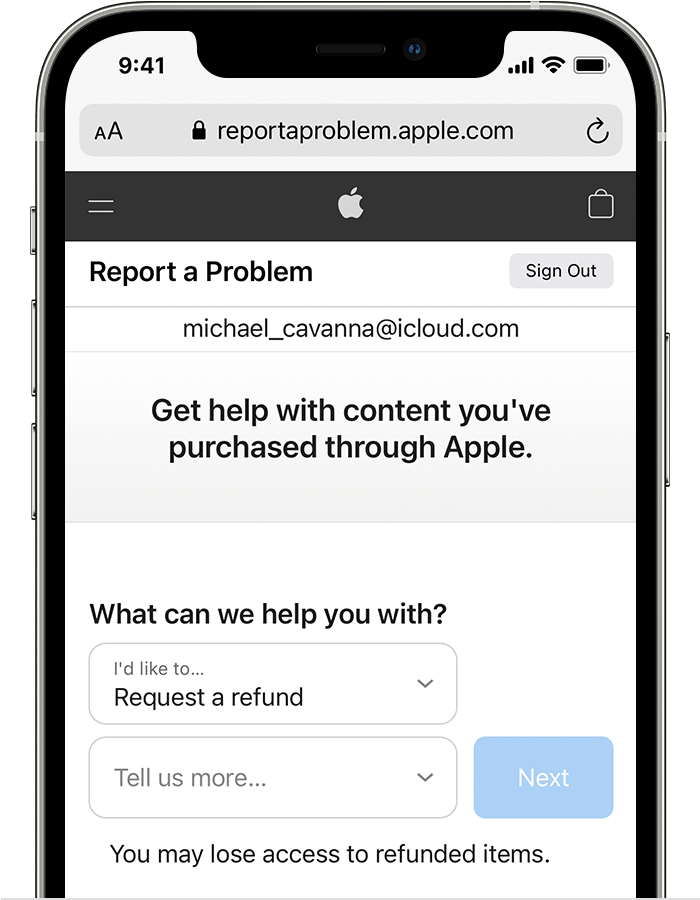
There are a couple of ways to request a refund from the Report a Problem website or directly on your device. These options will vary depending on when you purchased the app. Here's how to request a refund:
1. Sign in to reportaproblem.apple.com.
2. Tap or click "I'd like to," then choose "Request a refund."
3. Choose the reason why you want a refund, then choose Next.
4. Choose the app, subscription, or other item, then choose Submit. If you were charged for a subscription that you no longer want, you can also cancel the subscription.
If you can't request a refund on reportaproblem.apple.com
• If the charge is pending, you canʼt request a refund yet. After the charge goes through, try to request a refund again.
• If you have an unpaid order, you need to pay for that order before you request a refund. You might need to update your payment information.
• If you don't know why you were charged, review your family members' purchases. If you're the family organizer, tap or click the Apple ID button, then choose All. Purchases charged to your shared payment method appear.
This information is from Request a refund for apps or content that you bought from Apple - Apple Support.
Kind regards.
Hi,
I have tried everything but the issue persists. I had also contacted the SonyLIV support and they suggested that they can't do anything about it and I should get my refund from the App Store. Please guide.
Thanks,
Kiran
SonyLIV Subscription not working