Hello ZachK25,
Thank you for reaching out to Apple Support Communities, and we'll be happy to help in any way we can. We understand you're having issues with your Apple Watch SE's battery. To start, if you're having issues with heat, check out the information here: Keep Apple Watch within acceptable operating temperatures - Apple Support
"Learn about temperature management for Apple Watch
If necessary, Apple Watch will regulate its internal temperature. There are several things you might notice if this happens:
- Charging times might increase, or charging might stop.
- The display might dim.
- Data transfers could pause or slow down.
- Apps might close.
- On cellular models of Apple Watch, you might not have a cellular connection or you might not be able to make or receive calls. When this happens, the cellular button in Control Center appears red. Normal cellular functionality resumes after Apple Watch cools. However, you can still make emergency calls.
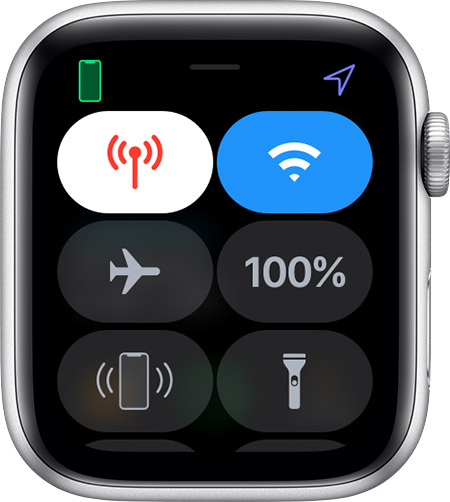

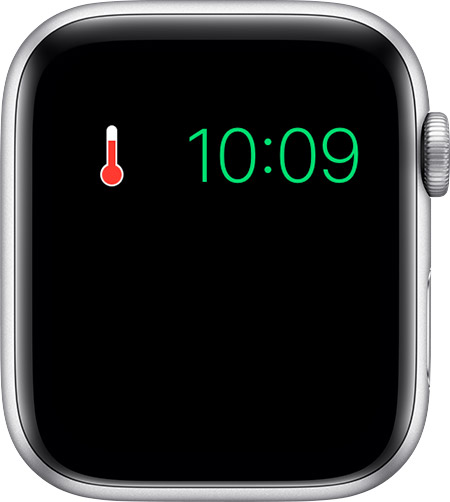
If your Apple Watch experiences above-normal temperatures, it displays only a red thermometer and the time.
Here's what to do:
- If you're wearing your device, remove it from your wrist. If your Apple Watch is in the process of charging, remove it from its charger. Your watch automatically turns off a few seconds after displaying the thermometer. If you leave your watch on the charger, your watch won't turn off. If you try to turn your watch back on, the red thermometer will appear again.
- Move your Apple Watch to a cooler place and let it cool down before putting it back on or continuing to charge it. When your watch cools down, it automatically turns back on.
- If you're making cellular calls on a cellular model of Apple Watch in an area with a weak cellular signal, move to a location with a stronger signal."
For your battery life, follow the tips outlined here as well: Apple Watch Battery and Performance - Apple Support
If the issue persists, we recommend contacting Apple to look into service options as outlined here: Get Support
We hope this helps.
Cheers!


