Reset iCloud Keychain

Is there a way to reset the iCloud Keychain? The Solebon Solitaire games contains multiple accounts linked to keychain and deleting accounts are not automated. When I click delete account from the game setting it automatically composes an email to the Solebon game developer with a request to delete the account. I don’t want to keep sending deletion request for multiple accounts because it takes up too much time and resources of the developer. I tried turning off keychain on all devices and then deleting HomeKit settings and signing out of iCloud and then factory resetting them and after factory reset I go through setup as new device and then turned keychain back on and the data hasn’t been removed. The keychain data should be removed when keychain is turned off on all devices. I have two devices in my apple account, iPad and Apple TV.

Posted on Aug 8, 2022 3:37 PM

Reply
2 replies

Aug 9, 2022 1:56 PM in response to Keith Weisshar

Hello Keith Weisshar,


If you haven't already done so, you can check to see if you can manage those credentials using the steps below:


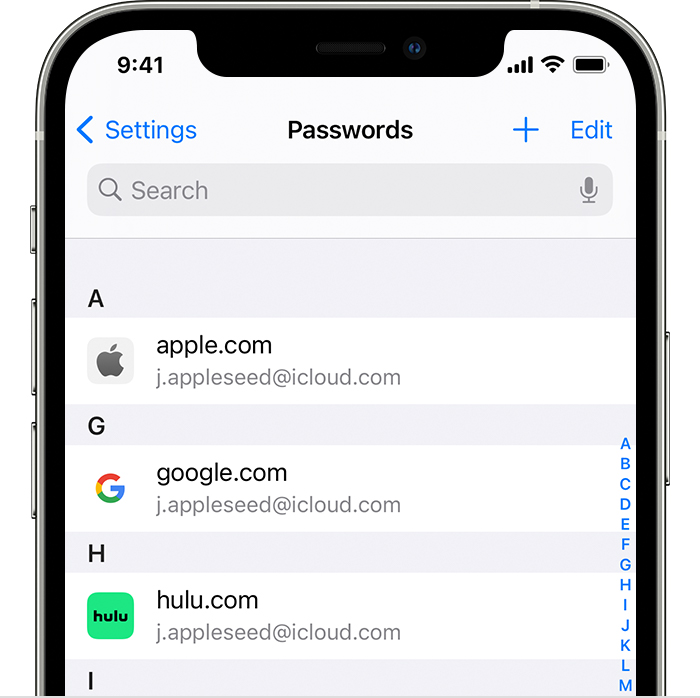
1. Tap Settings, then select Passwords. In iOS 13 or earlier, select Passwords & Accounts, then tap Website & App Passwords.
2. Use Face ID or Touch ID when prompted, or enter your passcode.
An iPhone 12 Pro shows that passwords have been saved for accounts like Apple, Google, and Hulu in the Passwords section of Settings.
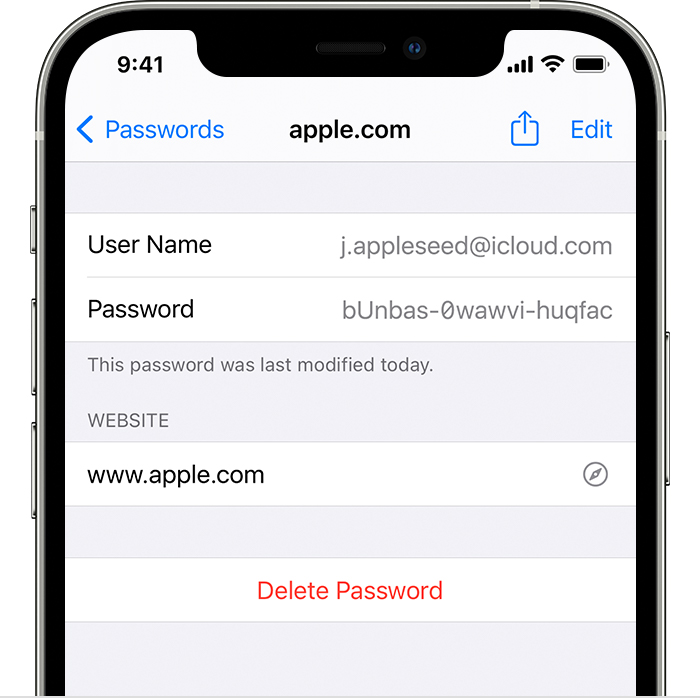
3. To see a password, select a website. 
An iPhone 12 Pro shows the account details for the user's Apple account including the User Name and Password.
• To delete a saved password, tap Delete Password.


You can find those steps in this resource: How to find saved passwords on your iPhone - Apple Support


You may also be able to reset your iCloud Keychain using the steps below:


1. Tap Settings > [your name] > iCloud > Keychain and turn on iCloud Keychain. You might be asked to enter your Apple ID password.
2. If you protect your account with two-factor authentication, tap Restore with Security Code. If you don't use two-factor authentication, tap Approve with Security Code.
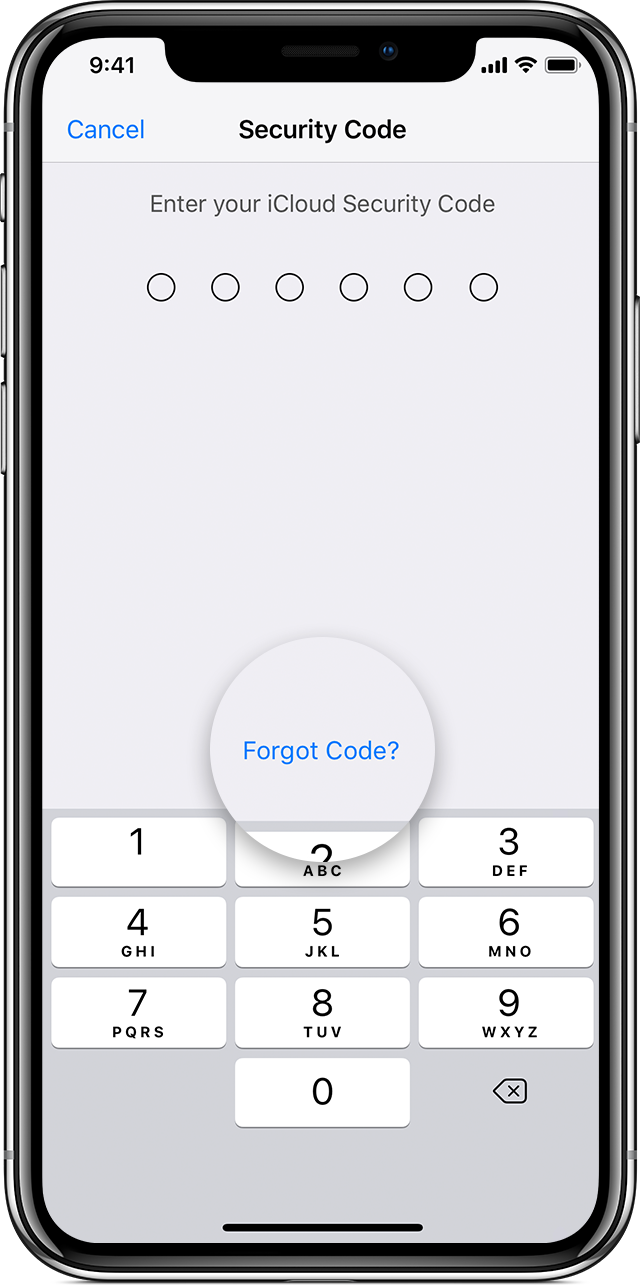
3. Tap Forgot Code.
iPhone showing Security Code screen

4. Tap Reset iCloud Keychain to replace your keychain in iCloud with the iCloud Keychain from your device.
5. Tap Reset to confirm.
6. Follow the onscreen steps to create a new iCloud Security Code.


Keep in mind that process would erase all passwords, not just ones related to that particular game. You can also find those steps in this resource: If you enter your iCloud Security Code incorrectly too many times - Apple Support


Hopefully those resources put you on the path to getting this addressed.


Take care.

This thread has been closed by the system or the community team. You may vote for any posts you find helpful, or search the Community for additional answers.

Reset iCloud Keychain

Welcome to Apple Support Community
A forum where Apple customers help each other with their products. Get started with your Apple Account.