Unable to Properly Download United Airlines App on iPhone with IOS15

I have iPhone 12 with iOS 15.6. Ever since I upgraded the iOS, I am unable to update the United Airlines app. I have tried closing and restarting the app, rebooting my iPhone but nothing helps.

iPhone 12, iOS 15

Posted on Aug 9, 2022 8:29 AM

Reply
Question marked as Top-ranking reply

Posted on Aug 10, 2022 9:09 AM

Greetings sweta2010,


It sounds like you are having issues downloading a specific app. We know how important this is for you, and we will help get you to the right place to find a resolution.


The first thing to try is the steps listed in this support article. These steps can often resolve this type of issue:

If you can’t download or update apps on your iPhone or iPad - Apple Support


"1) Open the App Store and sign in

If a blue account button appears at the top of the App Store, you might not be signed in. Tap it and sign in with your Apple ID. Learn what to do if you forgot your password.

Learn what to do if you can't open the App Store.
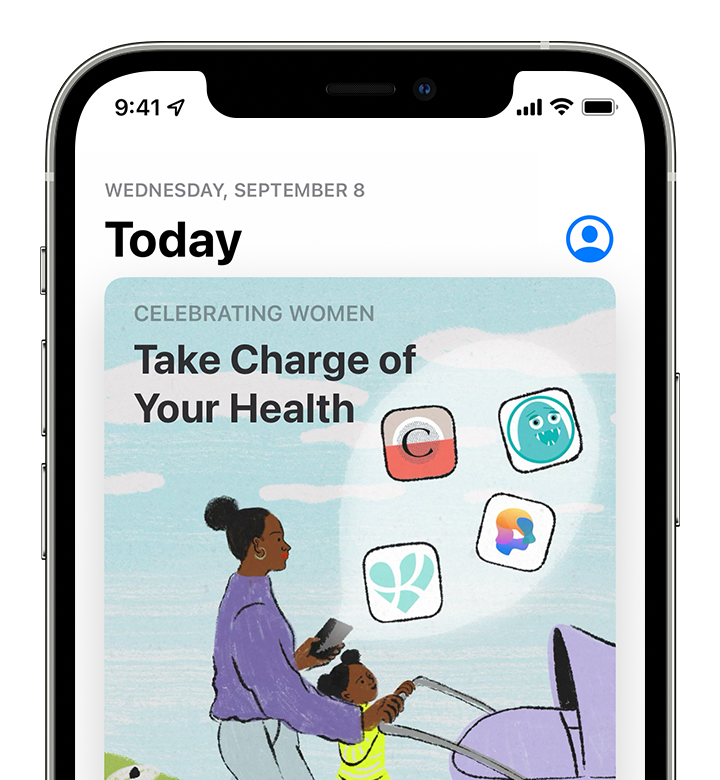
iPhone showing the App Store with the account button in the top right corner.


2) Manually update the app

In the App Store, try to update the app manually.


3) Check your payment method

You might need to have a payment method on file, even if the app that you want to download is free. See what payment method you have on file and make sure that it isn't expired, declined, or failed.

If you can't update apps and you see a message that says “your account is disabled in the App Store,” there might be a problem with your payment method. Contact Apple Support for assistance.


4) Prioritize the download

From the Home Screen, touch and hold the app. From the menu that appears, choose Prioritize Download.
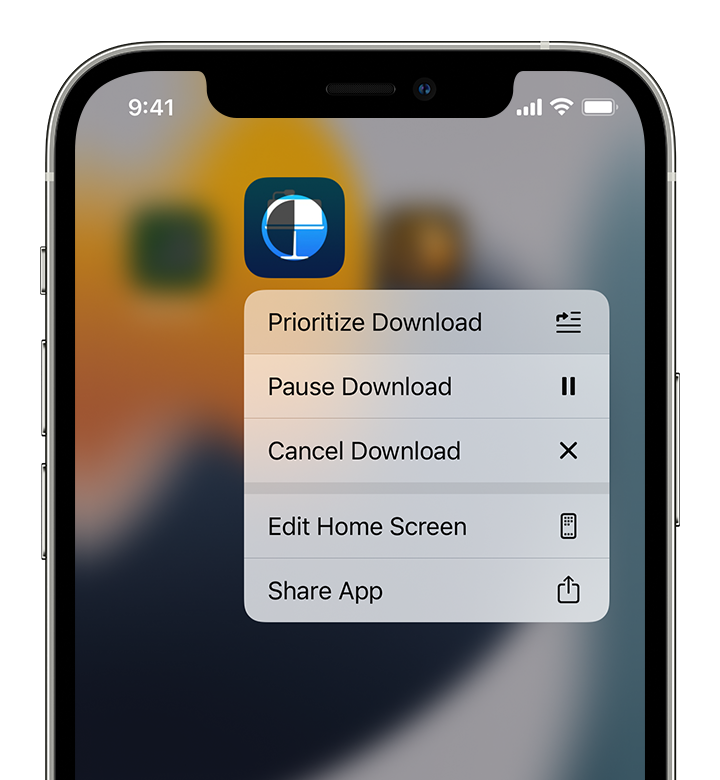
iPhone showing the options to Prioritize Download, Pause Download, and Cancel Download.


5) Restart your device

Restart your iPhone or restart your iPad.

Then check to see if you can download or update apps.


6) Contact Apple

If you still can't download or update apps on your iPhone or iPad, contact Apple Support."


Take care!


1 reply
Question marked as Top-ranking reply

Aug 10, 2022 9:09 AM in response to sweta2010

Greetings sweta2010,


It sounds like you are having issues downloading a specific app. We know how important this is for you, and we will help get you to the right place to find a resolution.


The first thing to try is the steps listed in this support article. These steps can often resolve this type of issue:

If you can’t download or update apps on your iPhone or iPad - Apple Support


"1) Open the App Store and sign in

If a blue account button appears at the top of the App Store, you might not be signed in. Tap it and sign in with your Apple ID. Learn what to do if you forgot your password.

Learn what to do if you can't open the App Store.

iPhone showing the App Store with the account button in the top right corner.


2) Manually update the app

In the App Store, try to update the app manually.


3) Check your payment method

You might need to have a payment method on file, even if the app that you want to download is free. See what payment method you have on file and make sure that it isn't expired, declined, or failed.

If you can't update apps and you see a message that says “your account is disabled in the App Store,” there might be a problem with your payment method. Contact Apple Support for assistance.


4) Prioritize the download

From the Home Screen, touch and hold the app. From the menu that appears, choose Prioritize Download.

iPhone showing the options to Prioritize Download, Pause Download, and Cancel Download.


5) Restart your device

Restart your iPhone or restart your iPad.

Then check to see if you can download or update apps.


6) Contact Apple

If you still can't download or update apps on your iPhone or iPad, contact Apple Support."


Take care!


This thread has been closed by the system or the community team. You may vote for any posts you find helpful, or search the Community for additional answers.

Unable to Properly Download United Airlines App on iPhone with IOS15

Welcome to Apple Support Community
A forum where Apple customers help each other with their products. Get started with your Apple Account.