Face ID issue with apple arcade
I have been trying to activate apple arcade with Face ID and it does not work. I was activating it thru Verizon.
I have been trying to activate apple arcade with Face ID and it does not work. I was activating it thru Verizon.
Hello Barrett2,
Let's start by making sure your device is all up to date using the steps below:
1. Back up your device using iCloud or your computer.
2. Plug your device into power and connect to the internet with Wi-Fi.
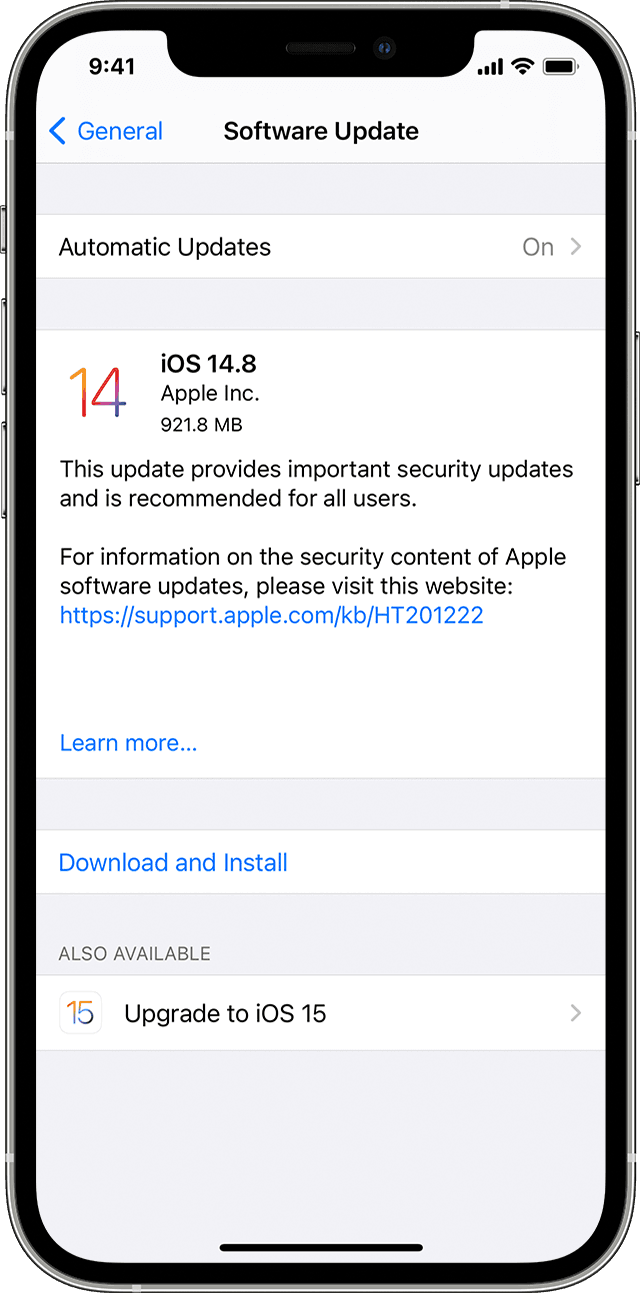
3. Go to Settings > General, then tap Software Update.
4. If you see two software update options available, choose the one that you want to install.
5. Tap Install Now. If you see Download and Install instead, tap it to download the update, enter your passcode, then tap Install Now. If you don't know your passcode, learn what to do.
You can also find those steps in this resource: Update your iPhone, iPad, or iPod touch - Apple Support Updating should help to further rule out a possible software conflict.
Should that still continue, are you getting that prompt from the App Store or the My Verizon app?
If this is occurring with the My Verizon app, is the app also all up to date? How to manually update apps on your Apple device - Apple Support
The steps from this resource may also be helpful: Add Apple Arcade Subscription - My Verizon app
Let us know your results, and we'll keep moving forward from there.
Face ID issue with apple arcade