Hey there, Dor1526,
If you believe you have a subscription but don't see it in your purchase history, nor see it in your active subscriptions, it might be billed directly through the service the subscription is for. Check out the information below from If you can't find the subscription that you want to cancel, which provides more guidance in this scenario:
Can’t find the subscription that you want to cancel?
You can cancel iCloud+ in your iCloud storage settings.
If you aren't trying to cancel iCloud+, find your receipt:
1. Search your email for the words "receipt from Apple."
2. On the receipt for the subscription, check which Apple ID was used.
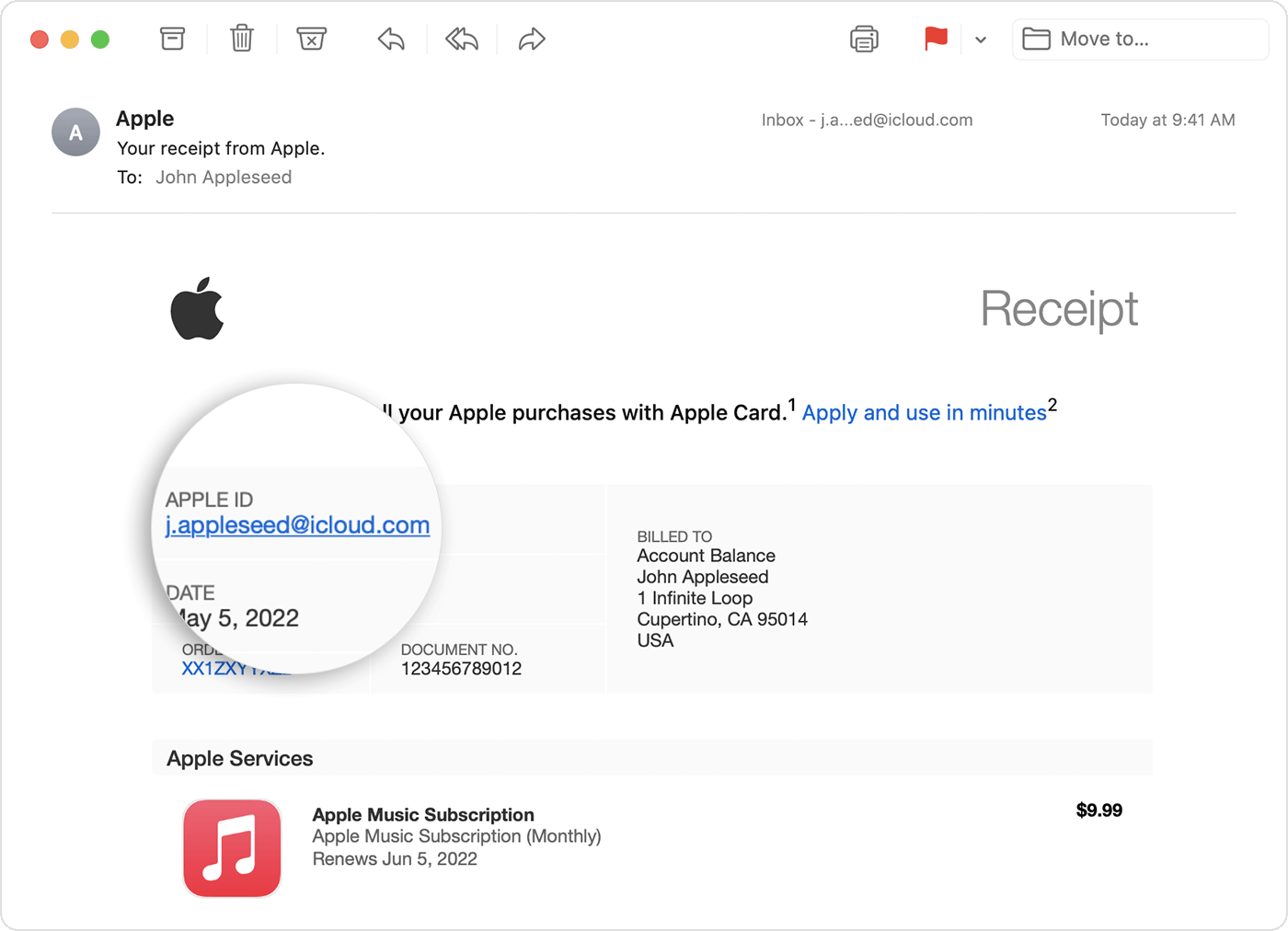
• If a family member's Apple ID appears on the receipt, ask that family member to use the steps in this article to cancel the subscription. You can’t cancel a family member's subscription.
• If another Apple ID that you use appears on the receipt, sign in with that Apple ID and use the steps in this article to cancel the subscription.
• If you can't find a receipt from Apple for the subscription, you might have bought the subscription from another company. To find out which company bills you, check your bank or credit card statement. To cancel the subscription, you must contact the company that bills you for the subscription.
Best!


