
how do I get an Nissan IITB App to be Trusted on my iPhone 13?
How do I get my iPhone 13 to Trust the Nissan IITB App.
iPhone 13, iOS 15
How do I get my iPhone 13 to Trust the Nissan IITB App.
iPhone 13, iOS 15
Hello Stratocaster60,
Thank you for reaching out to Apple Support Communities, and we'll be happy to help in any way we can. We understand you're having issues with having a Nissan app trusted by your iPhone. We recommend reaching out to the developer of the app for guidance as they are the best resource to resolve this issue. How to contact an app developer:
"Contact the developer of an iOS, iPadOS, or watchOS app
 or your photo at the top of the screen, tap Purchased, tap "Not on this [device]," then tap the app.
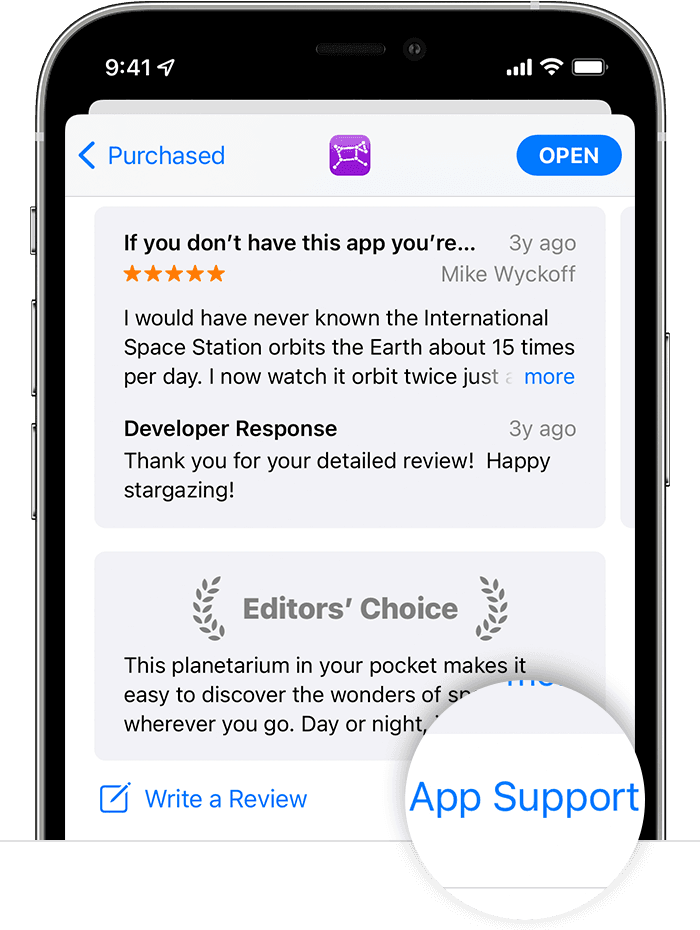 "
"
We hope this helps.
Cheers!
how do I get an Nissan IITB App to be Trusted on my iPhone 13?

