
change background video without green screen mac book app

Hello,


I want to use my mac book pro webcam to make a video of me playing guitar.

I have QuickTime, Imovie and DaVinci Resolve on my mac book.

is there a way to change the background without using a green screen? Like I can do with Microsoft Teams? Or is there any other affordable software suitable for this?

MacBook Pro 13″, macOS 12.5

Posted on Sep 3, 2022 4:26 AM

Reply
1 reply

Sep 4, 2022 2:03 PM in response to klm7679

Hey there klm7679,


Thanks for reaching out to Apple Support Communities. We're happy to provide some assistance.


You can change the background of a clip by using iMovie. Check out this helpful resource under the "Use the green-screen effect in iMovie on Mac" section for how to do this:


Change the background of a clip in iMovie - Apple Support

Use the green-screen effect in iMovie on Mac
1. With your project open, add the background video clip or still image to the timeline.
2. Add the green-screen clip above the background clip in the timeline. 
3. Trim and move the background video clip to match the length of your green-screen clip. Because the clips are connected, the two clips move together when you rearrange clips in the timeline.
4. If the video overlay controls aren’t shown, click the Video Overlay Settings button  above the viewer, then choose Green/Blue Screen from the pop-up menu.
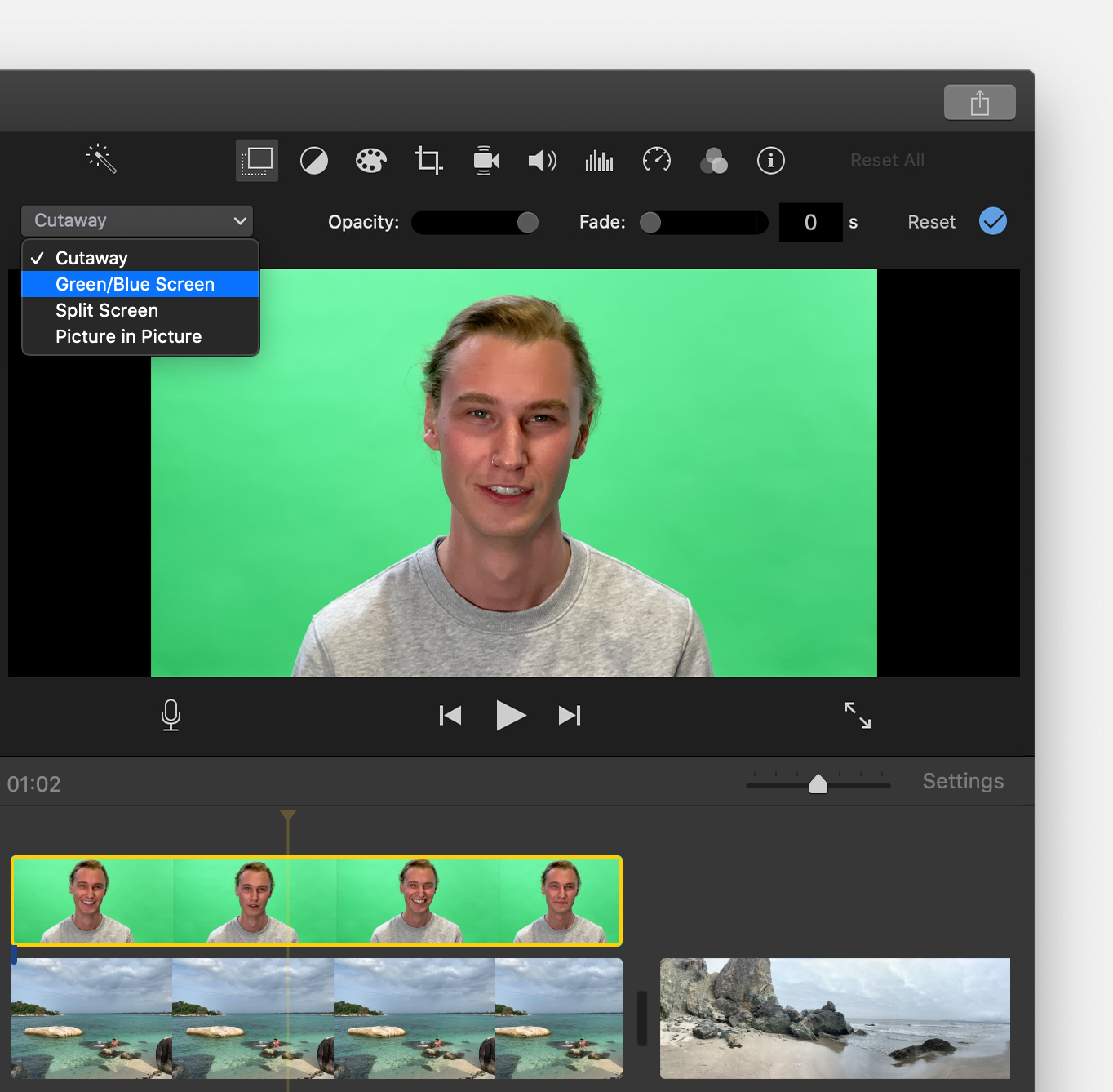
In the viewer, iMovie removes the green or blue from the green-screen clip to reveal the background clip behind your subject. Because the clips are connected, the two clips move together if you rearrange clips in the timeline.


We hope his helps.


Have a great day!


This thread has been closed by the system or the community team. You may vote for any posts you find helpful, or search the Community for additional answers.

change background video without green screen mac book app

Welcome to Apple Support Community
A forum where Apple customers help each other with their products. Get started with your Apple Account.