
battery charging
Hello, I have upgraded my phone to version 16 in the first time, but my mobile phone is facing charging problem after the upgrade. Please help me.
iPhone 12 Pro, iOS 16
Hello, I have upgraded my phone to version 16 in the first time, but my mobile phone is facing charging problem after the upgrade. Please help me.
iPhone 12 Pro, iOS 16
Hello abolfazl264,
Thank you for reaching out to Apple Support Communities, and we'll be happy to help in any way we can. We understand you're having issues with charging your iPhone. Check out the steps listed here to see if they resolve the issue: If your iPhone or iPod touch won't charge - Apple Support
"If your device charges slowly or won’t charge
Follow these steps and try again after each:
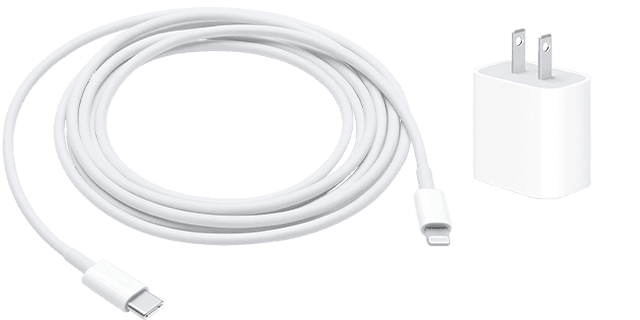
2.Use a wall power outlet and check for firm connections between your charging cable, USB wall adapter, and wall outlet or AC power cable, or try a different outlet.
3.Remove any debris from the charging port on the bottom of your device, then firmly plug your charging cable into your device. If the charging port is damaged, your device probably needs service.
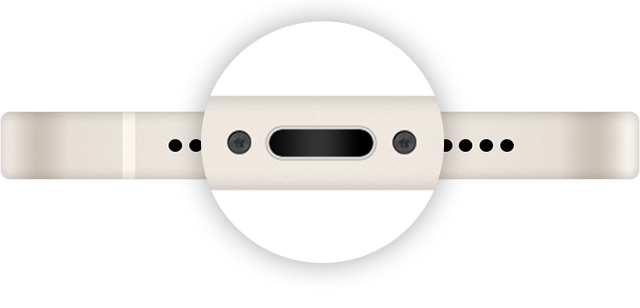
4.Let your device charge for a half hour.
5.If your device is still unresponsive, force restart your device:
6.Let your device charge for another half hour.
7.If your device still won't power on or charge, take your device, charging cable, and charging adapter to an Apple Store or Apple Authorized Service Provider for evaluation. You can also contact Apple Support."
We hope this helps.
Cheers!
Hello abolfazl264,
Thank you for reaching out to Apple Support Communities, and we'll be happy to help in any way we can. We understand you're having issues with charging your iPhone. Check out the steps listed here to see if they resolve the issue: If your iPhone or iPod touch won't charge - Apple Support
"If your device charges slowly or won’t charge
Follow these steps and try again after each:
2.Use a wall power outlet and check for firm connections between your charging cable, USB wall adapter, and wall outlet or AC power cable, or try a different outlet.
3.Remove any debris from the charging port on the bottom of your device, then firmly plug your charging cable into your device. If the charging port is damaged, your device probably needs service.
4.Let your device charge for a half hour.
5.If your device is still unresponsive, force restart your device:
6.Let your device charge for another half hour.
7.If your device still won't power on or charge, take your device, charging cable, and charging adapter to an Apple Store or Apple Authorized Service Provider for evaluation. You can also contact Apple Support."
We hope this helps.
Cheers!
battery charging

