
MacBook backlight issue
the light turn off when i adjust the screen from 90 degrees to 45 or 70 degrees
MacBook Pro 13″, macOS 12.5
the light turn off when i adjust the screen from 90 degrees to 45 or 70 degrees
MacBook Pro 13″, macOS 12.5
Hello ahmad955aa,
We'd like to help figure out what's causing this to occur with a few additional details.
Has this MacBook Pro always behaved in this manner or is this a new behavior it is exhibiting? If this is a new behavior has it occurred after a specific event like accidental damage or a new peripheral device plugged into it?
If you have not done so yet, it may be worth attempting a reset of the SMC in order to ensure power is being properly routed to your display. Here is how you do so:
 on the left side of your keyboard
 on the left side of your keyboard
 on the left side of your keyboard
3.While holding all three keys, press and hold the power button as well.
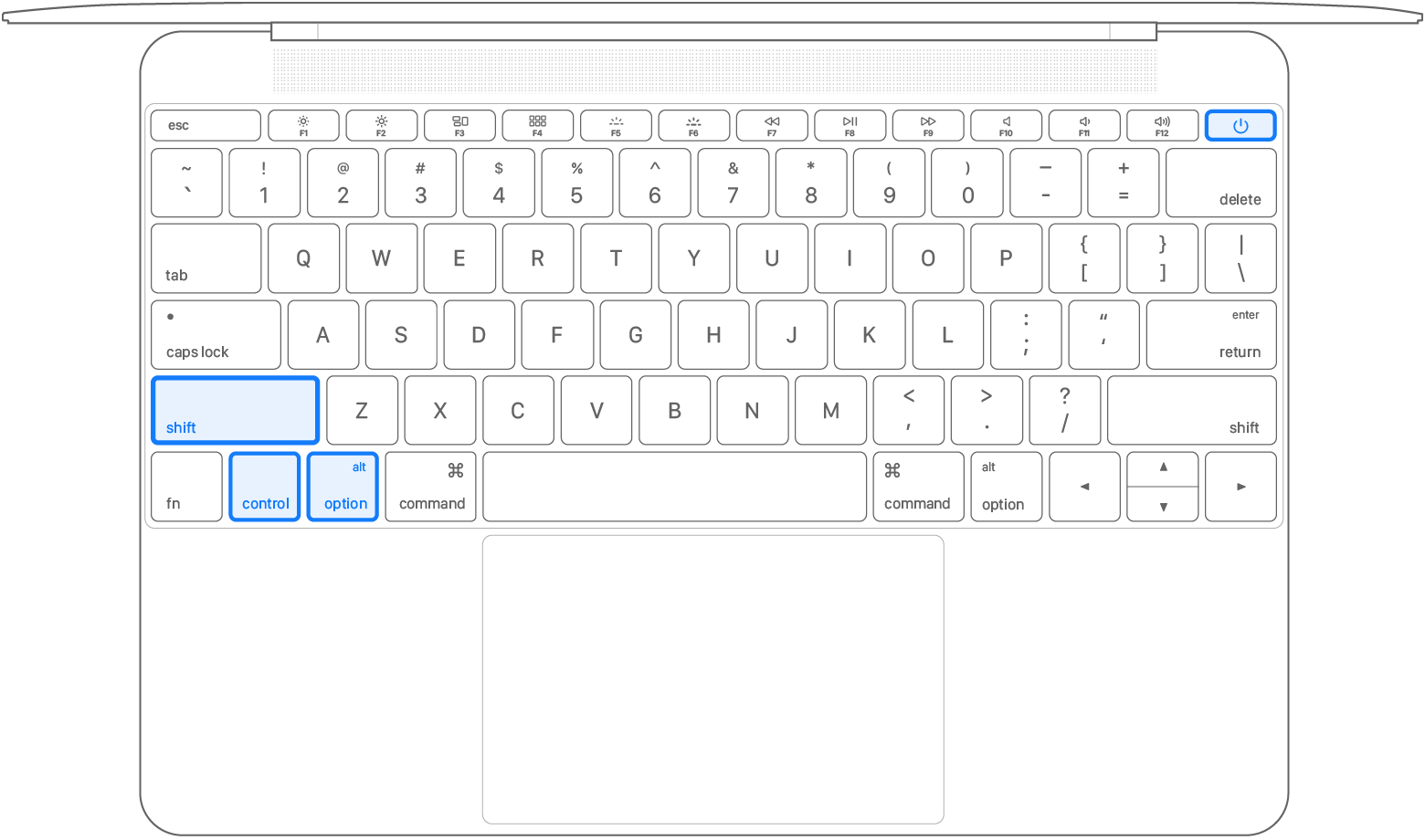
4.Keep holding all four keys for 10 seconds.
5.Release all keys, then press the power button to turn on your Mac.
If this has no impact it may be time to consider having your device serviced via your available options here.
We hope this helps!
Cheers.
MacBook backlight issue

