
Speakerphone
I can no longer access speakerphone from the phone setting
iPhone 12 Pro Max
I can no longer access speakerphone from the phone setting
iPhone 12 Pro Max
Hey there, and welcome to Apple Support Communities Snowzip,
We can certainly understand your concern and archer to help.
Just to clarify, are you referring to speaker phone feature in the phone app or in the system settings of the device? While you look into that, we recommend checking out these steps on what to do if you're having audio issues with your iPhone.
" If you hear no sound or distorted sound from your iPhone, iPad, or iPod touch speaker
If you can't hear a person's voice clearly, hear crackling, hear static, or have issues with sound quality, learn what to do.
Follow these steps
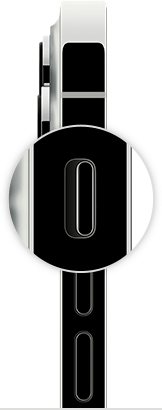
2. Open Settings > Focus > Do Not Disturb and make sure that Do Not Disturb is off.
Contact Apple Support
If you checked the sound settings and your device still has sound issues, contact Apple Support to discuss service options.
If you want to try more steps on your own
If you prefer, here are some more steps you can try on your own. After following these steps, you might still need to contact Apple Support to discuss service options.
For additional information, check out this link: If you hear no sound or distorted sound from your iPhone, iPad, or iPod touch speaker - Apple Support
Kindest regards!
Speakerphone

