
Installation of older type of app on older iphone
Hello. Is it possible somehow install Viber on iphone6 which higher iOS is 12.5.6 )does not supported for higher version)and Viber requirement is at least 13.4 version.
Thank you
iPhone 6, iOS 12
Hello. Is it possible somehow install Viber on iphone6 which higher iOS is 12.5.6 )does not supported for higher version)and Viber requirement is at least 13.4 version.
Thank you
iPhone 6, iOS 12
Hey there, and welcome to Apple Support Communities Marso1983,
We can certainly understand your concern and can help provide some insight. Your device must be in regulation of the software minimum requirements. If it is not, you will not be able to install the application. However, have you tried contacting the app developer to see if they have rollback software you can download and install? If not, check out these steps on how to contact an app developer.
" How to contact an app developer
In the App Store, you can find contact information for app developers, including developers of Apple Arcade games.
When to contact an app developer for help
Contact the developer of an iOS, iPadOS, or watchOS app
 or your photo at the top of the screen, tap Purchased, tap "Not on this [device]," then tap the app.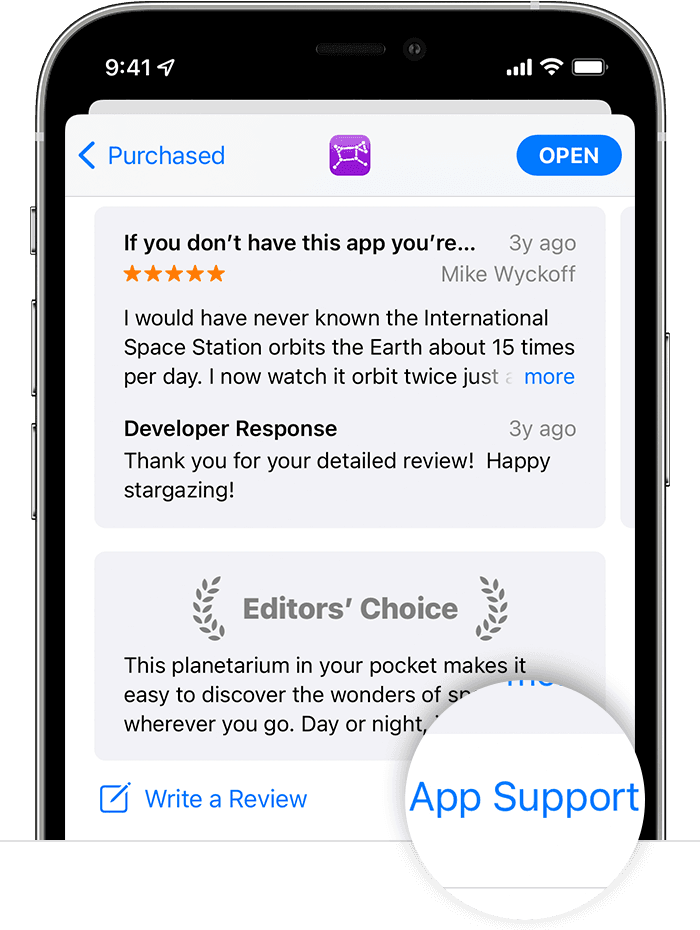
For apps on your Apple Watch
Use the iPhone that's paired with your Apple Watch and follow the steps for iPhone.
Contact the developer of a macOS app
or your photo. 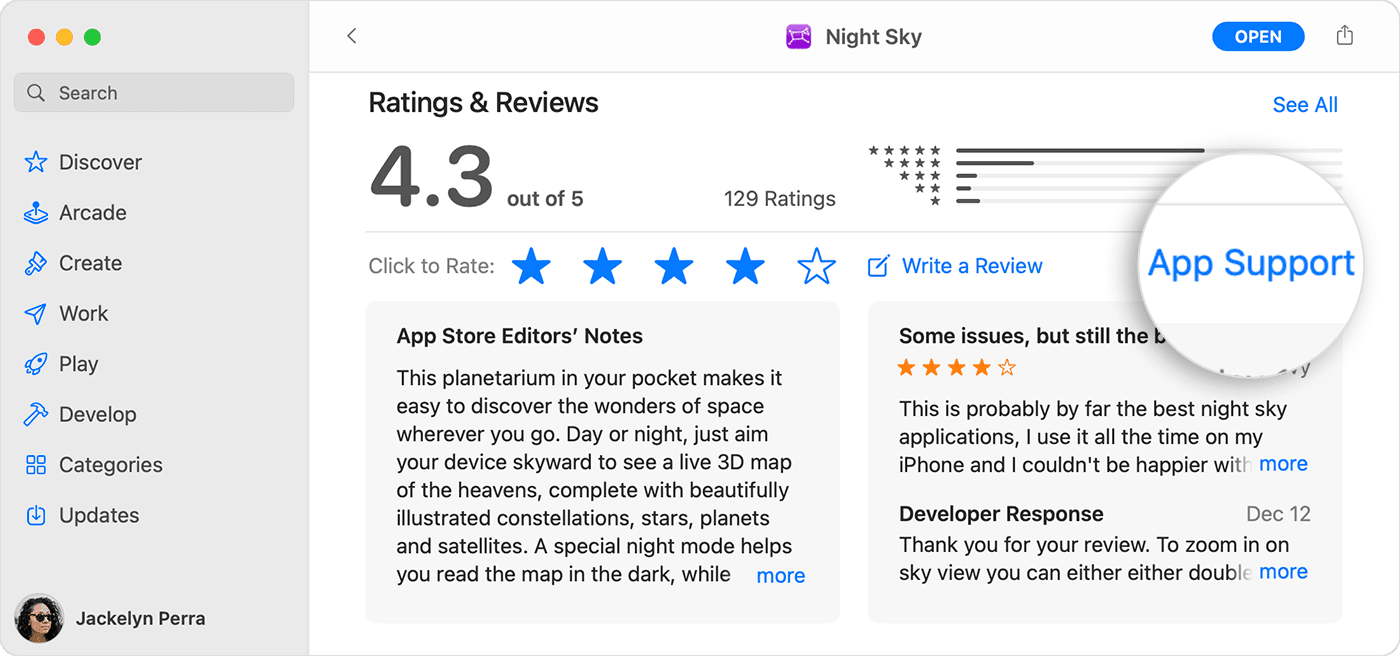
Didn't get the app from the App Store?
If you have an issue with an app on your Mac but you didn't get the app from the App Store, learn how to contact a third-party developer.
Contact the developer of a tvOS app
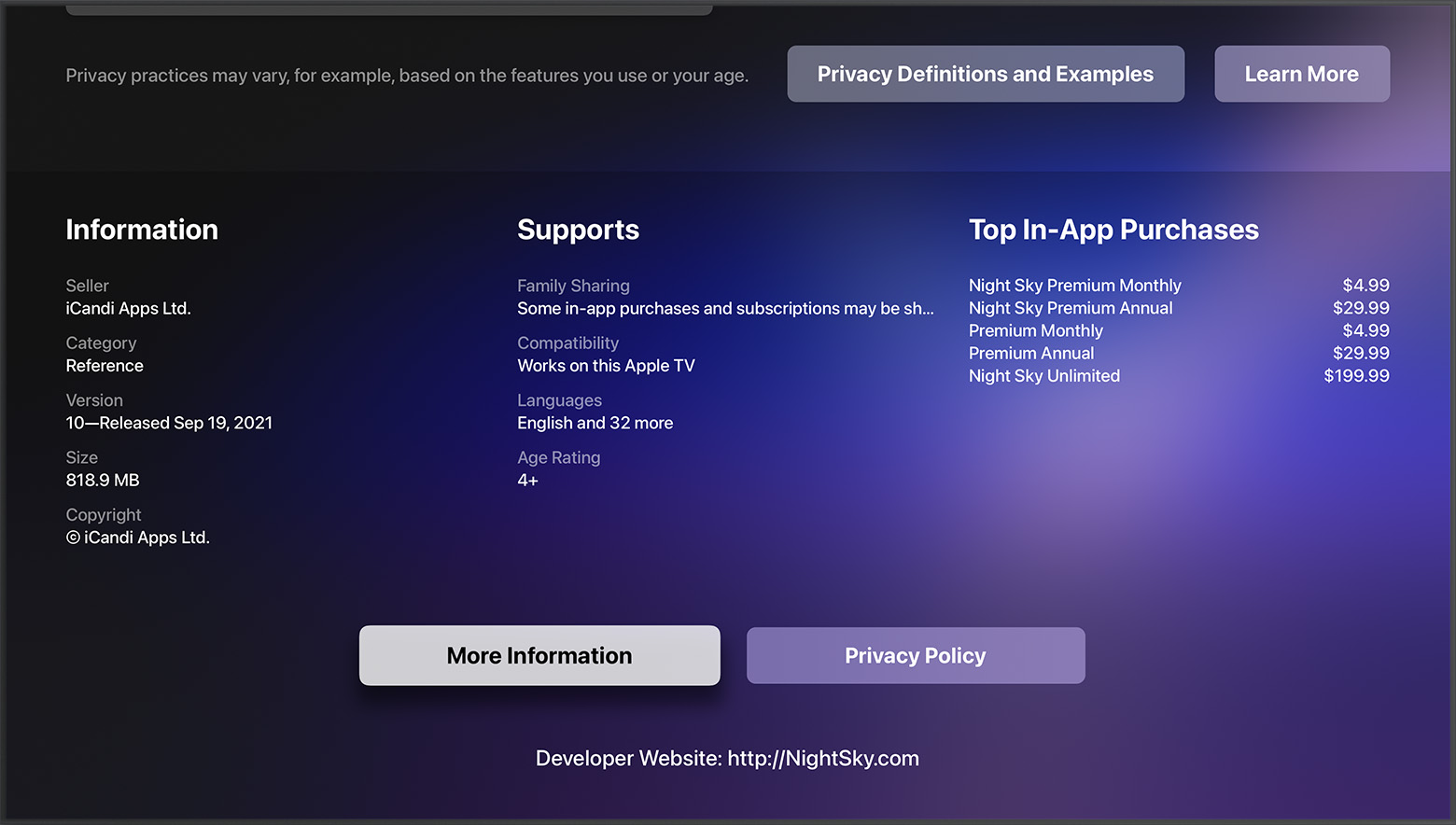
If you still need help
If you can't find the contact information for the developer, search the internet. "
For addition information check out this link: How to contact an app developer - Apple Support
Kindest regards!
Installation of older type of app on older iphone

