Adding email account to Mail and Outlook

I had an issue with my sky.com email address not syncing so I deleted the account and then tried to re add it to my outlook app and Mail app on my MacBook Air.


I go to preferences - accounts - add new account and type in my email address


it then confirms it is a yahoo account as per the first image and when I click ok so it takes me to the add password page I get the error message in the second image.


this started a few day ago and after speaking to both Yahoo and Sky neither have any solutions.


I have tried the following


  • updated software, both Mac and apps up to date with Mac Monterery 12.6
  • deleted and reinstalled the app
  • Left it over 24 hours between attempts
  • checked the account works on the web page, it does, along with on my iPhone, ( I had the same issue on my iPhone but that suddenly resolved itself and allowed me to add the account back on


I can't figure out what to do to fix this, there is a thing about Sky requiring an app password for increased security but I can't do this as it never gets to the password stage.


Any help would be gratefully received as I am tearing my hair out.


iMac, OS X 10.11

Posted on Sep 16, 2022 12:08 PM

Reply
Question marked as Top-ranking reply

Posted on Sep 20, 2022 11:20 AM

Hi martynfromsomewhere,


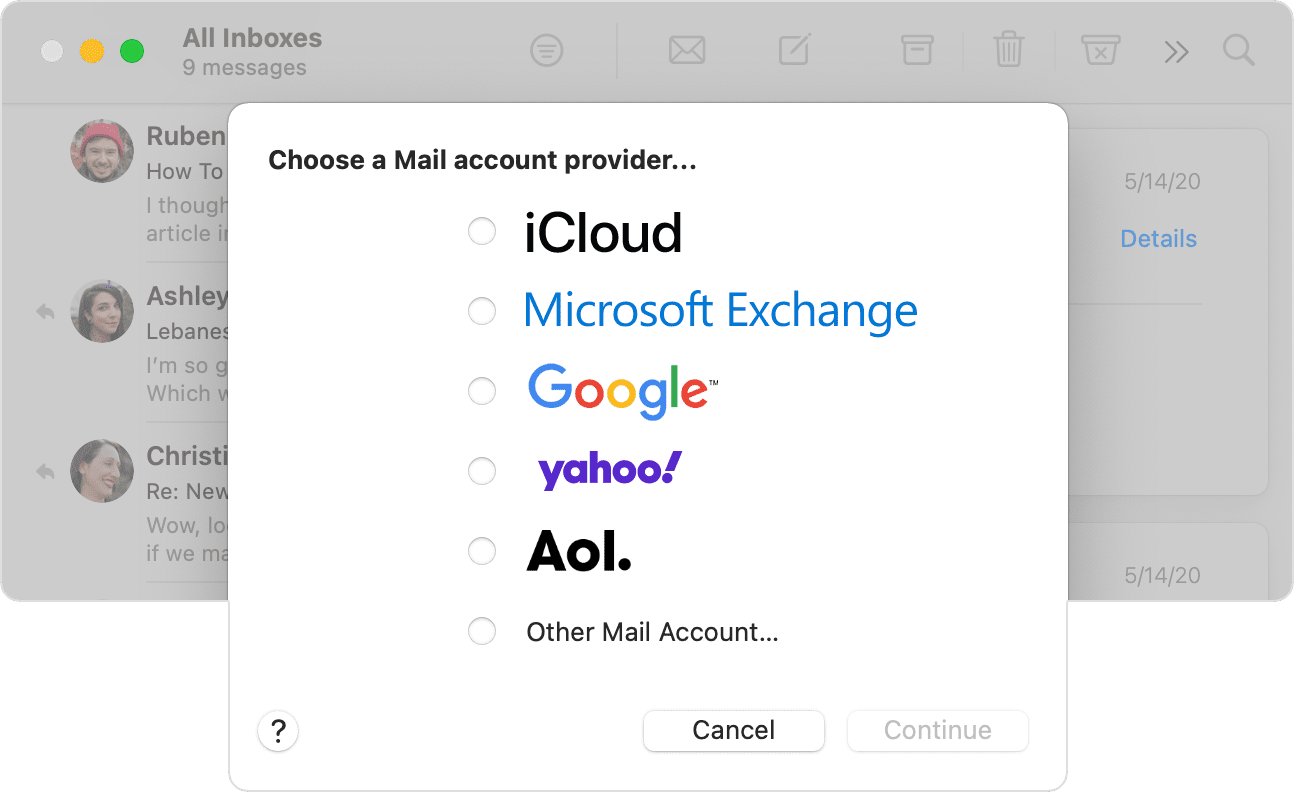
For help with adding an email account, test adding the account using the "Other Mail account..." option and steps below found in the article here: Add an email account to Mail on your Mac - Apple Support


"Add an email account


  1. From the menu bar in Mail, choose Mail > Add Account.
  2. Select your email provider from the list, then click Continue.Choose a Mail account provider options
  3. Some accounts, such as Google, might ask that you click Open Browser to complete authentication in your web browser. 
  4. Follow the onscreen instructions to enter account details, such as your name, email address, and password. If you're not sure what information to enter, please contact your email provider for help."


You may need to verify details for your account, the mail lookup page here can help: Mail - Official Apple Support


The Yahoo page here also has some helpful tips: Fix problems signing into your Yahoo account

If you're able to sign into other accounts as expected, you may want to reach back out to your provider to assist.


Best.


Similar questions

1 reply
Question marked as Top-ranking reply

Sep 20, 2022 11:20 AM in response to martynfromsomewhere

Hi martynfromsomewhere,


For help with adding an email account, test adding the account using the "Other Mail account..." option and steps below found in the article here: Add an email account to Mail on your Mac - Apple Support


"Add an email account


  1. From the menu bar in Mail, choose Mail > Add Account.
  2. Select your email provider from the list, then click Continue.Choose a Mail account provider options
  3. Some accounts, such as Google, might ask that you click Open Browser to complete authentication in your web browser. 
  4. Follow the onscreen instructions to enter account details, such as your name, email address, and password. If you're not sure what information to enter, please contact your email provider for help."


You may need to verify details for your account, the mail lookup page here can help: Mail - Official Apple Support


The Yahoo page here also has some helpful tips: Fix problems signing into your Yahoo account

If you're able to sign into other accounts as expected, you may want to reach back out to your provider to assist.


Best.


This thread has been closed by the system or the community team. You may vote for any posts you find helpful, or search the Community for additional answers.

Adding email account to Mail and Outlook

Welcome to Apple Support Community
A forum where Apple customers help each other with their products. Get started with your Apple Account.