How to transfer music to iPhone on iOS 1.1.4?

Hello. I am curious to know if there are any ways possible to transfer MP3s or iTunes music to an old iPhone on much older software. I've tried everything, including using older versions of iTunes, and even my old 2007 MacBook pro. But it doesn't seem to work. Is the device so outdated that it simply can't import music anymore? If there is any solution, I will do whatever it takes.

iPhone

Posted on Sep 17, 2022 7:17 PM

Reply
6 replies

Sep 23, 2022 7:22 AM in response to Axtrecius

Thanks for replying, Axtrecius, and that additional info, it really helps! Your next steps are these:


"1. Make sure that your iOS or iPadOS device is turned on, unlocked, and on the Home screen.
2. Check that you have the latest software on your Mac or Windows PC. If you're using iTunes, make sure you have the latest version.
3. If you see a Trust this Computer alert, unlock your device and tap Trust. If you can't unlock your device because you forgot your passcode, find out what to do.
4. Unplug all USB accessories from your computer except for your device. Try each USB port to see if one works. Then try a different Apple USB cable.*
5. Restart your computer. 
6. Restart your iPhoneiPad, or iPod touch.
7. Follow these additional steps for your Mac or Windows PC
8. Try connecting your device to another computer. If you have the same issue on another computer, contact Apple Support.
* Learn how to connect iPad Pro (11-inch) or iPad Pro 12.9-inch (3rd generation) to your computer.
Additional steps for Mac
1. Connect your iOS or iPadOS device and make sure that it's unlocked and on the Home screen.
2. On your Mac, choose Finder > Preferences from the Finder menu bar, then click Sidebar at the top of the preferences window. Make sure that "CDs, DVDs and iOS Devices" is checked. 
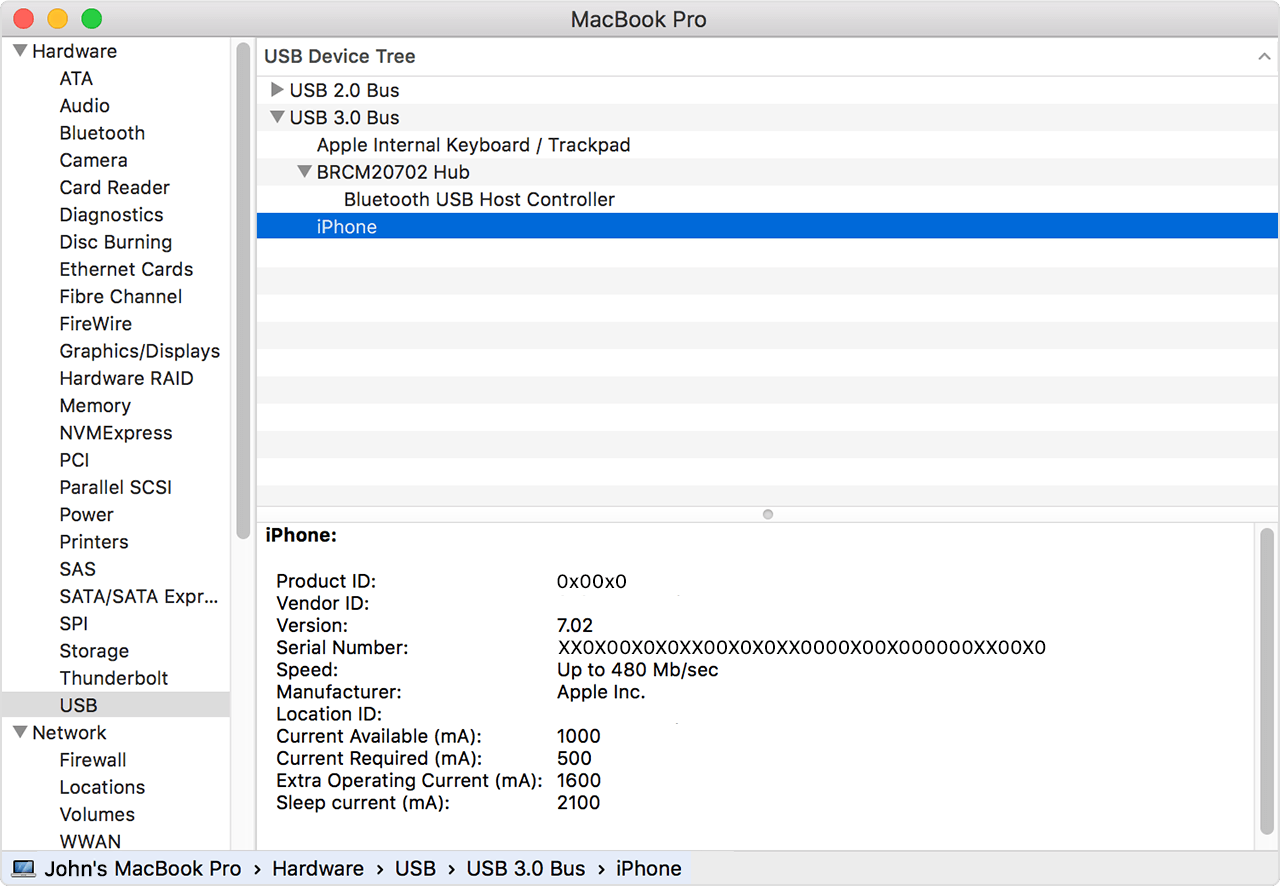
3. Press and hold the Option key, then choose System Information from the Apple menu . From the list on the left, select USB.
4. If you see your iPhone, iPad, or iPod under USB Device Tree, get the latest macOS or install the latest updates. If you don't see your device or still need help, contact Apple Support.
"


And that is from If your computer doesn't recognize your iPhone, iPad, or iPod - Apple Support. And if that doesn't help, please contact Apple directly: Apple Support


Have a great day and thanks for using the Apple Support Communities!


Sep 21, 2022 11:17 AM in response to Axtrecius

Hello Axtrecius.


Thank you for using Apple Support Communities. If you want to sync music from iTunes to your iPhone, we recommend you can follow these steps here: Use iTunes to sync your iPhone, iPad, or iPod with your computer - Apple Support


1.) Open iTunes and connect your device to your computer with a USB cable.
2.) Click the device icon in the upper-left corner of the iTunes window. Learn what to do if you don't see the icon
3.) From the list under Settings on the left side of the iTunes window, click the type of content that you want to sync or remove.* To turn syncing on for a content type, select the checkbox next to Sync.
4.) Select the checkbox next to each item that you want to sync.
5.) Click the Apply button in the lower-right corner of the window. If syncing doesn't start automatically, click the Sync button.

If you syncing isn't working or you receive an error while attempting to sync, this resource does have more information and steps you can attempt: If you see error -5000, -69, 13010, or 13014 when you sync music from your Mac - Apple Support


It does mention the following:

Make sure that your Mac is updated to the latest version of macOS and your iPhone, iPad, or iPod touch is updated to the latest version of iOS or iPadOS. If you're using macOS Mojave or earlier, make sure that you have the latest version of iTunes. Then try to sync again.

We hope this information is helpful. Cheers.

Sep 23, 2022 8:36 PM in response to jdo_apple

Hi there,


The device is so outdated that no iTunes version I try with it works. As well as the message described. There is no way to put it into recovery mode and have it work, or something like that. It would put the phone in a permenant setup screen, and unless I found a solution would not be able to save it. I have already followed the Mac guidelines as well, as I got a new MacBook a year ago, but not even that seemed to work either. I tried the System Information on both operating systems, Mac and Windows.


Mac was more reluctant, same with windows. I removed, and even updated the drivers but iTunes would still not read the iPhone. Another thing I should mention is that it can read my iOS 4.2.(1?)iPhone 3G still, but why not the original iPhone? Please help.

This thread has been closed by the system or the community team. You may vote for any posts you find helpful, or search the Community for additional answers.

How to transfer music to iPhone on iOS 1.1.4?

Welcome to Apple Support Community
A forum where Apple customers help each other with their products. Get started with your Apple Account.