WatchOs 9.0 assistive touch problem

Since 9.0 the Assistive Touch har startet to act strange. Every time I get a notice on the watch, - assistive touch shows a message "Close clench twice". But it do not respond to the gestures.

It also stopps responding to gestures when I turn my hand.

After a restart of the watch, I get all my gestures back ( when I turn my hand an open ) -

but still this problem with showing the message "Close clench twice", without no respons when I do it. After some time, also the rest of the assistive functions stops to work, and I have to restart the watch again.

Anyone ?


:) Truls


Apple Watch Series 7

Posted on Sep 19, 2022 6:33 AM

Reply

Similar questions

1 reply

Sep 22, 2022 2:16 PM in response to Trulsbi

Hi Trulsbi,


Welcome to Apple Support Communities. Excellent job by restarting your Apple Watch. Since the gestures for AssistiveTouch continues to occur, we recommend to unpair and re-pair the Apple Watch to your iPhone. This will help to reinstall a fresh brand new copy of watchOS 9. Once you re-pair the Apple Watch to your iPhone, please test and see if AssistiveTouch functions properly without any issues. If needed, here's how to unpair and re-pair the Apple Watch to an iPhone:


How to unpair your Apple Watch from your iPhone

1. Keep your Apple Watch and iPhone close together as you unpair them.

2. Open the Apple Watch app on your iPhone.

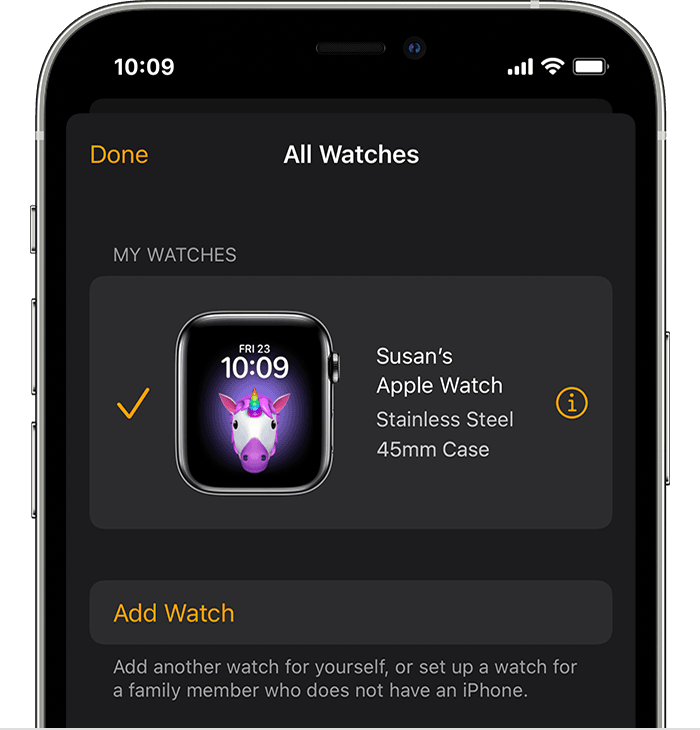
3. Go to the My Watch tab and tap All Watches.

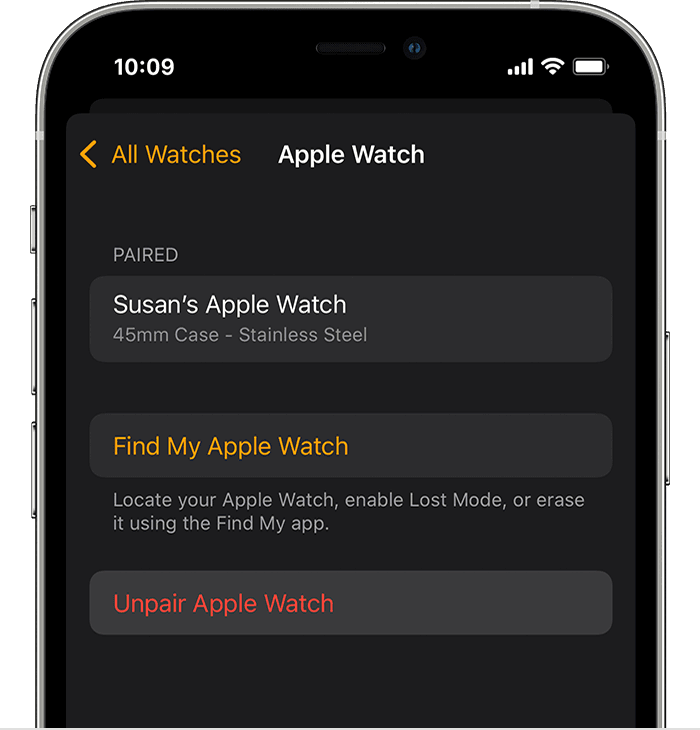
4. Tap the info button  next to the watch that you want to unpair. 
5. Tap Unpair Apple Watch.


6. For GPS + Cellular models, choose to keep or remove your cellular plan. 

- If you want to pair your Apple Watch and iPhone again, keep your plan. 

- If you don't want to pair your Apple Watch and iPhone again, remove your plan. If you aren't going to pair with a different watch or iPhone, you might need to contact your carrier to cancel your cellular subscription. 

7. Tap again to confirm. You might need to enter your Apple ID password to disable Activation Lock. Before erasing all content and settings on your Apple Watch, your iPhone creates a new backup of your Apple Watch. You can use the backup to restore a new Apple Watch. After your Apple Watch unpairs, you'll see the Start Pairing message.

8.Set up your Apple Watch again.

Please be sure to follow step 8 by selecting the hyperlink and it'll guide you on how to re-pair the Apple Watch to your iPhone.


These steps may help resolve the issue you're experiencing. Please keep us posted with the results.


Kind regards.

This thread has been closed by the system or the community team. You may vote for any posts you find helpful, or search the Community for additional answers.

WatchOs 9.0 assistive touch problem

Welcome to Apple Support Community
A forum where Apple customers help each other with their products. Get started with your Apple Account.