Hello Jbedilio,
You came from the best resource that explains using Do Not Disturb with a Focus enabled: Use Do Not Disturb with Focus on your iPhone or iPad - Apple Support
To turn on Do Not Disturb on your iPhone, go to Settings > Focus > Do Not Disturb.
To add a Focus filter, see steps in: Use Focus on your iPhone or iPad - Apple Support
Add Focus filters
When you set up a Focus, you can add app filters that determine what information apps will show when the Focus is on. For example, you can show your work calendar only while your Work Focus is on.
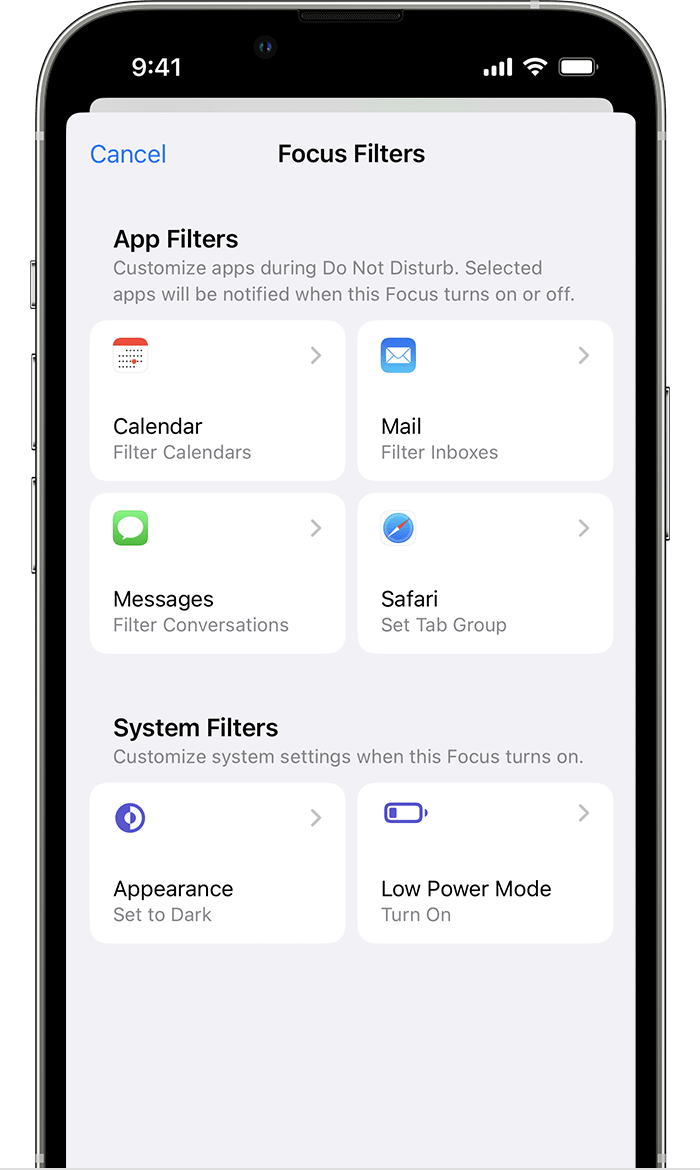
1. Go to Settings > Focus, then tap the Focus you want to add filters to.
2. Scroll down to Focus Filters, then tap Add Filter.
3. Tap an app, then select the information you want to see from that app while the Focus on.
4. Tap Add.
You can also use system filters to turn on system settings, like Dark Mode and Low Power Mode, when a Focus is on.
Adding a filter, should allow specific apps while the Focus is enabled, like your alarm app.
Let us know if this helps out or not, take care.


