
My IPhone won't light up. When I hold down the right button and the volume down it has started to ring some alarm type noise.
My Phone won't light up. I held down the right button and the volume down and it sounded some alarm.
iPhone 12, iOS 15
My Phone won't light up. I held down the right button and the volume down and it sounded some alarm.
iPhone 12, iOS 15
Hello Peptoad,
Thank you for reaching out to Apple Support Communities, and we'll be happy to help in any way we can. We understand you're having issues with restarting your iPhone. If your device is frozen or unresponsive, force restart your iPhone as described here: Force restart iPhone - Apple Support
"If iPhone isn’t responding, and you can’t turn it off then on, try forcing it to restart.
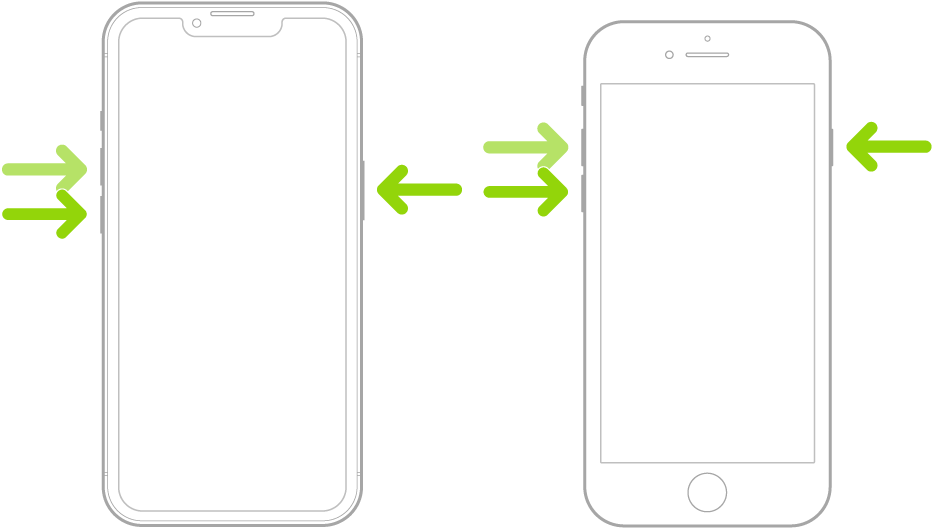
Note: For force restart instructions for iPhone 7, iPhone 6s, or iPhone SE (1st generation)—models that don’t support iOS 16—see the iOS 15 version of this page.
If iPhone doesn’t restart after you try these steps, see the Apple Support article If your iPhone won’t turn on or is frozen. Or if your iPhone isn’t working as expected after you restart it, see the iPhone Support website."
We hope this helps.
Cheers!
My IPhone won't light up. When I hold down the right button and the volume down it has started to ring some alarm type noise.

