The Beatles Abbey Road
How can I fix the end medley of Abbey Road? It’s a tragedy of life that this album in Dolby Atmos has gaps!! I’m on iOS/Apple Music/AirPods!!
How can I fix the end medley of Abbey Road? It’s a tragedy of life that this album in Dolby Atmos has gaps!! I’m on iOS/Apple Music/AirPods!!
Thanks for posting in the Apple Support Communities Dave,
If you're encountering an issue with interruptions during playback for a specific album, removing the download, and re-adding a fresh copy of it may help:
1: Open the Apple Music app.
2: Go to Library and tap Downloaded to see your downloads.
3: Find the album that you want to remove.
4: Touch and hold the item, then tap Remove.
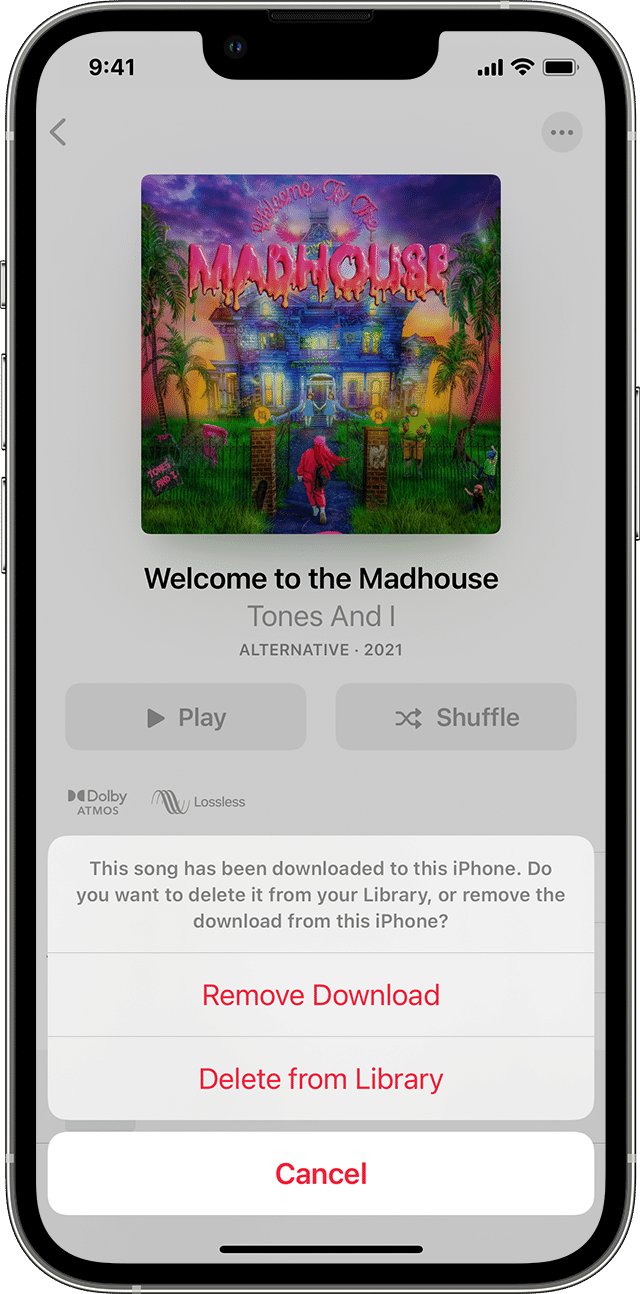
5: Tap Remove Download to remove the item from only this device. Or tap Delete from Library to delete the item across all of your devices.
You can also delete music in the Settings app. Go to Settings > General > iPhone Storage or iPad Storage. Scroll to Music and tap it. Swipe left on All Songs or on the item that you want to delete, then tap Delete.
Once you've done that, redownload the album again using these steps: Delete music in the Apple Music app
1: Open the Apple Music app.
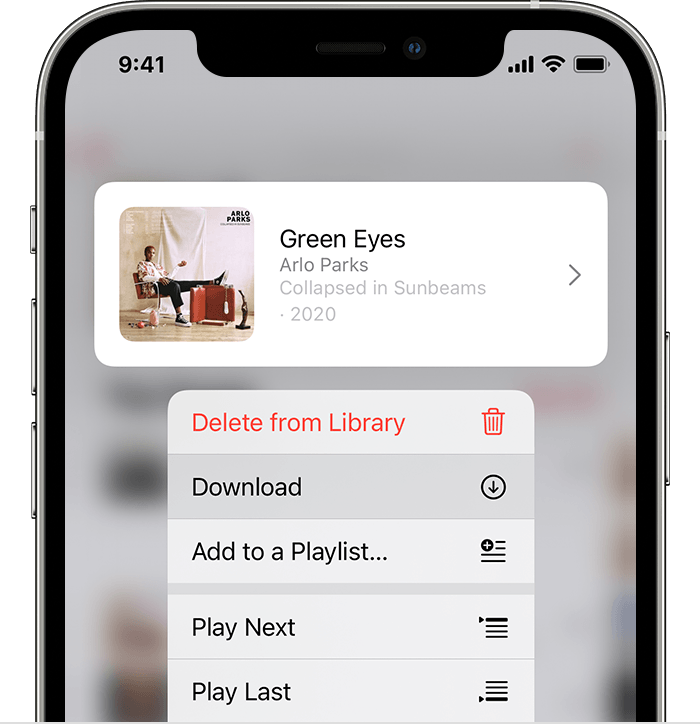
2: Touch and hold the song, album, or playlist that you've added from Apple Music.
3: Tap Download.
You can also download a song by swiping left over the song and tapping the Download button.
Add and download music from Apple Music
Cheers!
Thanks Mikeg28806 for the reply. The albums I’m aware of were Pearl Jam Gigaton and Ten (which were fixed!), Pink Floyd Momentary Lapse of Reason (not fixed) and Abbey Road (not fixed).. also SgtPepper (fixed). I wrote a long paragraph in the link provided of everything I’ve tried. I have a few theories but I really don’t know much about tech stuff. I’d just like to hear Abbey Road in Spatial on AirPods Pro with no gaps.
The Beatles Abbey Road