
Is private relay only good if using Safari?
I turned on private relay but I have Brave set as my default browser. So am I not receiving any benefit from private relay and need to get a separate VPN?
I turned on private relay but I have Brave set as my default browser. So am I not receiving any benefit from private relay and need to get a separate VPN?
Hello belawyer,
Thank you for reaching out to Apple Support Communities, and we'll be happy to help in any way we can. We understand you're having issues with using iCloud Private Relay. Check out the informaiton about iCloud Private Relay and how it works: About iCloud Private Relay - Apple Support
"How Private Relay works
Normally when you browse the web, information contained in your web traffic, such as your DNS records and IP address, can be seen by your network provider and the websites you visit. This information could be used to determine your identity and build a profile of your location and browsing history over time. iCloud Private Relay is designed to protect your privacy by ensuring that when you browse the web in Safari, no single party—not even Apple—can see both who you are and what sites you're visiting.
When Private Relay is enabled, your requests are sent through two separate, secure internet relays. Your IP address is visible to your network provider and to the first relay, which is operated by Apple. Your DNS records are encrypted, so neither party can see the address of the website you’re trying to visit. The second relay, which is operated by a third-party content provider, generates a temporary IP address, decrypts the name of the website you requested and connects you to the site. All of this is done using the latest internet standards to maintain a high-performance browsing experience while protecting your privacy.
Turn on Private Relay
Turn on Private Relay to protect your IP address and browsing activity in Safari:
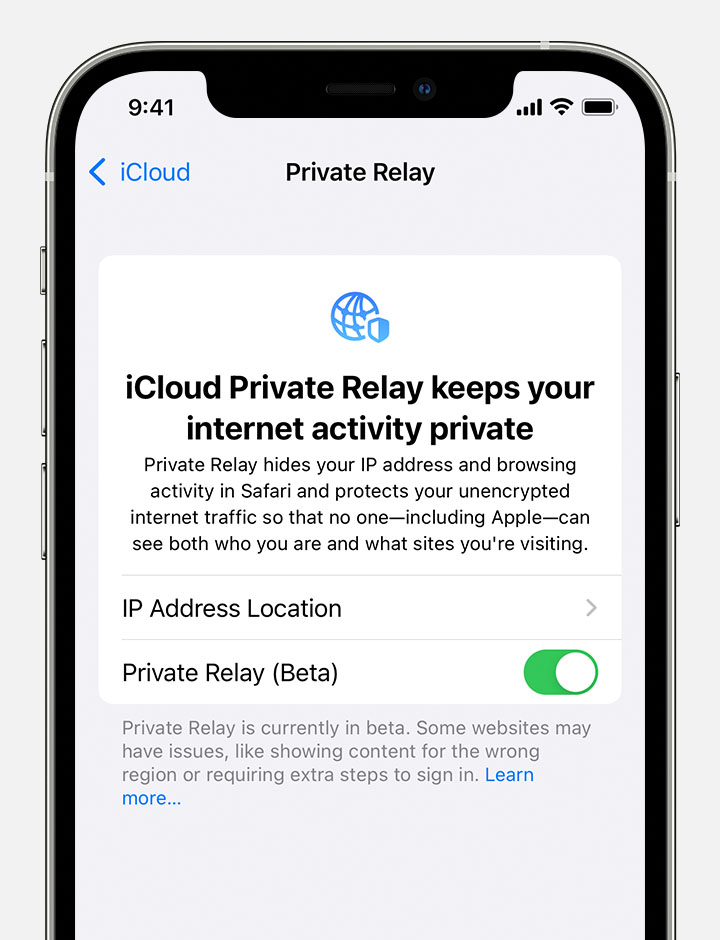
You can tap IP Address Location to choose a setting for your IP address.
If a website or network doesn't work with Private Relay
Private Relay is designed to protect your internet privacy and maintain a high-performance browsing experience. Some websites, networks, or services may need to make updates for Private Relay, including networks that require the ability to audit traffic or perform network-based filtering—such as business or education networks—or services that rely on viewing your browsing activity, like parental controls or some "zero rated" services that don’t count against your data usage.
In addition, if you travel somewhere Private Relay isn't available, it will automatically turn off and will turn on again when you re-enter a country or region that supports it. Private Relay will notify you when it's unavailable and when it's active again.
If a website, network, or service you're using doesn't appear to be compatible with Private Relay, you can temporarily turn off Private Relay in iCloud settings. You can also turn off Private Relay just for a specific network. If you turn off Private Relay, network providers and websites can monitor your internet activity in Safari.
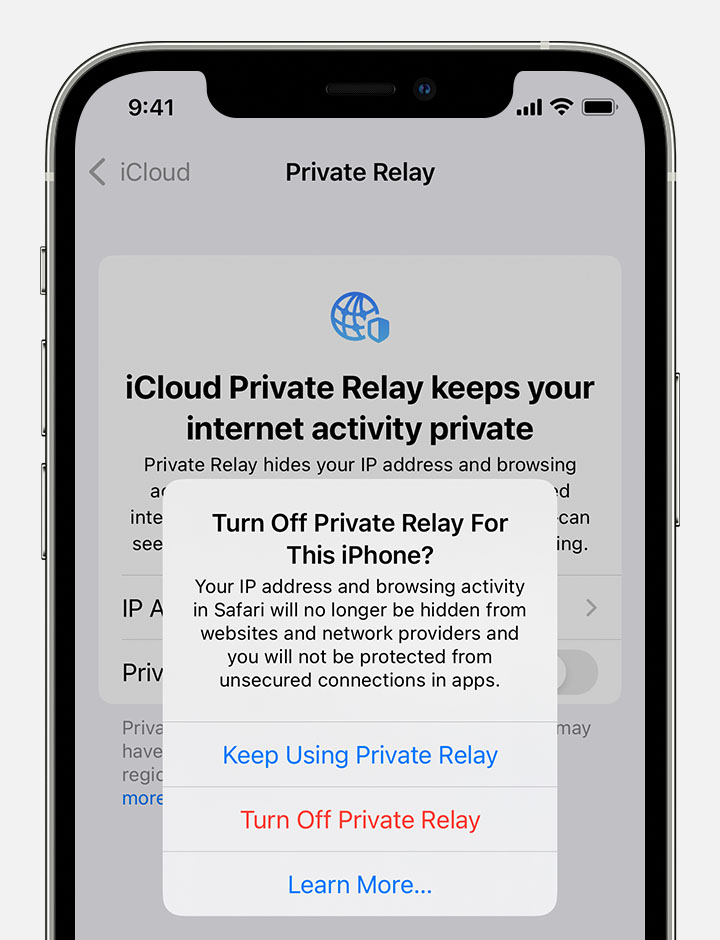
Private Relay can be turned on or off just for a specific network using the Limit IP Address Tracking preference.*
 next to the Wi-Fi network. Or for cellular networks, go to Settings > Cellular > Cellular Data Options.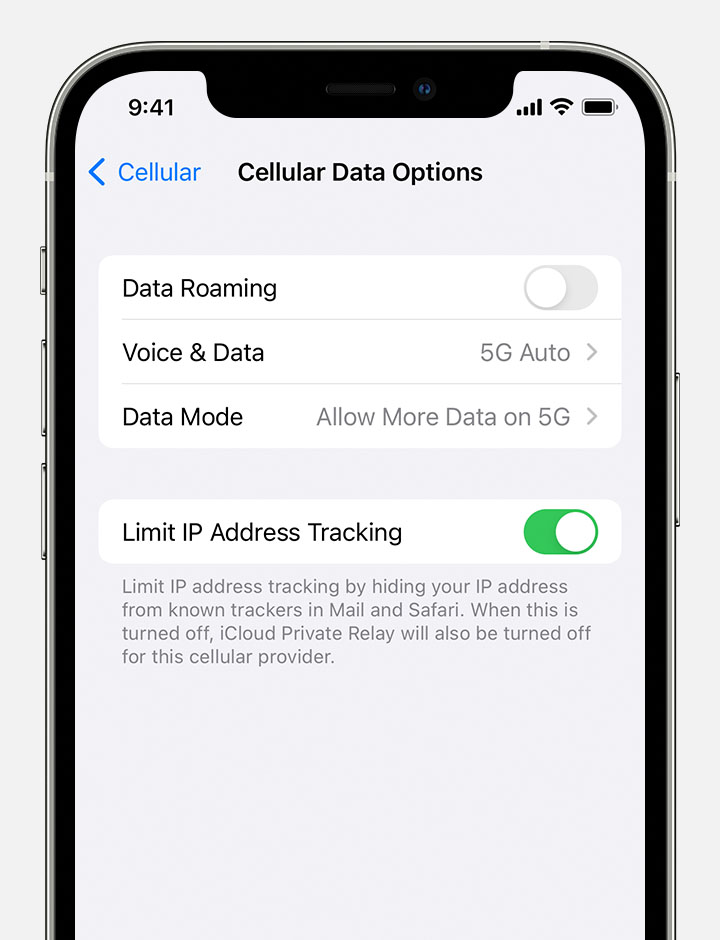
If Private Relay has been turned off for a specific network, you can try turning it back on in Wi-Fi, Cellular Data Options, or Network settings. If you regularly switch between multiple network configurations, such as dual-SIM or Wi-Fi and Ethernet, make sure that this preference is set for each network independently.
If you turn off Private Relay for a specific network, the setting for that network applies to all your devices for which Private Relay is turned on."
We hope this helps.
Cheers!
Is private relay only good if using Safari?

