Geofence - Apple Homekit - Authentication question.

Good morning,


I just installed a Smart Wifi Garage Door Opener that works on Apple Homekit and set it to geofence, everything works perfectly, but since iOS 13.3 it asks every time I am near my house an authentication if I want the gate to unlock.

What's the point of this and can it be turned off?

For me it would be useful if I get to a certain perimeter that the gate suddenly opens itself and I can suddenly drive in.

The same when driving away, that I no longer have to think about it, but that it will close automatically.

That was the case for iOS 13.3 by the way.

We in Belgium are not allowed to use the phone while driving and when I come near my gate, the screen of my carplay also shows the same button to open the gate, so in my opinion the purpose and usefulness are completely gone. the geofence in terms of opening/closing gates and doors.


Does anyone recognize this problem and does anyone have a solution for this and/or can someone explain to me why there is no function from Apple itself that we can disable this authentication under our own responsibility with knowledge of possible dangers?


I like to hear it :)


iPhone 13 Mini

Posted on Sep 25, 2022 11:29 PM

Reply
4 replies

Sep 28, 2022 8:30 AM in response to timm40

Hello timm40,


Thank you for posting to Apple Support Communities.


With the issue you're experiencing with geofence and the garage door opening, you may need to adjust the settings for the garage door opener within the app. If you're not sure how to adjust the settings, reach out to the app developer. This process is explained below:

1. Open the App Store on your iPhone, iPad, or iPod touch.
2. Search for the app, then tap it. If you can't find it, tap the account button  or your photo at the top of the screen, tap Purchased, tap "Not on this [device]," then tap the app.
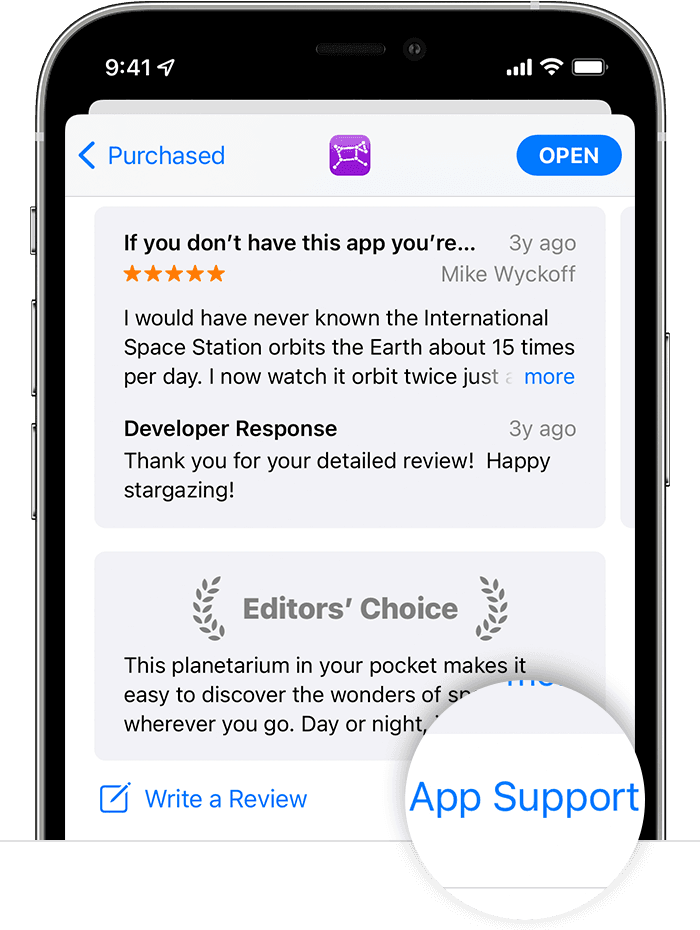
3. The app's product page appears. Scroll to the Ratings & Reviews section, then tap App Support. If you don't see App Support, make sure that you're signed in with the correct Apple ID.
In the App Store on iPhone, the App Support button is at the bottom of the app's page.


This information is provided in How to contact an app developer - Apple Support.


If those steps don't resolve this, be sure to update your iPhone software. This will provide the latest feature updates as well as bug fixes. To complete this, use the guidance here: Update your iPhone or iPad - Apple Support


Have a nice day.

Sep 30, 2022 4:37 AM in response to 1ssmith

Good afternoon,

Thank you very much for your answer.

Now I mean really, I have a gate opener that is Homekit compatible, but apparently any Homekit compatible device in line of a door lock, garage or gate opener will have a gate opener after turning on the geofence and getting close to the house first. authentication question on my iPhone.

If it is another device, for example a lamp, this question will not appear.

The question now is, is there a possibility to skip this authentication or possibly disable it in the settings menu, whether or not on your own responsibility and with recognition of the possible dangers when switching it on?

This thread has been closed by the system or the community team. You may vote for any posts you find helpful, or search the Community for additional answers.

Geofence - Apple Homekit - Authentication question.

Welcome to Apple Support Community
A forum where Apple customers help each other with their products. Get started with your Apple Account.