I forgot my screen time password for my apple watch. I have all ready tried resetting the watch. How do I receover the screen time pass word.

I forgot my screen time password for my apple watch. I have all ready tried resetting the watch. How do I receover the screen time pass word.


Posted on Sep 26, 2022 6:34 AM

Reply
Question marked as Top-ranking reply

Posted on Sep 27, 2022 6:28 PM

Hello john979,


Thank you for reaching out to Apple Support Communities, and we'll be happy to help in any way we can. We understand you're having issues with your Screen Time passcode. You will need to reset the passcode from your iPhone. Try the steps listed here to see if they resolve the issue: If you forgot your Screen Time passcode - Apple Support


"Use the steps below if you forgot your Screen Time passcode or the Screen Time passcode for a member of your Family Sharing group. If you forgot the passcode to unlock your iPhone, iPad, or iPod touch, or you get a message that says it's disabled, follow these steps instead


How to reset the Screen Time passcode for your personal device

Use the steps below to change your Screen Time passcode on an iPhone, iPad, iPod touch, or Mac. 

On an iPhone, iPad, or iPod touch

  1. Make sure that your device is updated to iOS 13.4 or iPadOS 13.4 or later
  2. Go to Settings > Screen Time. 
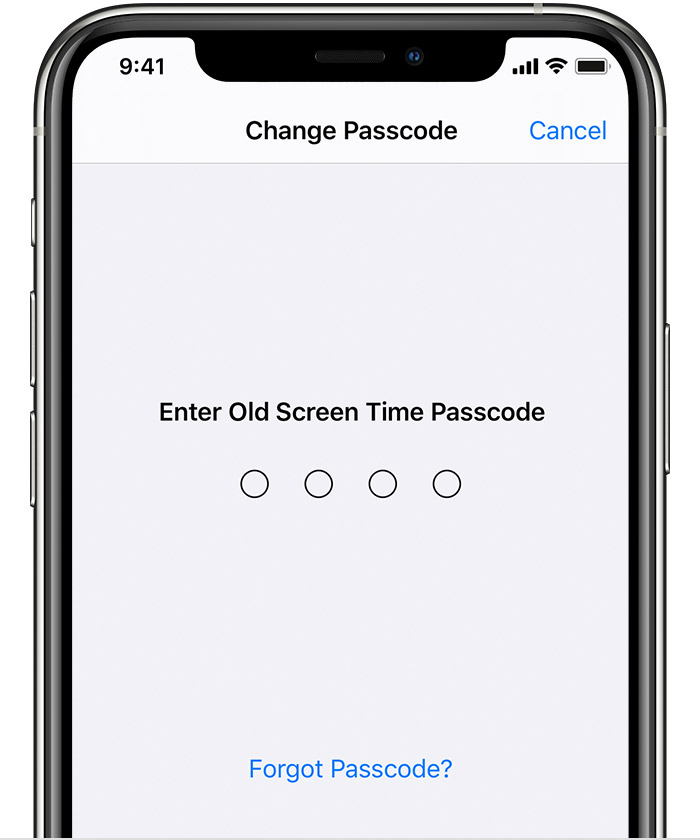
  3. Tap Change Screen Time Passcode, then tap Change Screen Time Passcode again.
  4. Tap Forgot Passcode?
  5. Enter the Apple ID and password* that you used to set up the Screen Time passcode.
  6. Enter a new Screen Time passcode, then enter it again to confirm."


We hope this helps.


Cheers!


1 reply
Question marked as Top-ranking reply

Sep 27, 2022 6:28 PM in response to john979

Hello john979,


Thank you for reaching out to Apple Support Communities, and we'll be happy to help in any way we can. We understand you're having issues with your Screen Time passcode. You will need to reset the passcode from your iPhone. Try the steps listed here to see if they resolve the issue: If you forgot your Screen Time passcode - Apple Support


"Use the steps below if you forgot your Screen Time passcode or the Screen Time passcode for a member of your Family Sharing group. If you forgot the passcode to unlock your iPhone, iPad, or iPod touch, or you get a message that says it's disabled, follow these steps instead


How to reset the Screen Time passcode for your personal device

Use the steps below to change your Screen Time passcode on an iPhone, iPad, iPod touch, or Mac. 

On an iPhone, iPad, or iPod touch

  1. Make sure that your device is updated to iOS 13.4 or iPadOS 13.4 or later
  2. Go to Settings > Screen Time. 
  3. Tap Change Screen Time Passcode, then tap Change Screen Time Passcode again.
  4. Tap Forgot Passcode?
  5. Enter the Apple ID and password* that you used to set up the Screen Time passcode.
  6. Enter a new Screen Time passcode, then enter it again to confirm."


We hope this helps.


Cheers!


This thread has been closed by the system or the community team. You may vote for any posts you find helpful, or search the Community for additional answers.

I forgot my screen time password for my apple watch. I have all ready tried resetting the watch. How do I receover the screen time pass word.

Welcome to Apple Support Community
A forum where Apple customers help each other with their products. Get started with your Apple Account.