cleanup crop is not active in imovie

Hi, After selecting green/ blue screen in iMovie, Clean up crop option is not working, not even gets active. I tried updating iMovie also, but dosnt work. i am attaching screenshot showing the same option working, from youtube. kindly Help. rgds

MacBook Air 13″, macOS 12.6

Posted on Oct 2, 2022 2:15 PM

Reply
1 reply

Oct 4, 2022 7:57 AM in response to JSonkar

Greetings JSonkar,


You can learn how to edit the background in iMovie here:


Change the background of a clip in iMovie - Apple Support


"Use the green-screen effect in iMovie on Mac

  1. With your project open, add the background video clip or still image to the timeline.
  2. Add the green-screen clip above the background clip in the timeline. 
  3. Trim and move the background video clip to match the length of your green-screen clip. Because the clips are connected, the two clips move together when you rearrange clips in the timeline.
  4. If the video overlay controls aren’t shown, click the Video Overlay Settings button  above the viewer, then choose Green/Blue Screen from the pop-up menu.
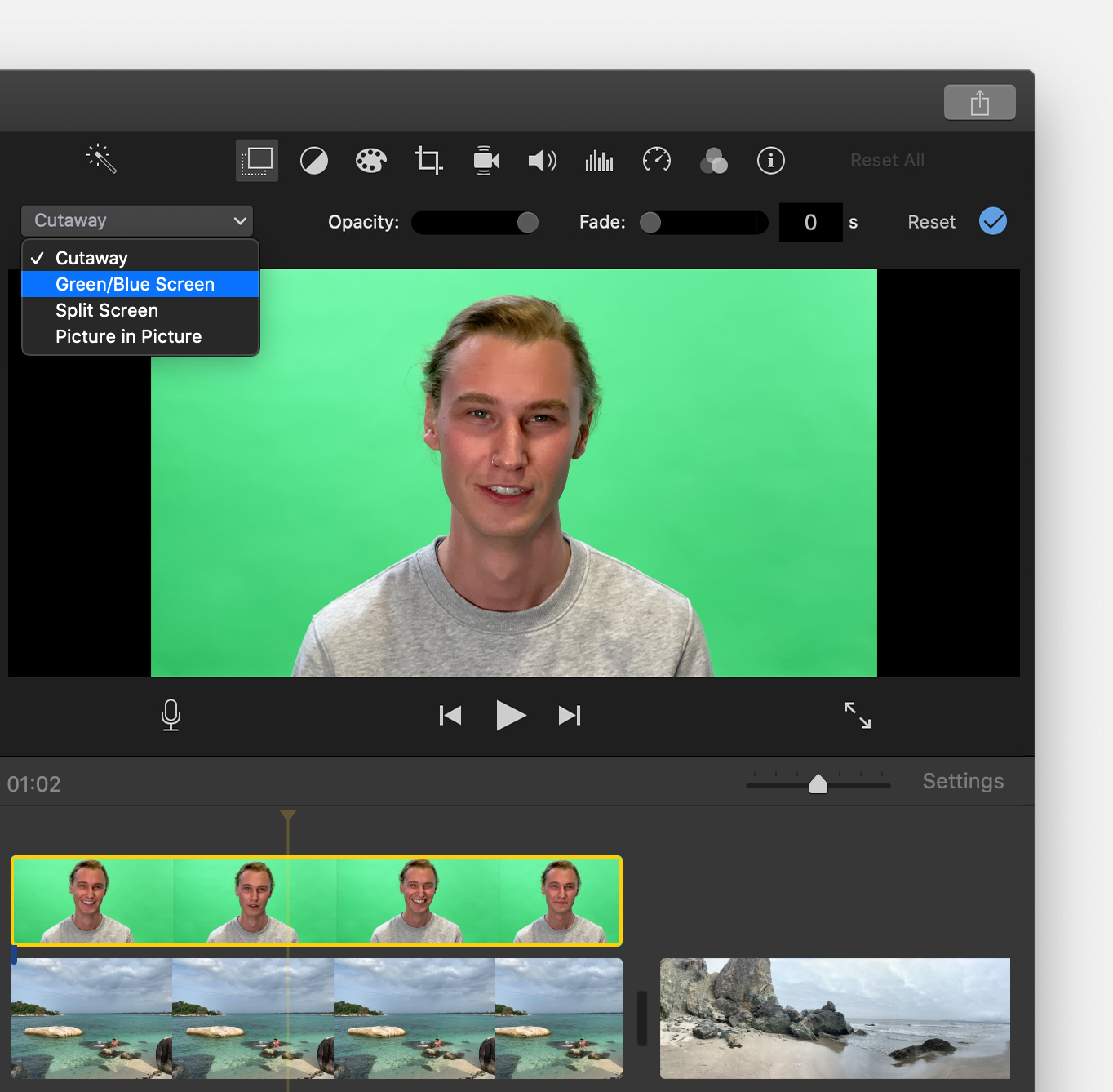
  5. In the viewer, iMovie removes the green or blue from the green-screen clip to reveal the background clip behind your subject. Because the clips are connected, the two clips move together if you rearrange clips in the timeline."


Take care.

This thread has been closed by the system or the community team. You may vote for any posts you find helpful, or search the Community for additional answers.

cleanup crop is not active in imovie

Welcome to Apple Support Community
A forum where Apple customers help each other with their products. Get started with your Apple Account.