
Storage space after update
I want my storage space back. After last iPhone update I no longer can store my apps and files. It’s really frustrating. How can I go back to old version and get my space back that I paid for?
iPhone XS
I want my storage space back. After last iPhone update I no longer can store my apps and files. It’s really frustrating. How can I go back to old version and get my space back that I paid for?
iPhone XS
Hello,
Thank you for reaching out to Apple Support Communities, and we'll be happy to help in any way we can. We understand you're having issues with storage since updating. First, it sounds like your local iPhone storage is full and you're wanting to use iCloud storage. Check out the information here about the difference between the two: What's the difference between device storage and iCloud storage? - Apple Support
"Device storage
An Apple device like an iPhone, iPad, or Mac comes with a set amount of storage. The more storage your device has, the more music, apps, photos, and other content you can store on that device. If your device storage is almost full or full, you might get an alert.
Here's how to check the amount of device storage you've used and, if needed, optimize and manage your storage space.
Check the device storage on your iPhone or iPad
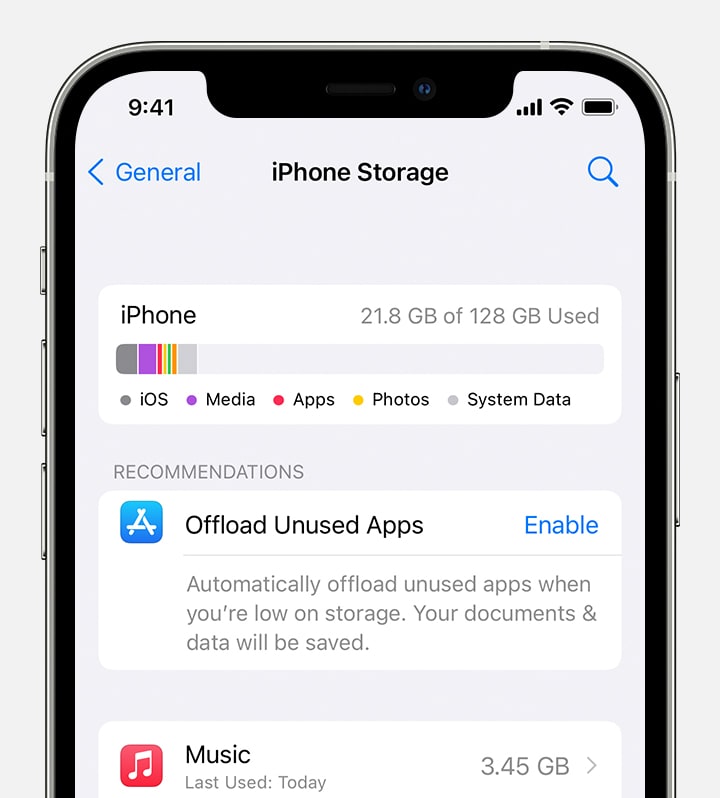
If you want to free up storage space on your iPhone or iPad:
"iCloud storage
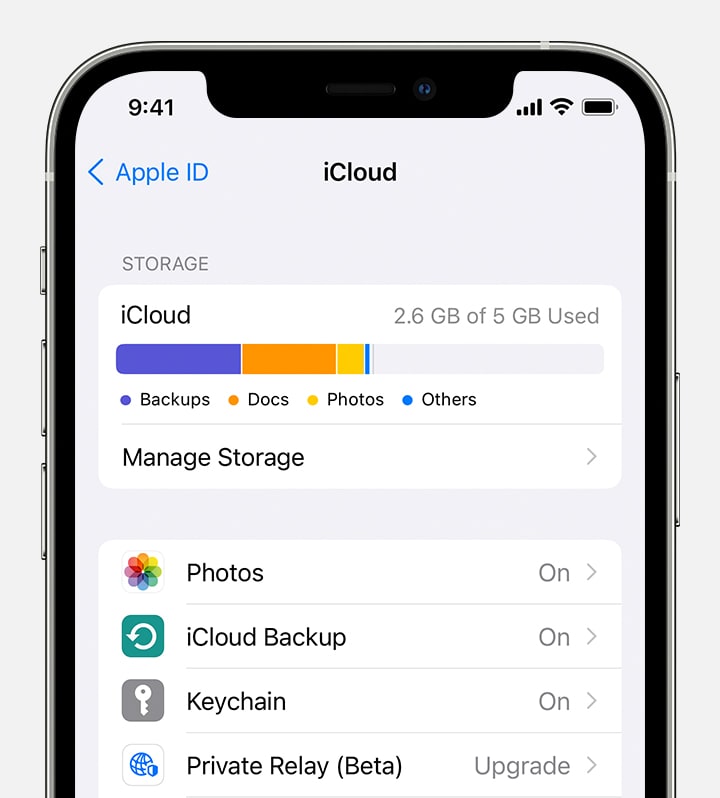
To help optimize your storage, you can also use iCloud storage. You can use iCloud storage to keep photos, videos, device backups, and more, and to access this content from all of your devices. When your iCloud storage is almost full or full, you might get an alert and you can buy more.
If you want to free up iCloud storage space:
Check your iCloud storage on your iPhone or iPad
 "
"We understand the importance of having an iOS that is familiar and easy to use. We are here to make the transition as seamless as possible. Migrating your device to a previous iOS can do it harm. We definitely do not recommend doing this, nor do we support doing so.
We hope this helps.
Cheers!
Hello,
Thank you for reaching out to Apple Support Communities, and we'll be happy to help in any way we can. We understand you're having issues with storage since updating. First, it sounds like your local iPhone storage is full and you're wanting to use iCloud storage. Check out the information here about the difference between the two: What's the difference between device storage and iCloud storage? - Apple Support
"Device storage
An Apple device like an iPhone, iPad, or Mac comes with a set amount of storage. The more storage your device has, the more music, apps, photos, and other content you can store on that device. If your device storage is almost full or full, you might get an alert.
Here's how to check the amount of device storage you've used and, if needed, optimize and manage your storage space.
Check the device storage on your iPhone or iPad
If you want to free up storage space on your iPhone or iPad:
"iCloud storage
To help optimize your storage, you can also use iCloud storage. You can use iCloud storage to keep photos, videos, device backups, and more, and to access this content from all of your devices. When your iCloud storage is almost full or full, you might get an alert and you can buy more.
If you want to free up iCloud storage space:
Check your iCloud storage on your iPhone or iPad
"We understand the importance of having an iOS that is familiar and easy to use. We are here to make the transition as seamless as possible. Migrating your device to a previous iOS can do it harm. We definitely do not recommend doing this, nor do we support doing so.
We hope this helps.
Cheers!
Storage space after update

