
October challenge not updating
Even though I meet the exercise requirements it stopped at 10 days and it should be 12 days of 76 minutes of exercise. I have gone way past the requirement three times that was not recorded
iPhone 12 Pro Max, iOS 16
Even though I meet the exercise requirements it stopped at 10 days and it should be 12 days of 76 minutes of exercise. I have gone way past the requirement three times that was not recorded
iPhone 12 Pro Max, iOS 16
Hello and welcome to Apple Support Communities, dawne209,
We understand you're not seeing your October challenge updating after you've met the requirement. We'd be happy to help you troubleshoot this.
Try restarting both your Apple Watch and iPhone:
Restart your iPhone - Apple Support
Restart your Apple Watch - Apple Support
"How to restart your Apple Watch if you have watchOS 9
 in the upper-right corner of the display.
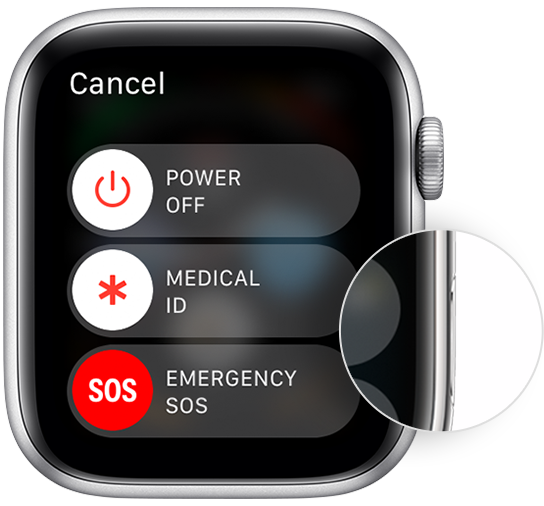
How to restart your Apple Watch if you have watchOS 8 or earlier
Regards.
Mine also stopped at 10! Should have 12 not including today.
October challenge not updating


