
How to slide trade-in iPhone into trade-in box without it binding and impossible to slide in?
How to slide trade-in iPhone into trade-in box without it binding and impossible to slide in?
iPhone 12 Pro Max
How to slide trade-in iPhone into trade-in box without it binding and impossible to slide in?
iPhone 12 Pro Max
Hello rwege,
Welcome to Apple Support Communities!
If you're running into trouble with preparing or packing your iPhone for trade-in services, check out the following info from the "Pack your iPhone, Apple Watch, or Android" section of How to prepare your iPhone, Apple Watch, or Android for trade-in:
"Pack your iPhone, Apple Watch, or Android
Important: If you purchased a new iPhone and Apple Watch and are trading in your used iPhone, Apple Watch, or Android, you will receive a separate, identical trade-in kit for each product. These trade-in kits may arrive on different days. Please make sure that you are packing the correct used product into the correct trade-in kit by checking that the Quote ID Number on your return shipping label matches the Quote ID Number in your confirmation email for the trade-in. You must initiate a separate trade-in for each product that you want to trade in and pack each trade-in product in a separate box. More information about how to trade-in or recycle your Apple product is available online.
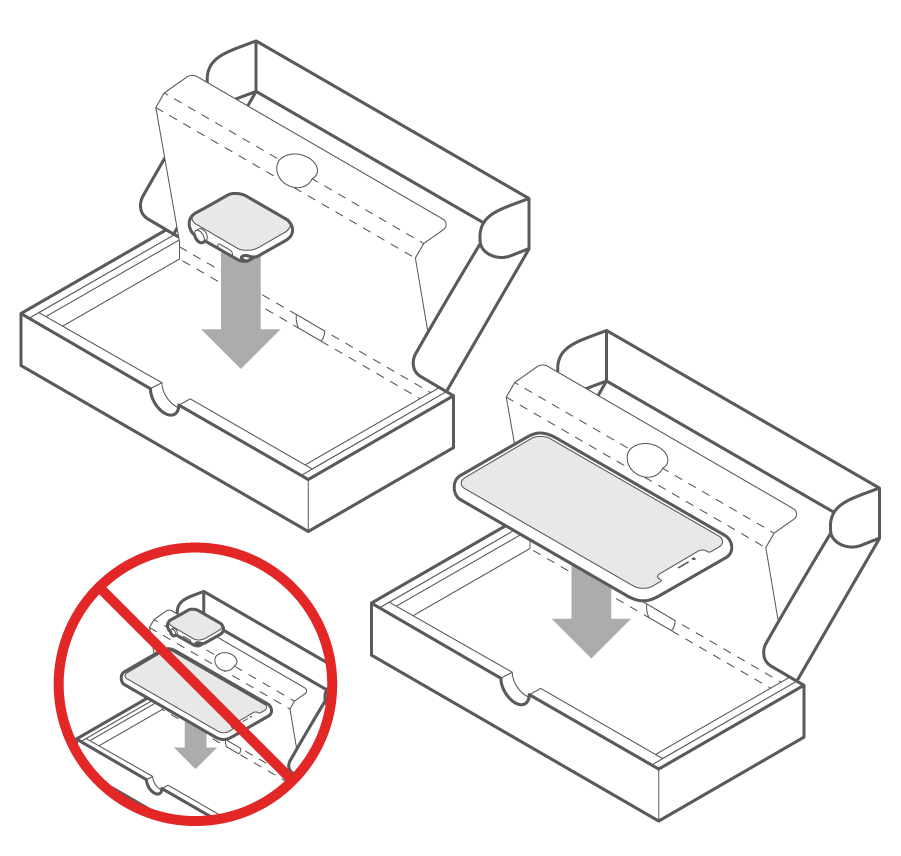
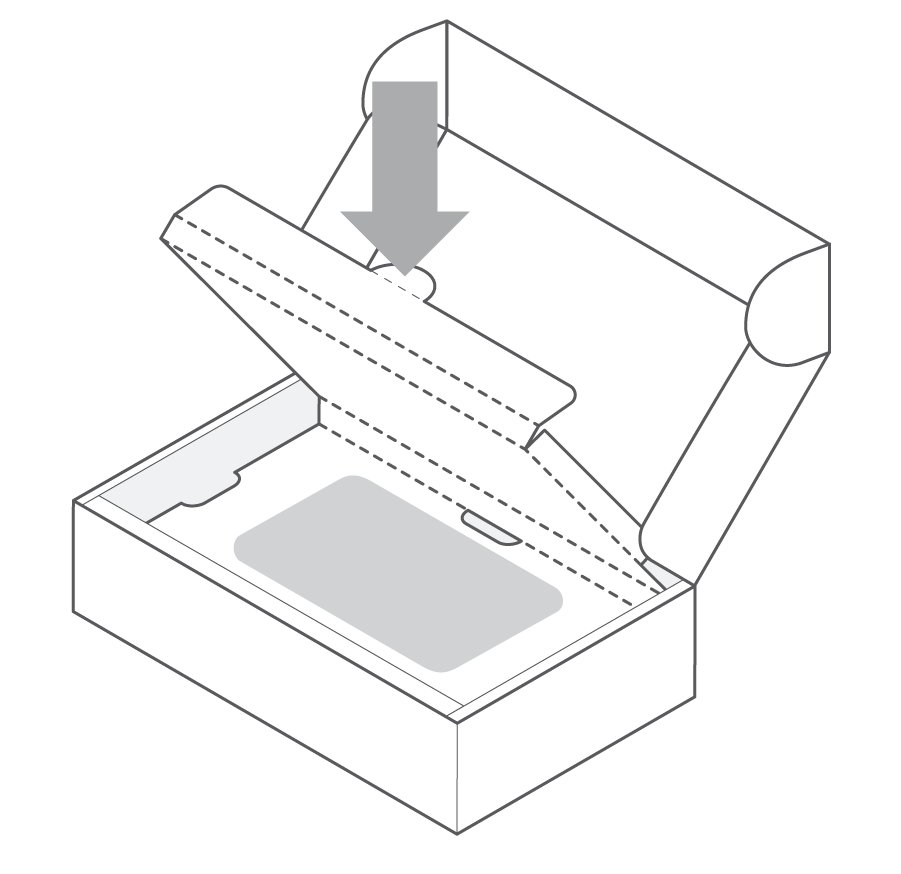
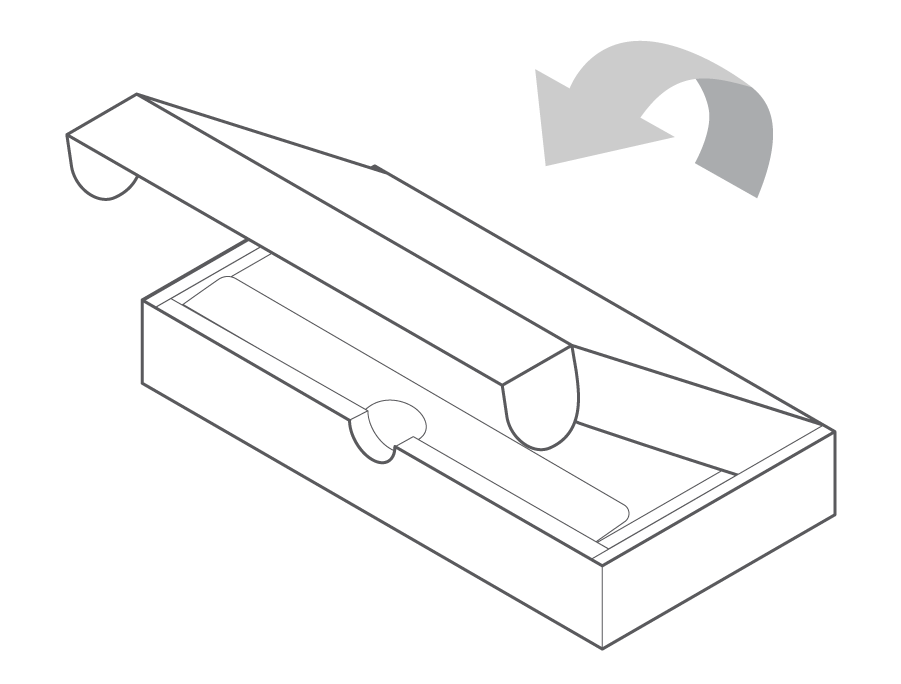

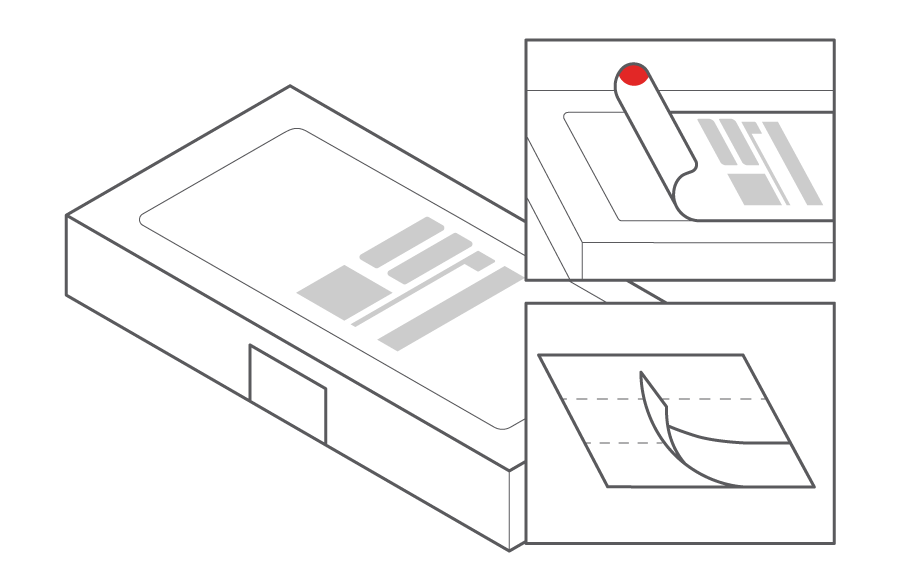
*Apple is not responsible for any damage during shipping."
There is a separate guide on How to prepare your iPhone or Apple Watch for trade-in from Europe. If the steps and pages provided within don't solve your issue, Get Support directly from Apple here.
Take care.
How to slide trade-in iPhone into trade-in box without it binding and impossible to slide in?

