Hi mohammedays,
What app does it show as having 100% background activity? Also, if the app was closed completely, but was still showing background activity, then there may be a setting inside of the app that allows it to still run in the background. More info explaining background activity can be found below and here: About the battery usage on your iPhone, iPad, and iPod touch - Apple Support
"Background Activity means that your battery was used while the app was doing something in the background."
Also, if the issue is occurring with a third party app, then we'd recommend reaching out to the developer of the app by completing the steps listed here: How to contact an app developer - Apple Support that are also below.
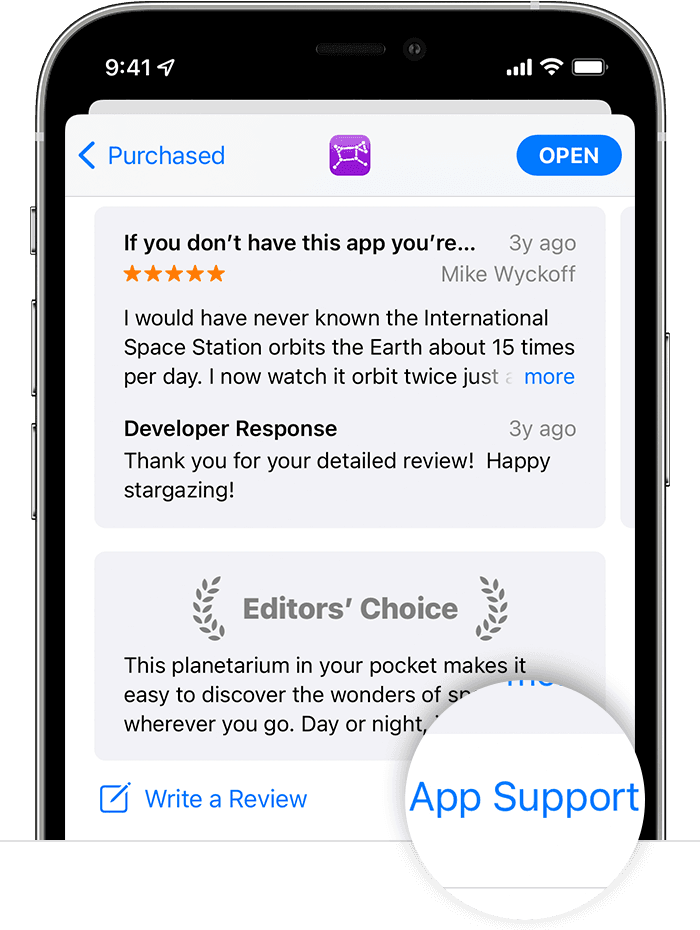
Contact the developer of an iOS, iPadOS, or watchOS app
- "Open the App Store on your iPhone, iPad, or iPod touch.
- Search for the app, then tap it. If you can't find it, tap the account button
 or your photo at the top of the screen, tap Purchased, tap "Not on this [device]," then tap the app.
 - The app's product page appears. Scroll to the Ratings & Reviews section, then tap App Support. If you don't see App Support, make sure that you're signed in with the correct Apple ID."
Best regards


