Hi, gerhardZ2310,
The only way that I know to get a display time in HH:MM:SS:Frames is to drag the cursor over a clip in the timeline while holding down the r key. That will reveal a time counter box that changes as you drag the cursor. If you have a 30 frames per second project, when the counter reaches 00:29 frames, the next tic will be to 01:00 second.
Otherwise, the display time counter that is located just above the timeline only measures in HH:MM:SS. No way to change the display time counter to include frames.
I wonder if you would clarify your question a bit for me with perhaps some screen shots. I don't see a "Preferences, General" item for iMovie. The only preferences that I see for iMovie is iMovie/Preferences, that reveals a preference box like this:
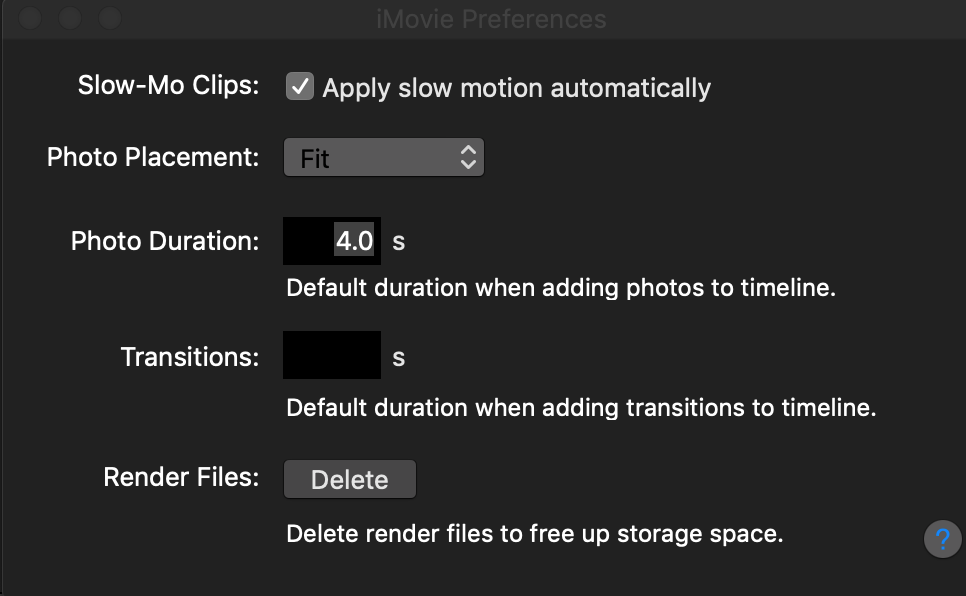
Nowhere do I see an item to select that says “Display time as HH:MM:SS:Frames.” So, could you describe what you did to get that?
-- Rich

