Delete clock app or at least reset only its data

My mother in law set alarms on every hour to remind herself to walk around, then after some time deleted them all, but they’re still going off. Apparently the only fix for such phantom alarms is factory reset for the entire phone. Is there really no way just to replace the clock app with a new download, or otherwise completely reset its state to factory settings?

iPhone 6

Posted on Oct 26, 2022 1:54 PM

Reply
Question marked as Top-ranking reply

Posted on Oct 28, 2022 6:29 PM

Hello 2factorIsSoBroke,


Thank you for reaching out in Apple Support Communities. We recommend to delete the Clock app and redownload it from the App Store prior to performing an invasive step such as restoring the entire device. This may help resolve your mother in law's issue with the alarms.


Here's how to properly delete an app:


How to delete an app

1. Touch and hold the app.
2. Tap Remove App Remove App icon.

An iPhone screen showing the menu that appears when you touch and hold an app. Remove App is the third option in the menu.

3. Tap Delete App, then tap Delete to confirm.

Keep in mind that some built-in Apple apps can't be deleted from your device, so you might not see the option to delete an app. Here’s a list of built-in Apple apps you can delete from your device. If you can't delete an app that's not made by Apple, disable parental controls, then try deleting the app again.

If you touch and hold an app from the Home Screen and the apps start to jiggle: 

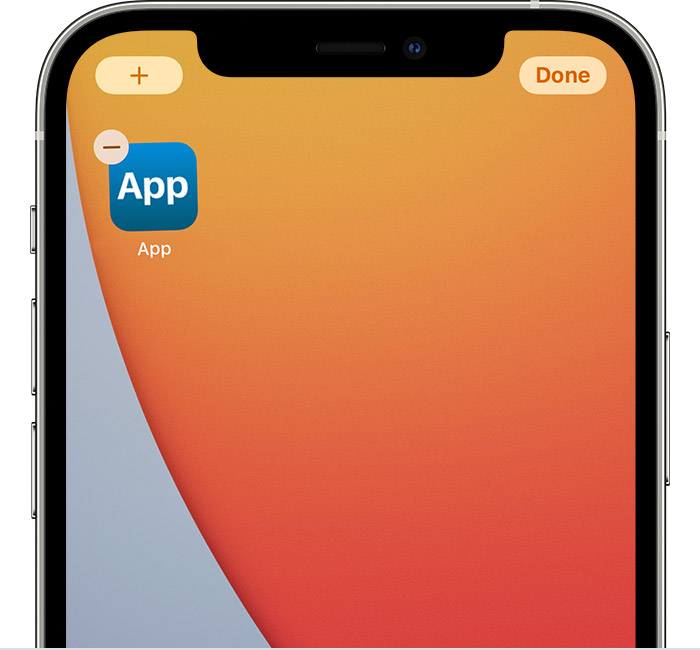
1. Tap the Remove icon  in the upper-left corner of the app.
An iPhone screen showing an app with the Remove icon in the upper-left corner of the app. There's also an Add button in the top left corner of the screen and a Done button in the top right corner of the screen.

2. Tap Delete App, then tap Delete to confirm.
3. Tap Done.

These steps are outlined here: Delete apps on your iPhone, iPad, and iPod touch - Apple Support


From here, you'll want to open the App Store on the iPhone and redownload the Clock app.


Best regards.


1 reply
Question marked as Top-ranking reply

Oct 28, 2022 6:29 PM in response to 2factorIsSoBroke

Hello 2factorIsSoBroke,


Thank you for reaching out in Apple Support Communities. We recommend to delete the Clock app and redownload it from the App Store prior to performing an invasive step such as restoring the entire device. This may help resolve your mother in law's issue with the alarms.


Here's how to properly delete an app:


How to delete an app

1. Touch and hold the app.
2. Tap Remove App Remove App icon.

An iPhone screen showing the menu that appears when you touch and hold an app. Remove App is the third option in the menu.

3. Tap Delete App, then tap Delete to confirm.

Keep in mind that some built-in Apple apps can't be deleted from your device, so you might not see the option to delete an app. Here’s a list of built-in Apple apps you can delete from your device. If you can't delete an app that's not made by Apple, disable parental controls, then try deleting the app again.

If you touch and hold an app from the Home Screen and the apps start to jiggle: 

1. Tap the Remove icon  in the upper-left corner of the app.
An iPhone screen showing an app with the Remove icon in the upper-left corner of the app. There's also an Add button in the top left corner of the screen and a Done button in the top right corner of the screen.

2. Tap Delete App, then tap Delete to confirm.
3. Tap Done.

These steps are outlined here: Delete apps on your iPhone, iPad, and iPod touch - Apple Support


From here, you'll want to open the App Store on the iPhone and redownload the Clock app.


Best regards.


This thread has been closed by the system or the community team. You may vote for any posts you find helpful, or search the Community for additional answers.

Delete clock app or at least reset only its data

Welcome to Apple Support Community
A forum where Apple customers help each other with their products. Get started with your Apple Account.