Hello kypaxx,
Welcome to Apple Support Communities!
If we understand your post correctly, you're hearing a water droplet sound coming from your iPhone. We'd like to help!
You mentioned you already checked the sound notifications and didn't find anything. Let's try checking the Notification settings.
"Open from the Lock Screen
You can see your recent notifications on the Lock Screen by picking up your iPhone or waking your iPad. You can also do these things from the Lock Screen:
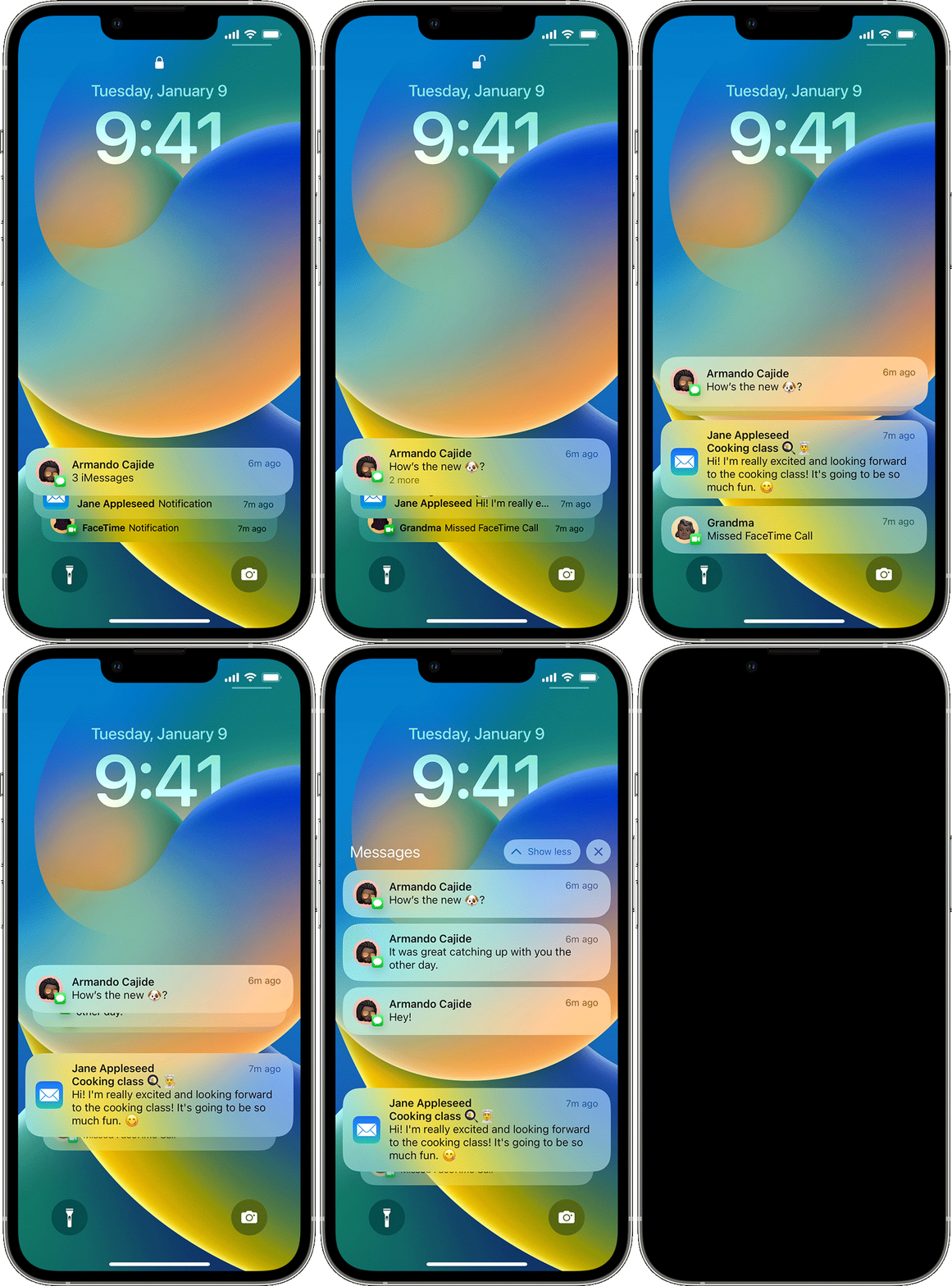
- Tap a single notification to open the app that it's from.
- Tap a group of notifications to view all recent notifications from that app.
- Swipe left over a notification to manage alerts for that app, or clear the notification.
- Touch and hold a notification to view the notification and perform quick actions if the app offers them.
To show the contents of notifications on the Lock Screen without unlocking your device, go to Settings > Notifications > Show Previews, and select Always.

Open from Notification Center
Notification Center shows your notifications history, allowing you to scroll back and see what you've missed. There are two ways to see your alerts from the Notification Center:
- From the Lock Screen, swipe up from the middle of the screen.
- From any other screen, swipe down from the center of the top of your screen.
To clear your notification history, tap the Close button  , then tap Clear.
Manage notifications
To manage your notifications from the Lock Screen or Notification Center:
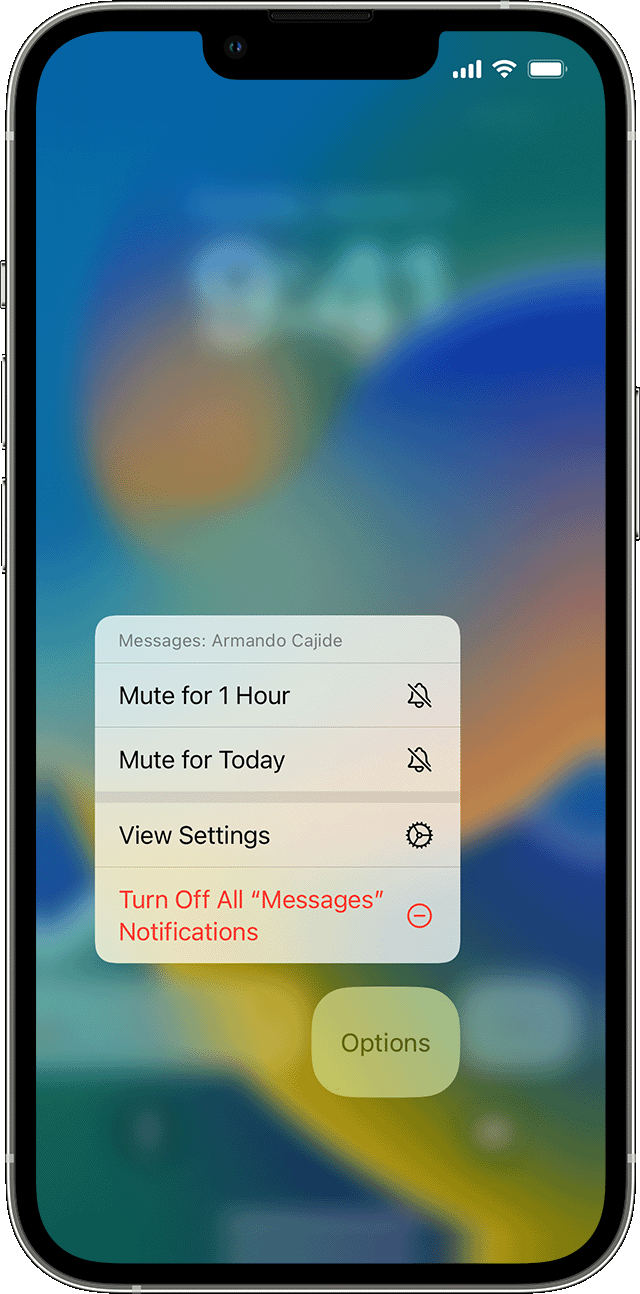
- Swipe left over an alert or group of alerts.
- Tap Options, then select from these options:
- Mute for 1 Hour
- Mute for Today
- View Settings
- Turn Off
You can also tap View Settings to change your alert styles or alert settings for a specific app.
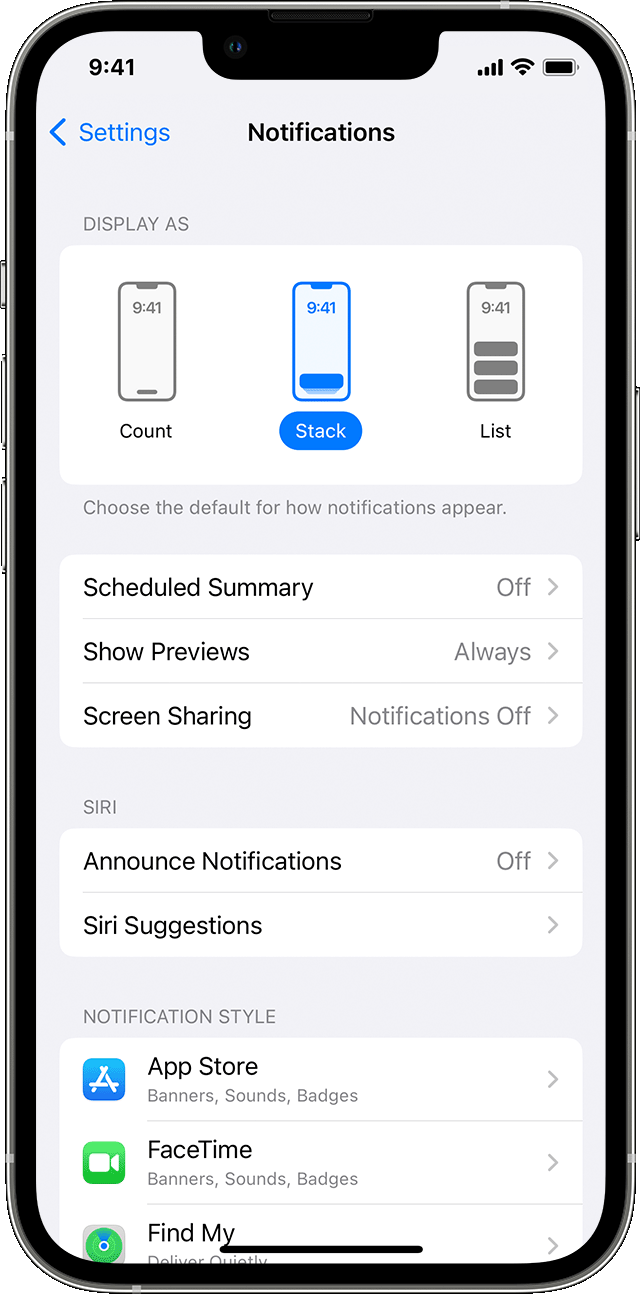
Change how notifications appear
Requires an iPhone with iOS 16 or later
- Go to Settings > Notifications.
- Under Display As, choose how you want notifications to appear on the Lock Screen:
- Count: Shows the total number of notifications at the bottom of the screen. You can tap the count to see notifications.
- Stack: Shows notifications stacked at the bottom of the screen, with the most recent notification at the top.
- List: Shows notifications in a list."
More information can be found here: Use notifications on your iPhone or iPad
If those steps don't correct the issue then let's try updating your phone to the latest iOS which is iOS 16.1
Update your iPhone or iPad
Let us know if you have any questions.
Thank you for using Apple Support Communities.
Take care!


