
Safari bookmarks and passwords sometimes sync across devices
Seems the Safari bookmarks I may create on my Mac, do not transfer to my MacBook all the time. This is the same for passwords.
How do I force a sync?
MacBook Pro Apple Silicon
Seems the Safari bookmarks I may create on my Mac, do not transfer to my MacBook all the time. This is the same for passwords.
How do I force a sync?
MacBook Pro Apple Silicon
Hey there, and welcome to Apple Support Communities jenny fromfortcollins,
We can certainly understand your concern and can help provide some insight.
We recommend checking out these steps for more information on how to sync your Mac and other devices and see if it matches up with your procedures.
"Intro to syncing your Mac and your devices
Syncing means transferring items and keeping them up to date between your Mac and your iPhone, iPad, or iPod touch. For example, when you add a movie to your Mac, you can sync so that the movie appears on both your Mac and iPhone. You can sync items including music, movies, TV shows, podcasts, books, and more.
When you connect an iPhone, iPad, or iPod touch to your Mac using a USB or USB-C cable, the device appears in the Finder sidebar. When you select the device in the sidebar, the Finder window displays options for managing your device software and syncing items with your Mac.
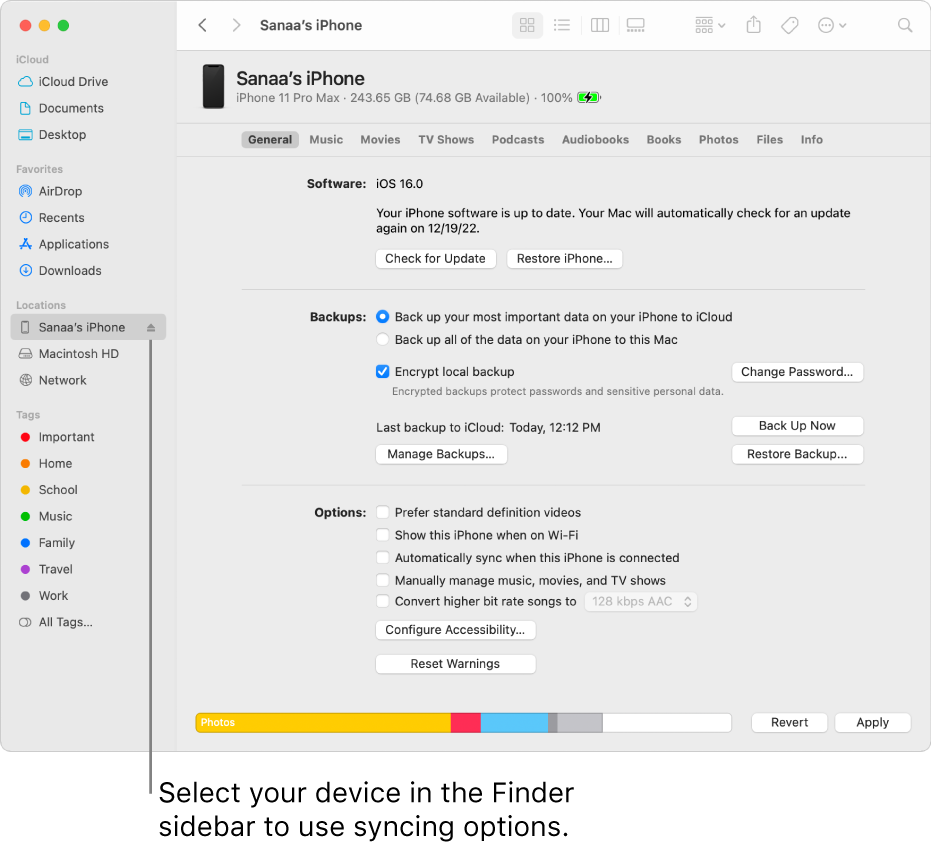
You use the button bar across the top of the window to turn on syncing for each type of content, such as music, movies, or TV shows.

Click General in the button bar to manage the software and data on your device. For example, you can:
Do I have to sync?
If you have iPod classic, iPod nano, or iPod shuffle: You have to sync your device with your Mac. There’s no other way to add content to it.
If you have an iPhone, iPad, or iPod touch: You only need to sync with your Mac when you have new or updated content.
If you prefer not to sync your iPhone, iPad, or iPod touch, you don’t have to. You can download items from the iTunes Store, the App Store, Apple Books, and other Apple services directly to your devices. You can also use iCloud to keep items up to date across your devices.
Should I choose to automatically sync all my content or only specific items?
Do I have to connect my iPhone, iPad, or iPod touch to my Mac to sync?
No. If you have an iPhone (with iOS 5 or later) or iPad, you can sync when your Mac and device are connected to the same Wi-Fi network. To set up syncing via Wi-Fi, you must first connect your device with a cable, select your device in the sidebar, and turn on the syncing over Wi-Fi option. See Sync content between your Mac and iPhone, iPad, or iPod touch over Wi-Fi.
What’s the difference between using iCloud and syncing?
Note: When you use iCloud to update items such as music or photos across your devices, syncing is turned off for those items in the Finder syncing options. You can turn on Finder syncing for those items by turning off Cloud Music Library or iCloud Photos. See Change General settings in Music or Change settings in Photos. "
For additional information, check out this link: Intro to syncing your Mac and your devices - Apple Support
These steps will help ensure your device is working with ease and can fix common issues like the ones you’re experiencing.
Kindest regards!
Safari bookmarks and passwords sometimes sync across devices

