Files App - Couldn’t move because “Couldn’t communicate with a helper application”

Trying to copy or move a folder from Dropbox to my iCloud folder, just like millions of people do every day. When I paste it into iCloud I get “Couldn’t communicate with a helper application” (can’t they come up with something easier to understand?). I have restarted my iPad, I have signed out of both services, closed both apps, all this in many different orders. Can someone tell me simply how to not get this message and do something as simple as copy/paste in the Files app?

iPad Pro, 11-inch, 4th Gen, Wi-Fi

Posted on Nov 4, 2022 9:00 AM

Reply

Similar questions

1 reply

Nov 6, 2022 12:07 PM in response to coreypiko

Hi coreypiko,


For help with the issue have you tried connecting to a different network to test? Also, when attempting to move files is it using the steps below found in the article. Use the Files app on your iPhone, iPad, or iPod touch


"How to find your files in the Files app


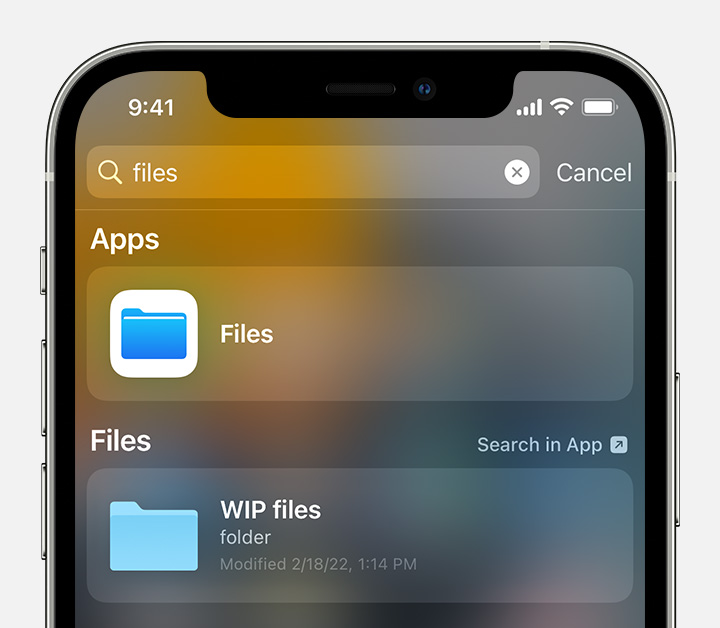
  1. On your iPhone, iPad, or iPod touch, open the Files app. Don't see the blue Files app icon on your Home Screen? Just swipe down, then search for the Files app.
  2. iPhone search results showing the Files app icon.
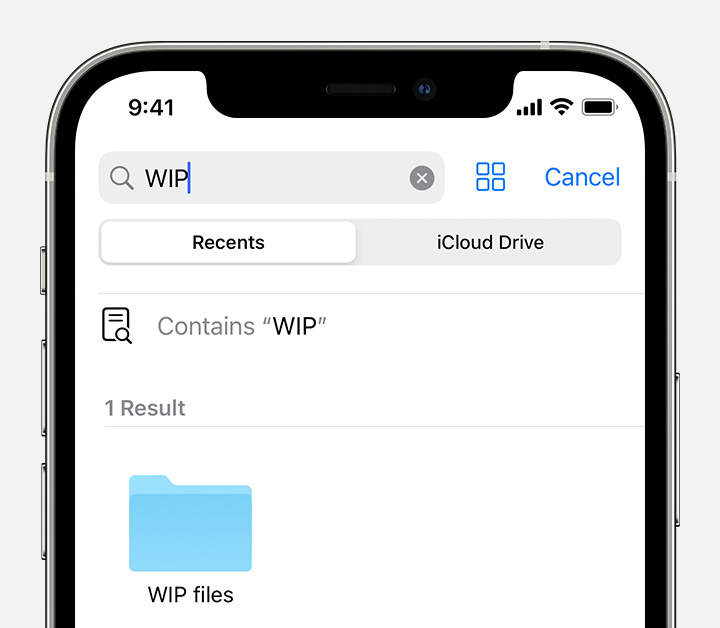
  3. In the Files app, search or browse for the file that you want.
  4. iPhone search results for WIP, the name of a folder containing files."


You can also find helpful information here: View and modify files and folders in Files on iPhone

As well as the DropBox information here: How to add Dropbox to the Files app on Your iPhone or iPad


Cheers.

This thread has been closed by the system or the community team. You may vote for any posts you find helpful, or search the Community for additional answers.

Files App - Couldn’t move because “Couldn’t communicate with a helper application”

Welcome to Apple Support Community
A forum where Apple customers help each other with their products. Get started with your Apple Account.