Google Drive indexing and Spotlight search in Big Sur

Hi there,


That Spotlight isn't indexing the files on Google Drive in Monterey is a well know problem, and therefore I sticked to Big Sur, with which it was working.

It looks, however, that it stopped working under Big Sur, too, since couple of days.


Anyone can confirm?


Has a final solution been found eventually?


MacBook Air 13″, macOS 11.7

Posted on Nov 5, 2022 12:45 AM

Reply
Question marked as Top-ranking reply

Posted on Dec 20, 2022 1:16 PM

The latest versions of Google Drive for desktop include Spotlight integration, which supports both name & content indexing even for streaming files. It seems to be disabled by default for some unknown reason, so check your Google Drive preferences.

Similar questions

9 replies

Nov 6, 2022 5:36 PM in response to pio97

Hello pio97,


Thank you for reaching out to Apple Support Communities, and we'll be happy to help in any way we can. We understand you're having issues with Spotlight indexing on your Mac. Try the steps listed here to see if they resolve the issue: Rebuild the Spotlight index on your Mac - Apple Support


"Before rebuilding the Spotlight index


Rebuild the Spotlight index

  1. Choose Apple menu  > System Preferences, then click Spotlight.
  2. Click the Privacy tab.
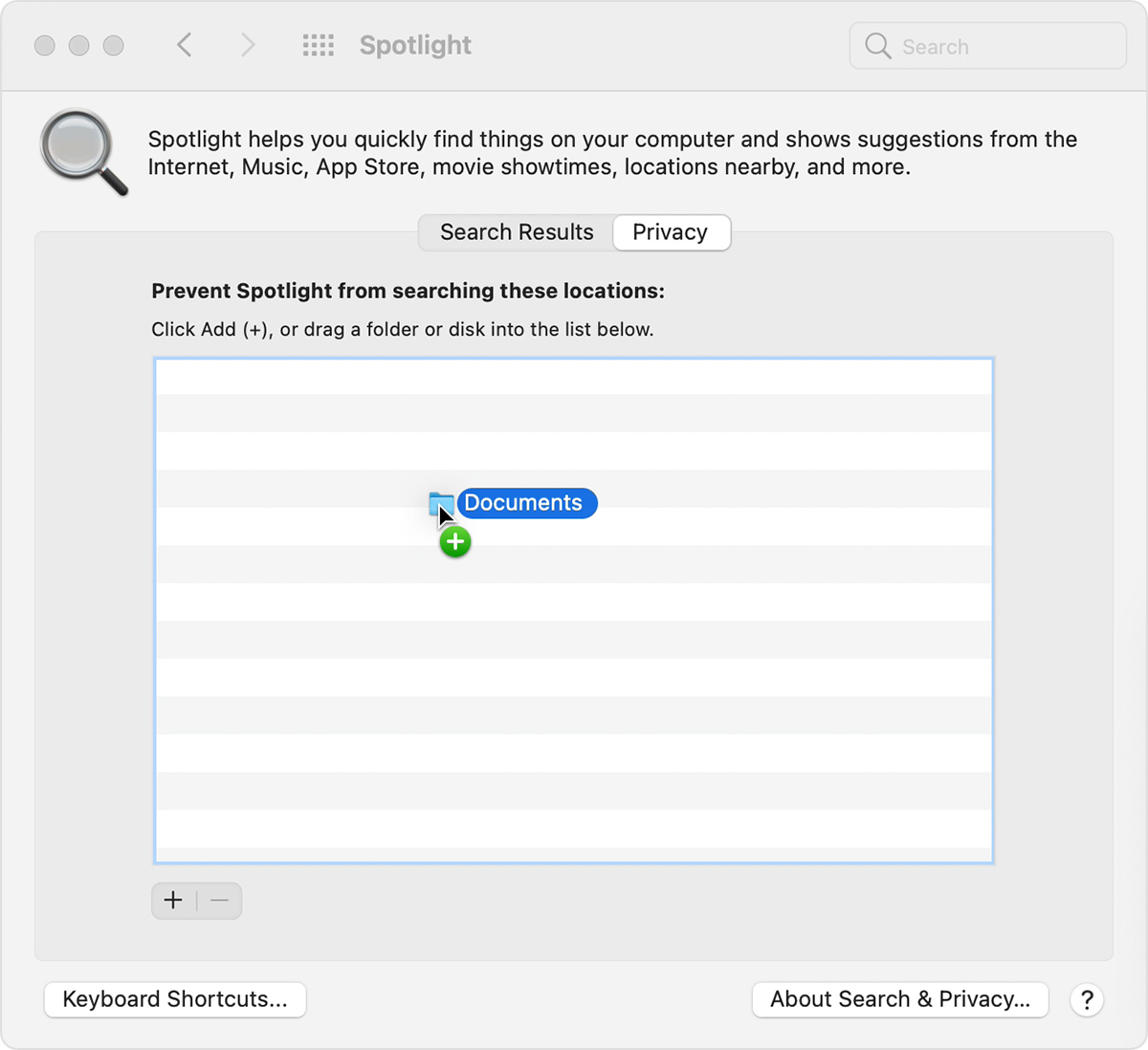
  3. Drag the disk or folder that you want to index again to the list of locations that Spotlight is prevented from searching. Or click the add button (+) and select the disk or folder to add.
  4. folder named "Documents" dragged into the "Prevent Spotlight from searching these locations" list in Spotlight System Preferences
  5. You can add an item to the Privacy tab only if you have ownership permissions for that item. To learn about permissions, choose Help from the Finder menu bar, then search for “permissions.”
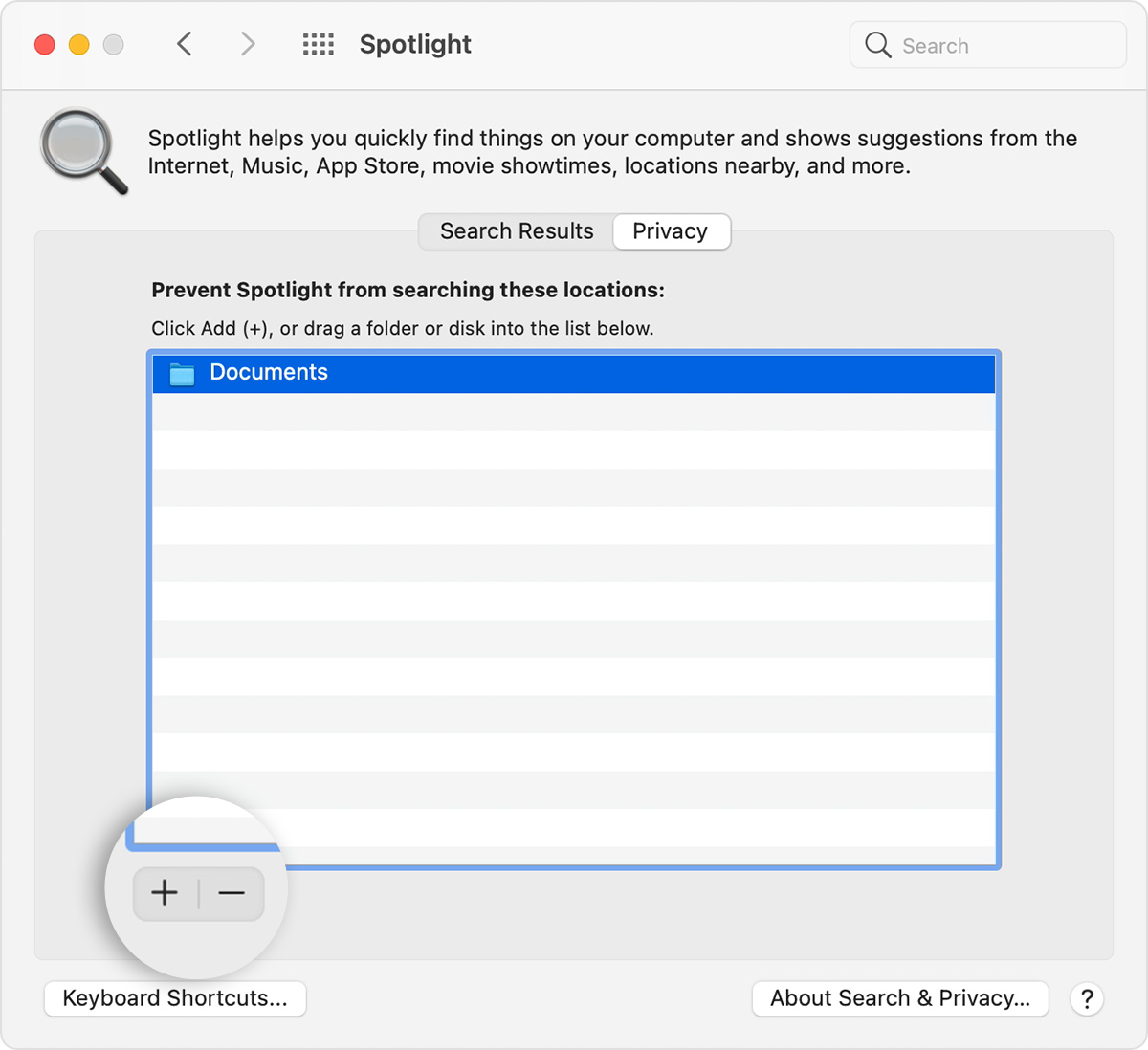
  6. From the same list of locations, select the disk or folder that you just added. Then click the remove button (–) to remove it from the list.
  7. Spotlight System Preferences Privacy tab with add and remove button callout

  8. Quit System Preferences. Spotlight will reindex the contents of the disk or folder. This can take some time, depending on the amount of information being indexed."


We hope this helps.


Cheers!


Nov 15, 2022 11:42 PM in response to pio97

Mine was working great on Big Sur until I did the latest update 11.7.1. At the same time, the google drive icon disappeared from my desktop. Now it returns results slowly, inconsistently, and only from finder. Wondering if it has something to do with the drive streaming location...


Temporary workaround has been to use the native search function through the google drive taskbar icon, which still shows the relevant information. Let's hope this gets solved soon.


This thread has been closed by the system or the community team. You may vote for any posts you find helpful, or search the Community for additional answers.

Google Drive indexing and Spotlight search in Big Sur

Welcome to Apple Support Community
A forum where Apple customers help each other with their products. Get started with your Apple Account.