Pending subscriptions

So i got a 2 week free trial for duolingo super and then removed the card right after, after the two weeks it says pending payment and I need to add a payment method for something else and I don’t want to get charged for the 83 dollars because it automatically made it a yearly subscription. Any ways I won’t get charged or remove the subscription?

iPhone 11

Posted on Nov 13, 2022 8:26 AM

Reply
Question marked as Top-ranking reply

Posted on Nov 14, 2022 7:12 PM

Hello MXttG,


We would like to see how we can help you with your subscription issues. You will need to follow the steps in this link to cancel your subscription first: If you want to cancel a subscription from Apple - Apple Support


"How to cancel a subscription on your iPhone or iPad

  1. Open the Settings app.
  2. Tap your name.
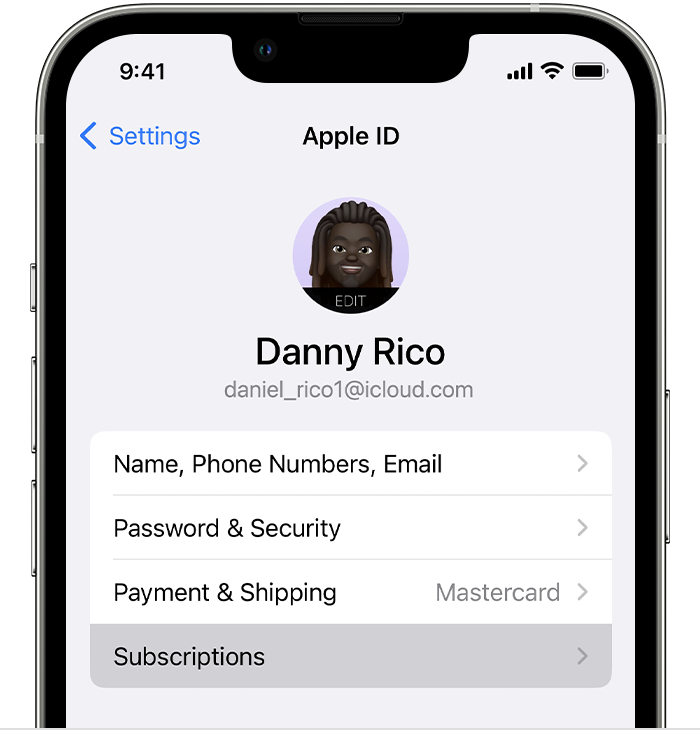
  3. Tap Subscriptions.
  4. The Subscriptions button in Settings on iPhone.
  5. Tap the subscription.
  6. Tap Cancel Subscription. You might need to scroll down to find the Cancel Subscription button. If there is no Cancel button or you see an expiration message in red text, the subscription is already canceled."


You can then request a refund with the steps in this link: Request a refund for apps or content that you bought from Apple - Apple Support


"How to request a refund

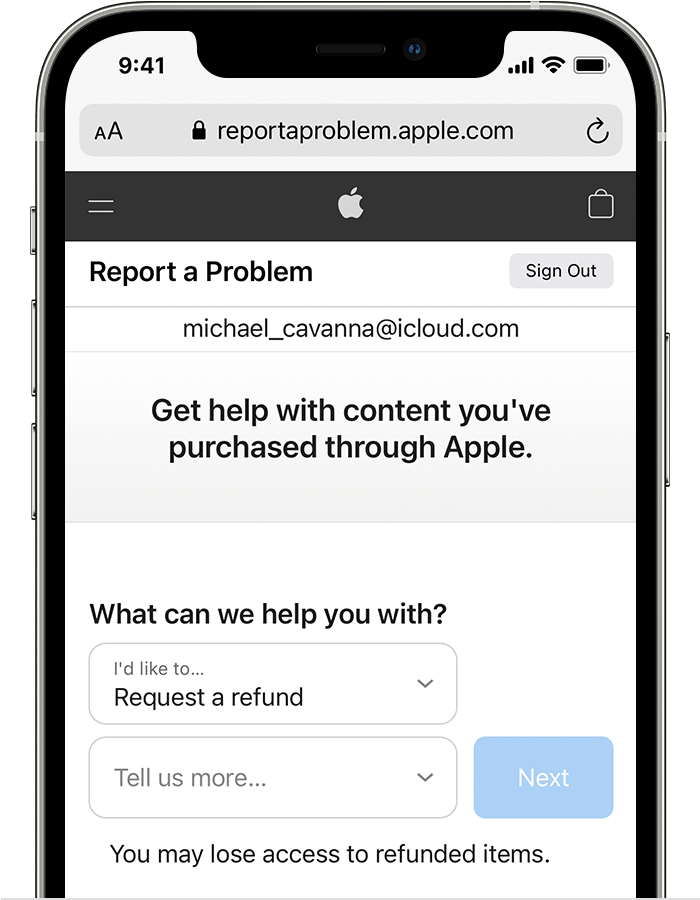
  1. Sign in to reportaproblem.apple.com.
  2. Tap or click "I'd like to," then choose "Request a refund." 
  3. iPhone showing the Report a Problem website where you can request a refund. After you choose Request a refund, choose the reason why you're asking for the refund.

  4. Choose the reason why you want a refund, then choose Next.
  5. Choose the app, subscription, or other item, then choose Submit. If you were charged for a subscription that you no longer want, you can also cancel the subscription."


Cheers!


Similar questions

1 reply
Question marked as Top-ranking reply

Nov 14, 2022 7:12 PM in response to MXttG

Hello MXttG,


We would like to see how we can help you with your subscription issues. You will need to follow the steps in this link to cancel your subscription first: If you want to cancel a subscription from Apple - Apple Support


"How to cancel a subscription on your iPhone or iPad

  1. Open the Settings app.
  2. Tap your name.
  3. Tap Subscriptions.
  4. The Subscriptions button in Settings on iPhone.
  5. Tap the subscription.
  6. Tap Cancel Subscription. You might need to scroll down to find the Cancel Subscription button. If there is no Cancel button or you see an expiration message in red text, the subscription is already canceled."


You can then request a refund with the steps in this link: Request a refund for apps or content that you bought from Apple - Apple Support


"How to request a refund

  1. Sign in to reportaproblem.apple.com.
  2. Tap or click "I'd like to," then choose "Request a refund." 
  3. iPhone showing the Report a Problem website where you can request a refund. After you choose Request a refund, choose the reason why you're asking for the refund.

  4. Choose the reason why you want a refund, then choose Next.
  5. Choose the app, subscription, or other item, then choose Submit. If you were charged for a subscription that you no longer want, you can also cancel the subscription."


Cheers!


This thread has been closed by the system or the community team. You may vote for any posts you find helpful, or search the Community for additional answers.

Pending subscriptions

Welcome to Apple Support Community
A forum where Apple customers help each other with their products. Get started with your Apple Account.