Markup on iPad not visible on MacBook

I am currently using google classroom to mark student work.


I use markup and an Apple Pencil to make corrections.


When I go in and out on the iPad, I can still view these corrections however if I try and view from a my MacBook, I can not see the corrections.


This is causing issues as students viewing the corrections are also unable to see.


Am I doing something wrong?

Can this issue be rectified?

iPad Pro, 12.9-inch, 6th Gen, Cell 5G

Posted on Nov 16, 2022 4:57 PM

Reply

Similar questions

1 reply

Nov 19, 2022 11:28 AM in response to MFurz02

Hello MFurz02,


Welcome to Apple Support Communities!

If we understand your post correctly, when you make markups on your iPad with the Apple Pencil, the markups aren't showing up on your Mac. We'd like to help!


Use Continuity Markup

With Continuity Markup, you can use your Mac to request document markup from your iPad or iPhone. As you add markup on your device, you see it happening live on your Mac. It's a great way to sign documents, correct papers, circle important details, and more. 
1. In the Finder on your Mac, find the PDF or image that you want to mark up. Then take one of these actions:
• Select the document, then press Space bar to open a preview window. Click the markup button  at the top of the window. 
• Or Control-click the document, then choose Quick Actions > Markup from the shortcut menu.
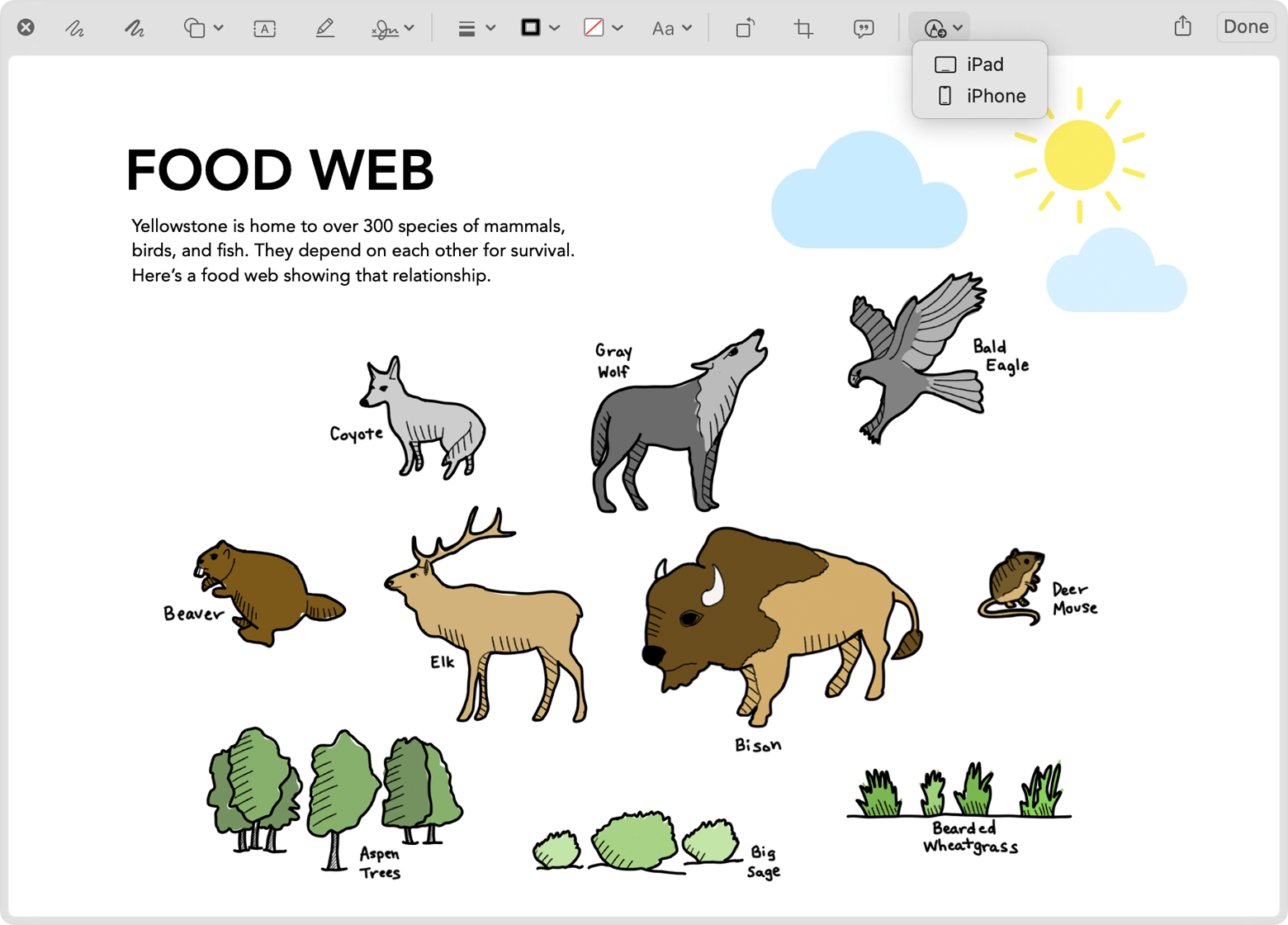
2. From the markup toolbar at the top of the preview window, click the annotate button  or click  and select a device  :
preview window with device selection dropdown menu open in markup toolbar
3. A markup window opens on your device. You can now use an Apple Pencil or your finger with the sketch tools, or tap the plus sign  and use the markup tools for adding text, a signature, a magnifier, or shapes and arrows.
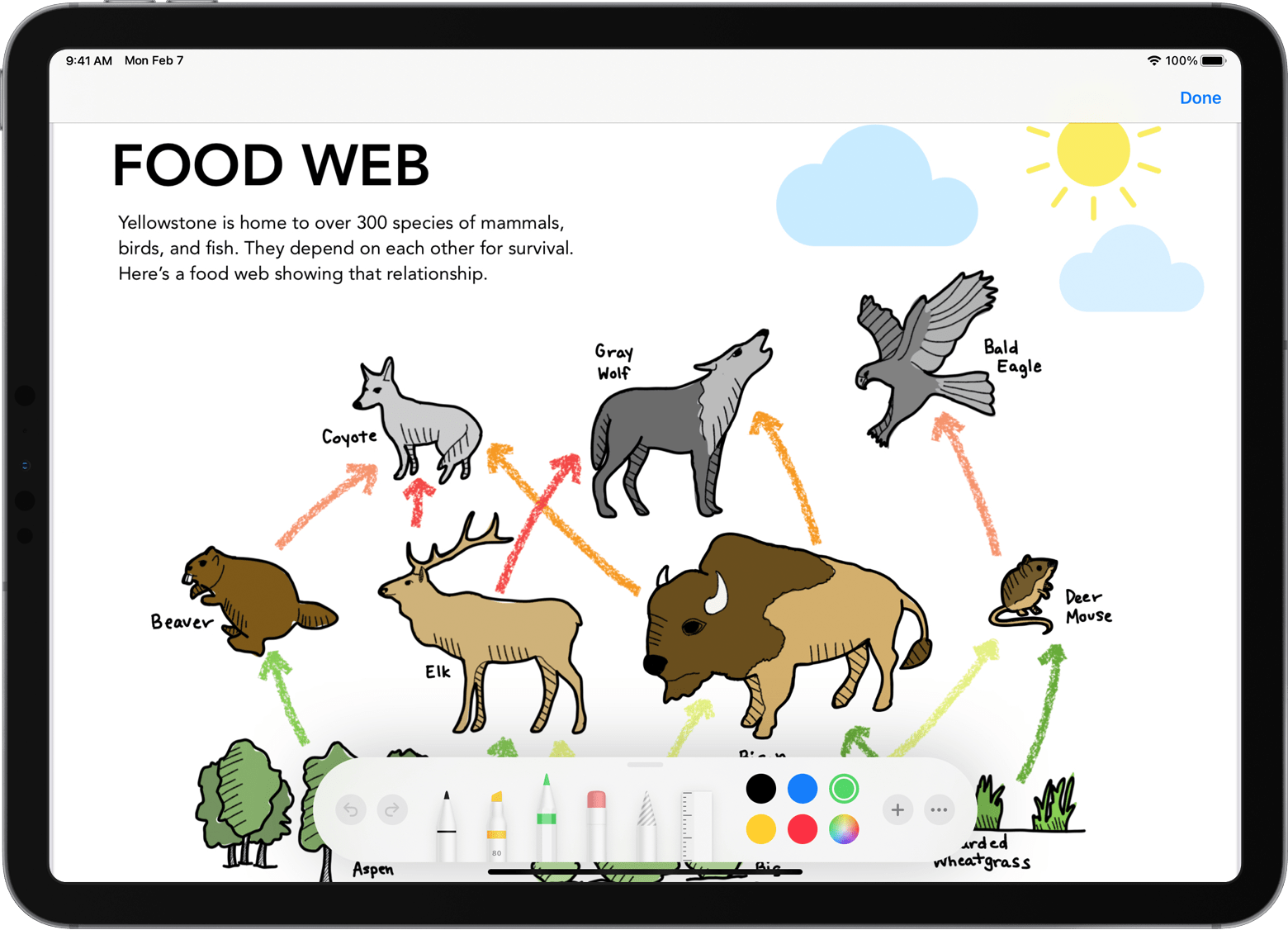
iPad open with sketch and markup tools
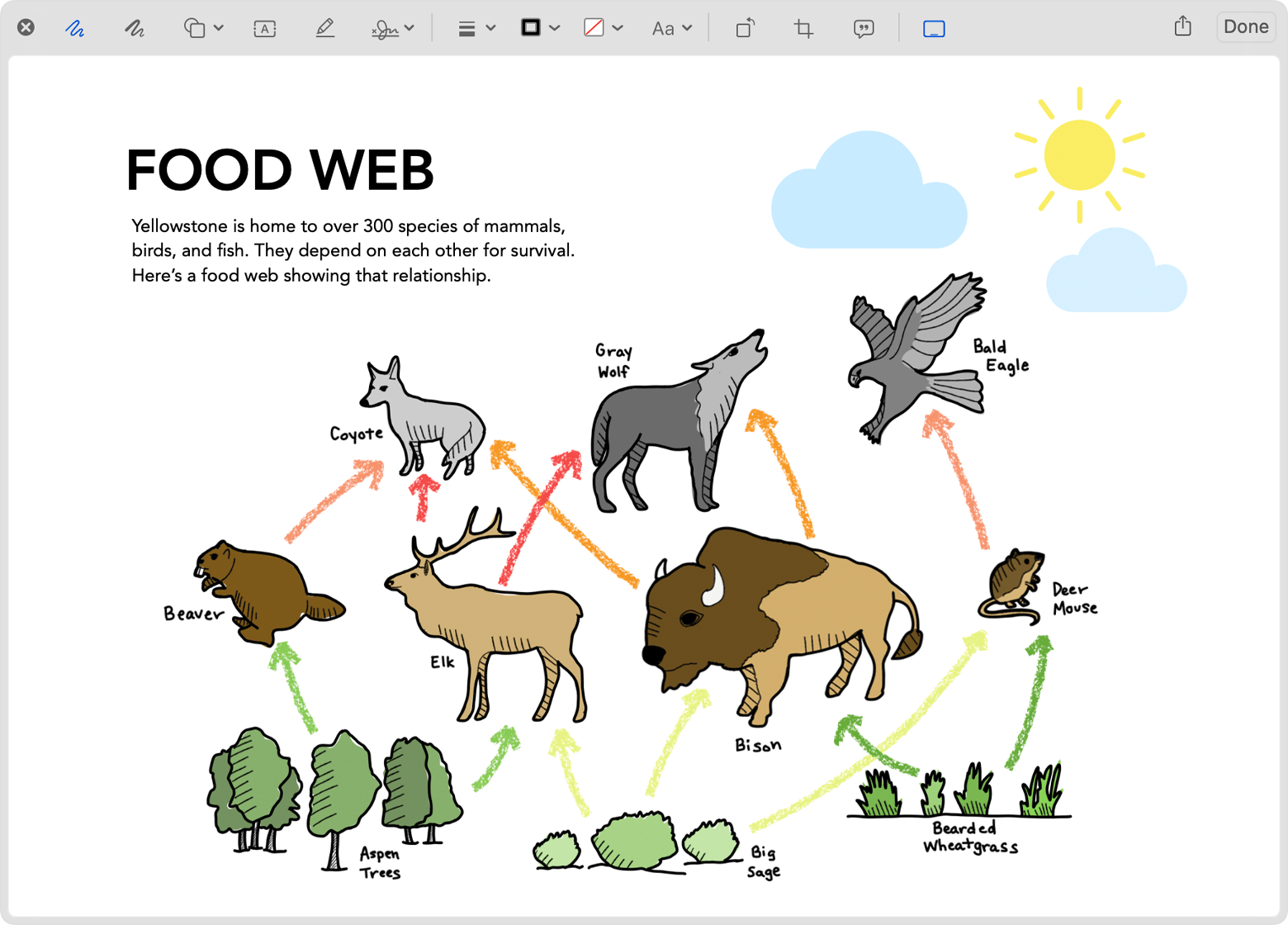
4. As you work on your device, the changes appear live on your Mac:
Preview window on Mac showing the changes made on iPad
5. When you're finished marking up the document, click Done on your device.
6. To save the changes, click Done on your Mac.


Use iPad or iPhone to sketch in or mark up Mac documents


Let us know if you have any questions.

Thank you for using Apple Support Communities.

Take care!


This thread has been closed by the system or the community team. You may vote for any posts you find helpful, or search the Community for additional answers.

Markup on iPad not visible on MacBook

Welcome to Apple Support Community
A forum where Apple customers help each other with their products. Get started with your Apple Account.