Hello CPW,
We understand that your porch light is no longer turning on at sunset with Home app automations.
At this time, we suggest deleting the automation and setting it up again. You mentioned that the issue
may have occurred after you updated your iPad. Therefore, completing this step may resolve the issue and
further reveal if it could be software related:
• To enable or disable an automation:
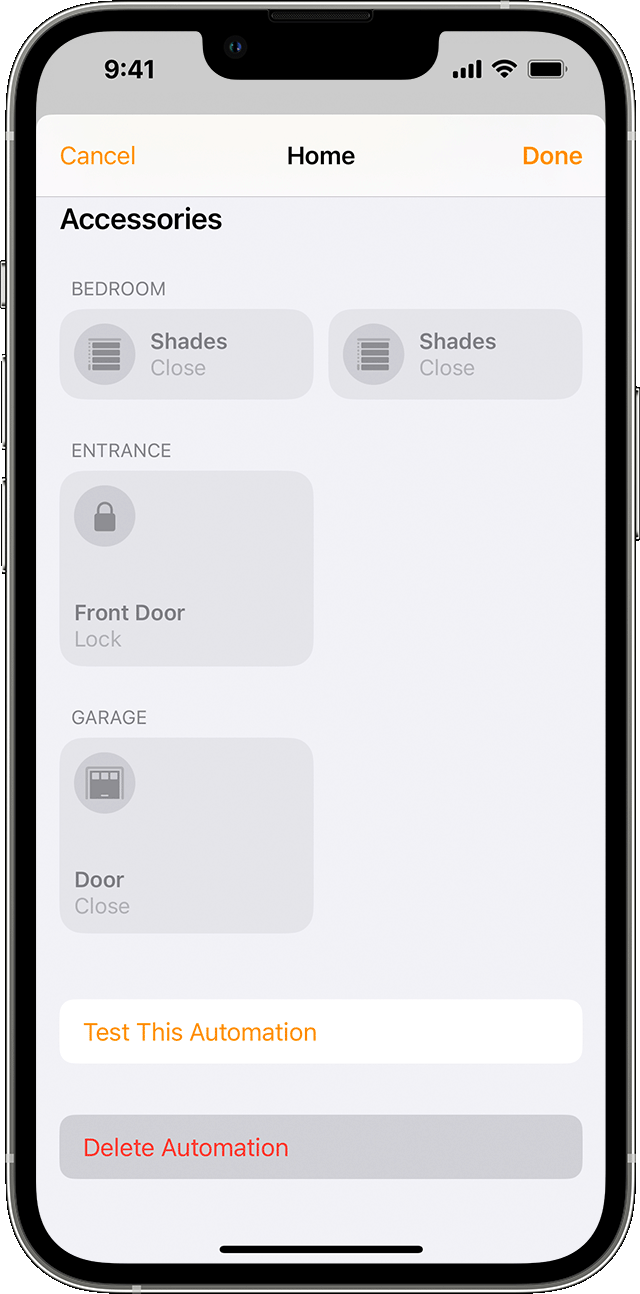
1. Open the Home app on your iPhone, iPad, or Mac and go to the Automation tab.
2. Tap or click the automation.
3. Turn Enable This Automation on or off.
Tap or click Turn Off to choose an amount of time to turn off accessories in an automation. For example, if you create an automation that turns on the lights when you arrive home, you can have the lights turn off after an hour.
To delete an automation, tap or click the automation, then scroll to the bottom and tap or click Delete Automation. On your iPhone or iPad, you can also swipe left over the automation and tap Delete.
• Automate accessories at a certain time
Create an automation that runs at a specific time, on certain days, and based on who’s home.
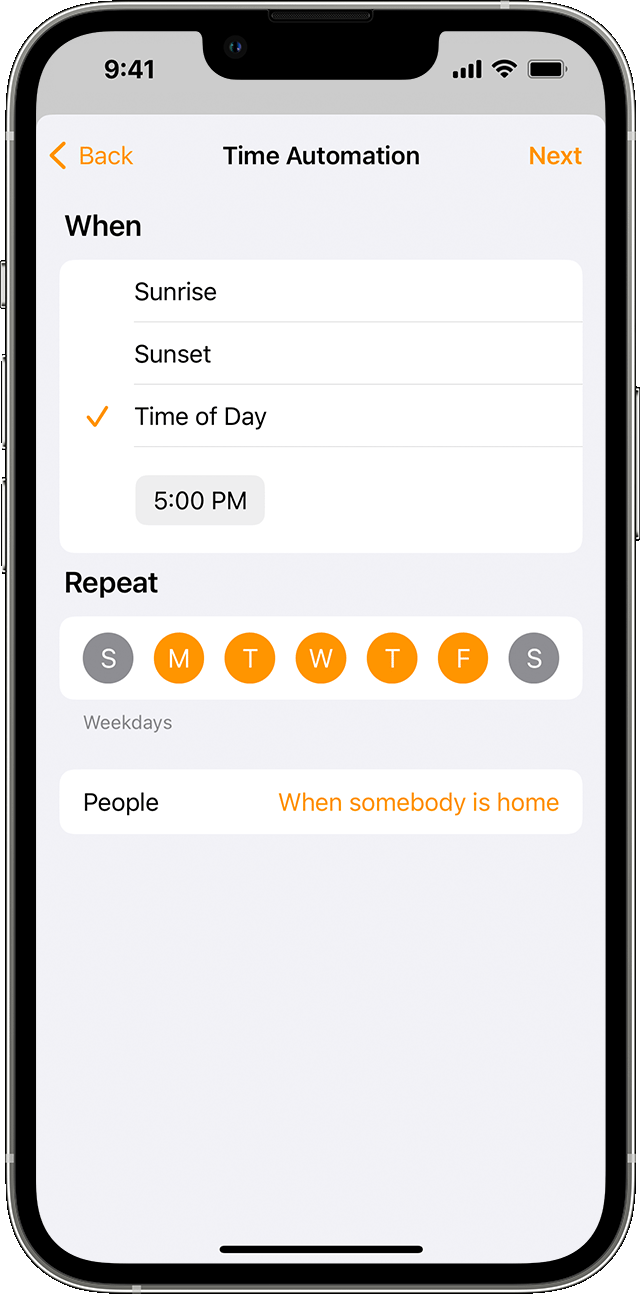
1. In the Home app, tap or click the Add button  , then select Add Automation
  .
.
2. Choose A Time of Day Occurs, then choose a time and day. Tap or click People to have the automation occur at a certain time when someone is home. Tap or click Next.
3. Select scenes and accessories to automate, then tap or click Next.
4. To adjust an accessory on iPhone or iPad, touch and hold it. On Mac, click the accessory. To preview the automation, tap or click Test This Automation.
5. Tap or click Done.
More details here: Create scenes and automations with the Home app
If you continue to experience the same behavior, we suggest that you reach out to Apple directly. You can follow this link to connect with them: Get Support
Have a wonderful day!


