
WhatsApp not showing on watch iOS 16.1.1
WhatsApp messages are no longer appearing on my series 3watch. All Notifications setting as are on and all software is up to date. Have also done hard reset.
Apple Watch Series 3, watchOS 8
WhatsApp messages are no longer appearing on my series 3watch. All Notifications setting as are on and all software is up to date. Have also done hard reset.
Apple Watch Series 3, watchOS 8
Check here:
Using the paired iPhone, open the Watch app then click on Notifications. Scroll down this page until you get to the "Mirror iPhone Alerts From:" section. Continue to scroll down until you find Whatsapp and then check the toggle. Is it green?
Also, have you tried rebooting BOTH the watch AND the iPhone?
I don't have whatsapp and because of that, I'm not going to be much better help than this.
I would also suggest that you try reaching out to the developer's of Whatsapp.
Using the whatsapp app on your phone:
WhatsApp > Settings > Help > Contact Us
Check here:
Using the paired iPhone, open the Watch app then click on Notifications. Scroll down this page until you get to the "Mirror iPhone Alerts From:" section. Continue to scroll down until you find Whatsapp and then check the toggle. Is it green?
Also, have you tried rebooting BOTH the watch AND the iPhone?
I don't have whatsapp and because of that, I'm not going to be much better help than this.
I would also suggest that you try reaching out to the developer's of Whatsapp.
Using the whatsapp app on your phone:
WhatsApp > Settings > Help > Contact Us
Hello finola32,
Thank you for reaching out to Apple Support Communities, and we'll be happy to help in any way we can. We understand you're having issues with receiving messages on your watch. Try the steps listed here to see if they resolve the issue: If you can’t send or receive messages on your Apple Watch - Apple Support
"If you can't send or receive messages
After each step, try to send or receive a message on your Apple Watch again.
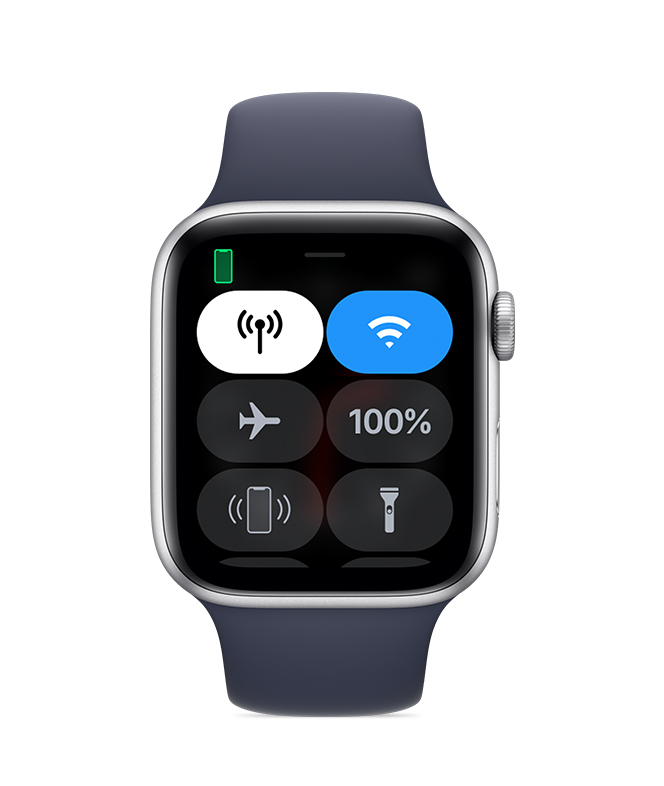
Check Control Center
If you see the Do Not Disturb or Airplane Mode icons on your watch face, you need to turn the settings off in Control Center.
Touch and hold the bottom of the watch face, wait for Control Center to show, then swipe up. Tap the highlighted Do Not Disturb and Airplane Mode icons to turn off the settings.
 Check your connection
Make sure that your Apple Watch can connect to your iPhone, cellular, or Wi-Fi. To send and receive SMS/MMS from cellular models of Apple Watch, your paired iPhone must be powered on and connected to Wi-Fi or cellular, but your iPhone doesn’t need to be nearby.
Even if your iPhone isn’t connected or powered on, you can send and receive iMessages on your Apple Watch when your Apple Watch is connected to Wi-Fi or cellular.
Learn how your Apple Watch makes connections and get help if your devices disconnect.
Try sending a message from your iPhone
If your iPhone can't send or receive messages, try to fix messages on your iPhone.
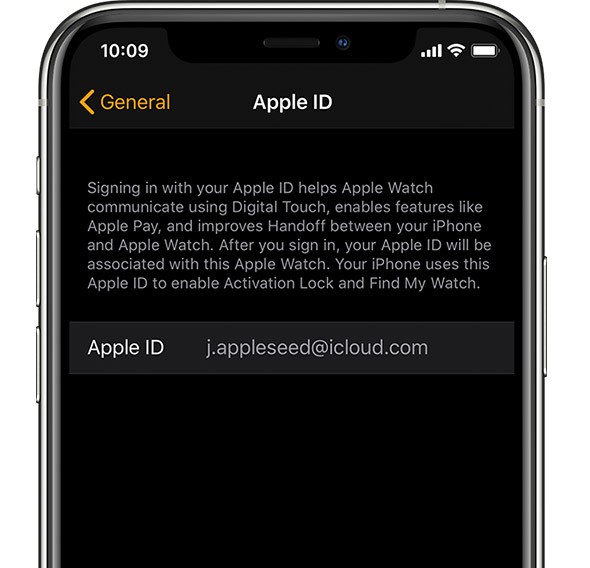
Make sure that you signed in
On your iPhone, open the Apple Watch app, tap the My Watch tab, then tap General > Apple ID.
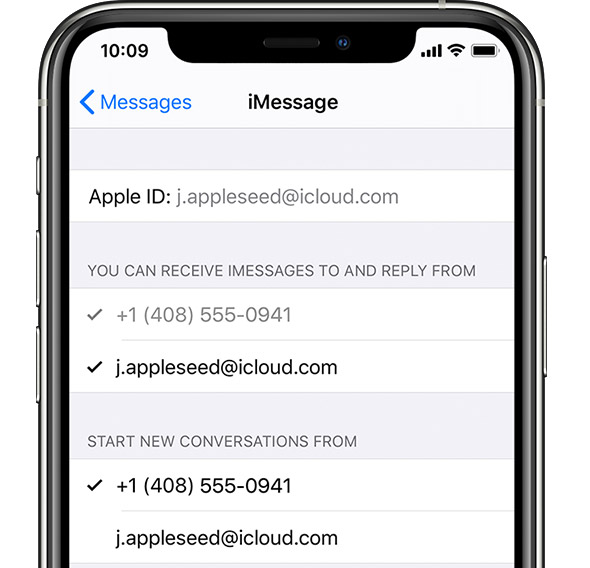
 Check your iMessage settings
On your iPhone, go to Settings > Messages and make sure that iMessage is turned on.
Then tap Send & Receive and make sure that you're using the same Apple ID that your Apple Watch is using.
If you aren't signed in, sign in to iMessage with your Apple ID.
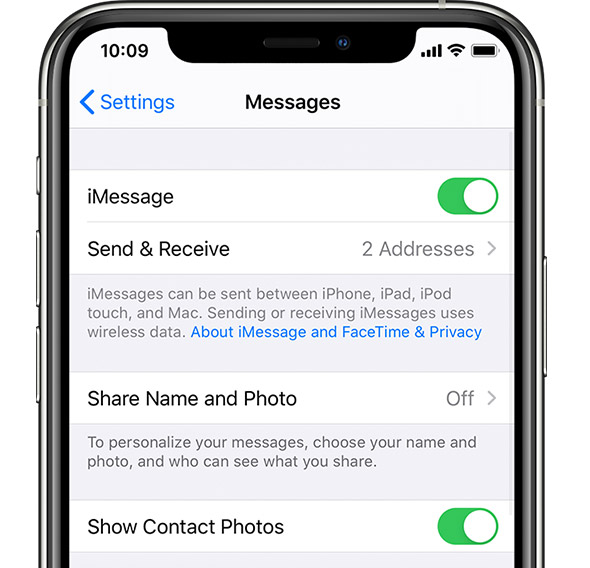
 Sign out of iMessage
Tap Settings > Messages > Send & Receive. Tap your Apple ID, then tap Sign Out.
Then tap Settings > Messages. Turn iMessage off, then turn it back on
 Sign in to iMessage again
Tap Settings > Messages > Send & Receive > Use your Apple ID for iMessage, then sign in.
Restart your Apple Watch and iPhone
Here's how to restart your Apple Watch and iPhone.
Check for updates
Here's how to update your Apple Watch and iPhone.
Contact us
Before you contact us, unpair your Apple Watch, then pair it again. If you still can't send or receive messages, contact Apple Support."
We hope this helps.
Cheers!
The above reply information is not relevant - its WHATSAPP that is not showing at all in the apple watch settings and so NO messages are going to the watch. I have done a hard reset so many times now and just looked for it in the watch settings and its not there.
I have the same issue. Above reply does not help. I am not receiving whatsapp notifications. I receive other notifications on the watch but not from whatsapp. Have attempted reset and ensured that notifications are permitted for whatsapp. I receive whatsapp notifications on the phone, but not on the watch.
My WhatsApp messages not showing in my watch . The imessage is on . So are the apps on the watch app. I used to get the messages on my watch buy without any changes , they have stopped to show. Could you help me please
WhatsApp not showing on watch iOS 16.1.1


